English
 Español
 Português
 Français
 Русский язык
 Italiano
 Deutsch
 Nederlands
 لعربية
 한국어
한국어 Japanese
 ภาษาไทย
 Türkçe
 Tiếng Việt
 Bahasa Indonesia
 Hindi
Hindi kazakh
 Uzbek
Uzbek Thai
Thai Farsi
Farsi
Interactive Whiteboard | Ignite Student Creativity & Active Classroom Learning
 2026-08-13
 1102
1102




2026-08-13
1102
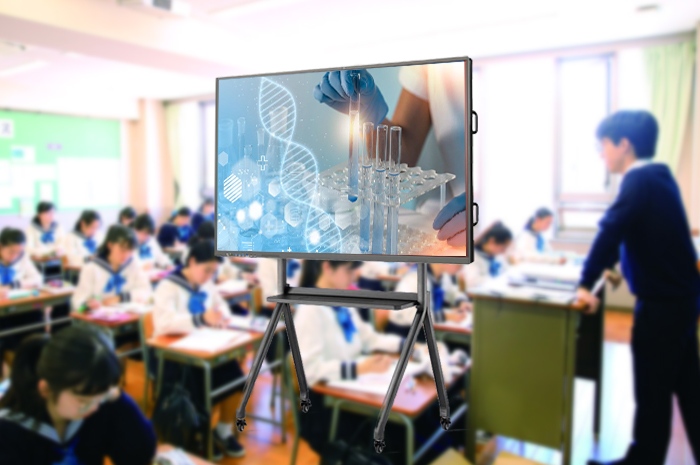
Chalk marks fade fast on traditional blackboards. Half-formed student ideas vanish the second the eraser sweeps across the surface. Teachers jot down temporary notes, sketch rough diagrams, and scribble discussion prompts, only to wipe everything clean once class ends. Students hesitate to voice unusual thoughts. No easy way to visualize abstract knowledge. No space to tweak concepts, test theories, or build layered creative projects together.
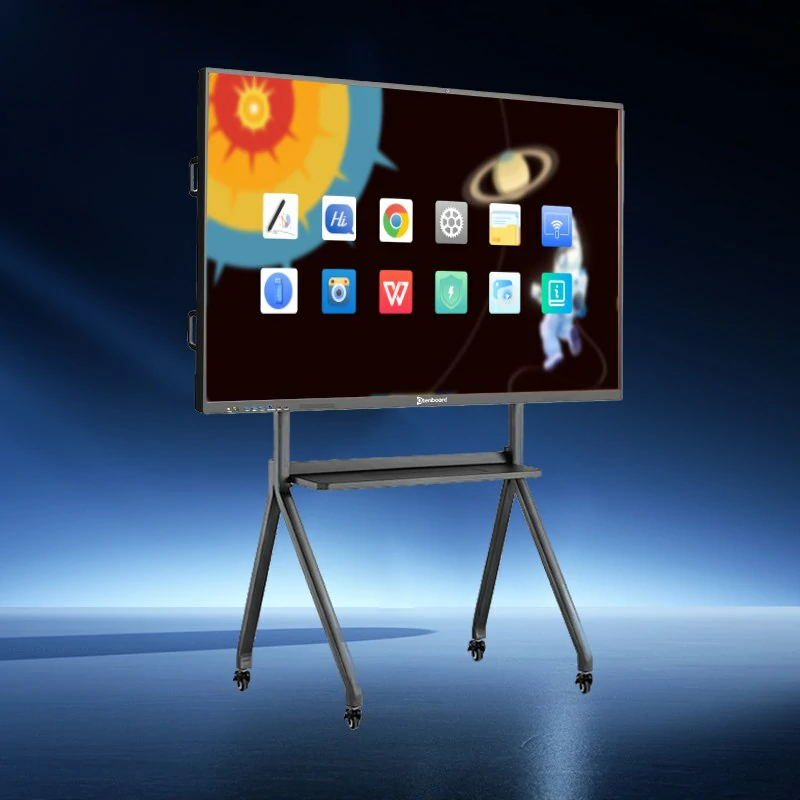
The interactive whiteboard rewrites this outdated classroom routine. It acts as an endless digital canvas. No chalk dust. No permanent erasures. Every thought, drawing, annotation and collaborative creation stays preserved. Students turn passive listening into hands-on participation. Curiosity finds room to grow, and random questions evolve into full lessons of exploration.
Old classroom teaching follows a fixed pattern. The teacher stands at the front and speaks. Students sit quietly and take notes. Few chances to participate. Rare opportunities to adjust course content according to student curiosity. This rigid format makes complex subjects hard to grasp for young learners. The interactive whiteboard tears down this barrier entirely. Every subject transforms into a hands-on activity filled with interaction.
History Class: Walk The Silk Road With Draggable Visual ElementsTextbook paragraphs about ancient trade routes feel flat to most children. With the interactive panel, the entire trade network unfolds across the screen. Students drag camel caravans across vast desert stretches. They trace spice trading routes with golden digital lines, mark silk transportation paths in rich red hues, and paint flying apsaras from ancient cave murals directly onto the background canvas. Groups split up to map different sections of the route. One team labels trading hubs. Another notes imported goods and cultural exchanges. Every addition appears instantly for the whole class to view. Discussions pop up naturally. Students ask about traveling hardships, cultural blending, and how goods reshaped civilizations. Static history text becomes a vivid shared journey.
Geography Class: Test Climate Patterns Through Live Visual AdjustmentWeather systems and global climate zones often confuse young students who cannot picture invisible atmospheric shifts. The interactive platform lets learners manipulate environmental factors with simple taps and drags. They pull temperature curves upward and downward to observe resulting weather changes. They brush digital snow across tropical savanna landscapes and watch how vegetation and rainfall shift in response. They adjust ocean current directions to see impacts on regional climates. Mistakes turn into valuable lessons. If a student sets temperatures too high and creates extreme drought conditions, the whole class discusses why this shift occurs and its real-world consequences. Abstract climate knowledge solidifies through trial and visual feedback.
Creativity rarely follows strict lesson plans. The best learning moments happen when students pose unexpected questions and branch off from scheduled content. Conventional classrooms lack flexible tools to hold these spontaneous learning threads. The interactive whiteboard accommodates these detours seamlessly, turning random curiosity into extended educational exploration.
Art Class: Design Future Cities And Expand Into Cross-Subject LearningWhen assigned the Future City group project, students craft bold, imaginative urban layouts on the large screen. Teams draw sky buses that travel between high-rise rooftops, glowing botanical lamps that run on renewable energy, and floating cloud farms built above city blocks. Once designs take shape, teachers guide deeper conversation. A simple question about cloud farm technology pulls in knowledge from multiple disciplines. Students look up atmospheric science to understand rainfall collection. They explore lightweight construction materials for suspended platforms. They discuss sustainable energy systems to power indoor plant ecosystems. Art no longer stays isolated. It connects meteorology, material science, environmental studies and engineering together. Curiosity stretches outward, and creative artwork becomes the starting point for comprehensive knowledge building.
Traditional schooling prioritizes memorization first. Students recite facts before understanding their meaning. Complex academic content feels dull and disconnected from daily life. The interactive whiteboard reverses this sequence. Imagination opens the door, and factual knowledge follows afterward. Hard topics become playful, editable experiences students actively engage with.
Biology Class: Replace Formal Dissection Lessons With Whimsical Interactive ExplorationTraditional biological dissection activities carry limitations for many classrooms. Some schools face resource restrictions. Many students feel uncomfortable with specimen work. Our interactive panel delivers a gentler yet thorough alternative. Students shade different frog organ systems with varied colors to learn internal body structures. They add playful creative modifications such as tiny space suits onto digital specimens. Teachers point out how each organ supports bodily functions. Students swap organ positions temporarily to observe how bodily systems break down without proper structure. Learning happens through playful trial rather than rigid observation. Once basic anatomy sinks in, teachers move on to textbook definitions and biological principles with far better student comprehension.
English Class: Shift Story Settings Instantly For Immersive Role PlayReading comprehension and oral role play grow stale when scenes stay locked inside printed books. A single tap on the interactive board transforms story backgrounds. Classic forest fables shift to outer space landscapes in seconds. Teachers pair fitting background audio with new scenes. Students adjust their lines and tone to match the revised environment. One group plays space explorers negotiating with alien creatures adapted from original story characters. Another rewrites plot details to fit zero-gravity conditions. Vocabulary, sentence structure and narrative logic get practiced naturally within creative storytelling. Abstract grammar rules turn into practical tools students use to build their own fictional scenes.
| Comparison Category | Traditional Chalk Blackboard | Qtenboard Interactive Digital Whiteboard |
|---|---|---|
| Content Persistence | All notes erased after class; no permanent record | Save all drawings, annotations and group work digitally; scan QR codes to store on phones |
| Student Participation Mode | Only one student can write at a time; limited interaction | Multi-point simultaneous touch; multiple students collaborate on screen together |
| Subject Teaching Forms | Text and simple hand-drawn sketches only | Maps, videos, climate simulations, digital specimens, scene switching and graphic tools supported |
| Creative Expansion Space | Fixed surface size; no room for extended creative branching | Unlimited digital canvas pages; branch lessons into cross-disciplinary topics freely |
| Classroom Health Condition | Chalk dust triggers throat irritation and respiratory discomfort | Dust-free operation; safer long-term environment for teachers and children |
| After-Class Review Support | Students rely on handwritten notebooks with incomplete records | Full class content archived; students review complete lessons anywhere after school |
| Scene & Content Adjustment | Time-consuming redrawing required for any changes | One tap to switch backgrounds, adjust graphics and reset simulation parameters instantly |
Q1: Do teachers need complex technical skills to operate the interactive whiteboard during daily lessons?
The interface mirrors the logic of hand-drawing on paper. You write, drag shapes and insert materials just as you would on a physical blackboard. Common functions such as page turning, content saving and scene switching sit in clear sidebar menus. Most teachers master basic operations within one short training session. Preloaded subject courseware templates further cut preparation time for daily classes.
Q2: Can all class collaborative work be saved and shared with students after school hours?
Once a class wraps up, you tap the save button to compile all screen content into a complete file. A QR code pops up on the display. Students scan the code with smartphone cameras to download full lesson records including handwritten notes, group drawings and simulation records. Files stay stored inside the device for months for repeated review.
Q3: Is the touch surface durable enough for daily frequent use by dozens of students?
The front panel uses thickened tempered anti-scratch glass. Accidental bumps from student hands, styluses and teaching pointers leave no permanent marks. The infrared touch sensor remains stable under daily heavy usage. Routine cleaning with soft cloths maintains touch accuracy and display clarity throughout the school year.
Q4: Can I pause midway through a lesson and resume the same content the next day?
You bookmark ongoing lesson pages before dismissing class. The system stores your current canvas layout, inserted videos and unfinished group projects. When you power the panel on the following morning, open the bookmark file to pick up the lesson exactly where you left off. No need to redraw maps or rebuild simulation scenes repeatedly.
Q5: Does the interactive panel support offline teaching without continuous internet access?
All core whiteboard drawing tools, preloaded subject maps, climate simulations and digital biology specimens work fully offline. Internet access is only required when downloading new courseware or streaming online teaching videos. Rural classrooms with unstable network conditions can still complete all daily interactive lessons smoothly.
Q6: Will prolonged screen viewing cause eye strain for young students?
The screen carries anti-glare coating to weaken reflection from ceiling lights and outdoor sunlight. Color brightness gets calibrated to match classroom ambient lighting standards. You can set automatic screen rest reminders to prompt short breaks after every forty minutes of continuous class time, which follows official primary school eye protection guidelines.
Every child holds scattered imaginative thoughts waiting for space to expand. Chalkboards erase these fleeting ideas day after day. The interactive whiteboard anchors those thoughts down. It turns vague mental pictures into visible, editable, shareable content the whole classroom engages with. History journeys come alive. Climate rules get tested firsthand. Art projects stretch across multiple academic subjects. Biological knowledge gets learned through playful exploration. English stories transform into immersive role-play adventures.
Learning no longer consists of memorizing fixed textbook content. It becomes a continuous exploration driven by student curiosity. Children grow comfortable raising unusual questions, collaborating with peers and building creative solutions together. The classroom shifts from a space for knowledge delivery to a hub for idea creation.
Discover the complete teaching functions and detailed hardware parameters of our interactive classroom panel here:Qtenboard Interactive Whiteboard Official Product PageBring creative, active learning to your classroom today.


 Floor 6, Building A, No. 3, North District, Shangxue Science and Technology City, Xinxue Community, Bantian Street, Longgang District, Shenzhen City
 info@szqunmao.com
 +86 15920011166
 +86 15920011166