English
 Español
 Português
 Français
 Русский язык
 Italiano
 Deutsch
 Nederlands
 لعربية
 한국어
 Japanese
 ภาษาไทย
 Türkçe
 Tiếng Việt
 Bahasa Indonesia
 Hindi
 kazakh
 Uzbek
 Thai
 Farsi





When a room is large enough that the back row stops reading a 75-inch screen, the next decision is an 86-inch interactive flat panel. Whether a brief calls it an 86 inch interactive flat panel, an 86inch freestanding interactive flat panel, or simply a large-format display with a stand, the buyer is asking for the same platform — a 4K touch surface, a mounting method, and a software image that behaves identically in every lecture hall and flagship boardroom. This guide is written for school districts, universities, corporate workplace teams, importers and AV integrators who need to specify one, approve a pilot batch and then repeat it across an estate. It uses the 86" 4K interactive flat panel for education and business as the working configuration, and walks through the decisions that turn a large-room requirement into an orderable, repeatable specification.
1. Who This Guide Is For
Four roles normally shape a large-format display order. The university, school district or corporate workplace team defines what a lecturer, presenter or meeting participant must be able to do from the back of the room. The AV integrator owns the wall or floor position, the delivery route, power, network and commissioning. The importer and tender agent assembles the paperwork and the shipping schedule. The factory project manager turns all of it into one approved specification sheet. When those four agree on the same document, hall 1 and hall 50 behave identically; when they do not, the differences show up during installation rather than in the quotation.
Qunmao Display Technology Co., Ltd. was established in 2009 with a production base in Shenzhen covering 230,000 square metres, integrating production, sales, software development and service for LCD and central control equipment. As an OEM & ODM solution provider, it exports more than 85% of output to over 50 countries and regions, including India, Morocco, Russia, Indonesia, the USA, South Africa, Southeast Asia and Pakistan. Interactive flat panels sit alongside interactive whiteboards, smart blackboards, conference panels, educational tablets, digital signage, advertising displays and LCD video walls in the main product range — enough breadth that the first job is always to name the exact configuration for the programme.
2. Where an 86" Interactive Flat Panel Earns Its Place
The 86-inch format is chosen when viewing distance, not floor area, sets the specification. Typical deployments include university lecture halls and teaching theatres, large training and examination-preparation centres, flagship corporate boardrooms and town-hall spaces, conference and seminar suites, assembly-style briefing rooms in hospitals and public buildings, exhibition and showroom demonstration areas, and hybrid teaching rooms where remote participants appear beside a live class.
What these have in common is a shared surface at scale. One panel replaces a projector, a whiteboard, a speaker set and a separate casting receiver: a lecturer writes and annotates, plays a 4K video, casts from a laptop, runs a split-screen comparison, and saves the session for people who were not in the room. For a multi-building estate, the commercial value is that one approved hardware and software image can be rolled out to every large room without re-specifying each one — and that the smallest text on the slide is still legible from the last row.
3. Define the Session Before Choosing Hardware
Start from what happens in the room, not from the diagonal. Four common jobs lead to four different emphasis areas:
| Session | What the panel must do | What to confirm in the specification |
|---|---|---|
| Lecture to a full hall | Keep equations, references and small annotations readable from the last row | 4K legibility, anti-glare glass, indoor brightness class, wide off-axis viewing |
| Flagship board meeting | Cast from several laptops, hold an agenda beside a remote participant, export marked-up decisions | Wireless projection, split-screen zones, casting protocols, session export |
| Large-group collaboration | Let several people write or move objects at once, then review each result on screen | Multi-user touch, simultaneous writers, stylus behaviour at the panel edges |
| Repeated training across sites | Run the same content in many rooms, be managed centrally, power on by schedule | Standard software image, device management, timed power, remote publishing |
One boundary is worth stating early. If the brief calls for a real chalk-writing surface alongside the screen, that is a smart blackboard form with its own enclosure drawing; if it calls for a vertical advertising loop in a lobby, that is a digital signage kiosk. An interactive flat panel is chosen when people need to write, cast, collaborate and save on one shared screen. Fixing that split at the start keeps the bill of materials clean.
4. Choose the Size and the Platform From the Range
The interactive flat panel range spans 55 to 110 inches, so the 86-inch working configuration sits at the large end of a ladder that can be standardised across one estate. Choosing the ladder first makes the model code and the room drawing meaningful:
| Size band | Best fit | What it changes in the order |
|---|---|---|
| 55 – 65 inch | Small classrooms, huddle rooms, one-to-one training | Shorter viewing distance, lighter handling, smaller wall footprint |
| 75 inch | Standard classrooms, lecture rooms, boardrooms, training suites | Balanced viewing distance and wall footprint; two-person handling |
| 86 inch — the configuration used here | Lecture halls, teaching theatres, flagship boardrooms, large briefing rooms | Longer viewing distance, larger wall substrate, delivery route survey, higher bracket load |
| 98 – 110 inch | Large assembly spaces and flagship demonstration halls | Structural wall check, crate freight, additional handling equipment |
Two related forms deserve their own lines on a school order. Where a programme must keep a physical chalk-writing surface beside the screen, the 86" smart interactive blackboard with side writing panels is the matching choice, with its own enclosure drawing and installation method. Keep one size and one form per purchase line so the content layout, wall drawing and commissioning checklist stay consistent; where two forms are required, approve each as its own sample and its own order line.
For programmes that mix several sizes across one estate, agree a common specification language at the start: one glass stack, one software image, one remote-management approach and one branding package. That is what allows a 65-inch huddle room and an 86-inch lecture hall to be ordered, commissioned and supported as one project.
5. Display Performance and Why Each Line Matters
The table below is the platform reference for an 86-inch interactive flat panel. It is the document the quotation, the pilot approval and the incoming inspection should all point to. The approved specification sheet carries the exact values for the selected version.
| Item | Platform reference | What it delivers |
|---|---|---|
| Display | 86 inch 4K interactive flat panel, landscape all-in-one frame | A shared front-of-room canvas sized for a full lecture hall or flagship boardroom |
| Resolution | 3840 × 2160 (4K UHD) | Sharp equations, small references, spreadsheets and diagrams from the last row |
| Media support | 4K video and image decoding and playback | One high-resolution asset library can serve the whole estate |
| Panel | BOE A+ grade LCD panel | Consistent quality and colour across every large room in the roll-out |
| Glass | Anti-glare glass with zero gap bonding process | Less reflection from windows and ceiling lights, and a natural writing feel with minimal parallax |
| Brightness | Indoor brightness class, value confirmed per version on the approved sheet | Readable in a lit lecture hall or boardroom without washing out colour |
| Colour | 16.7M (8-bit) true colour | Accurate diagrams, maps, brand colours and subject imagery at scale |
| Viewing angle | Wide off-axis viewing | Readable from side seats across a wide room and from standing positions |
| Touch | Infrared or capacitive multi-touch, point count confirmed per version | Multi-user writing, group work and reliable finger or stylus input |
| System | Android platform with an optional Windows OPS module | One hardware build for teaching apps, whiteboard tools and legacy Windows software |
| Collaboration | Split screen, wireless projection, multi-screen interaction | Lecturer and student, or presenter and remote participant, content side by side |
| Mounting | Wall bracket or mobile stand, VESA pattern confirmed per version | One panel that fits either a fixed hall or a room that shares the unit |
A few programme-specific items are best agreed at RFQ stage rather than assumed: the exact OS build and licence scope, RAM and storage, touch point count and sensing technology, stylus and pen accessories, speaker and camera configuration, VESA pattern and bracket load rating, whole-unit weight, and export packing dimensions and gross weight. Recording them on the approved specification sheet is what keeps hall 50 identical to hall 1 — and what makes a reorder a one-line email.
6. Wall Mount, Mobile Stand or Floor Pedestal
"Freestanding" is an installation choice, not a different screen. Three mounting styles solve three different briefs:
Wall bracket — a dedicated lecture hall or boardroom with a load-bearing wall and a known viewing height. Confirm the VESA pattern, bracket load rating, wall substrate and fixed power and network positions.
Mobile stand — rooms that share the panel, or layouts that change by session. Confirm locking castors, base footprint, anti-tip stability at full extension, stand height and tilt range, and cable routing.
Floor pedestal — a permanent floor position without wall drilling. Confirm base footprint, floor load, stability and service access.
At 86 inches, the site survey is part of the product, not an afterthought. Agree the assembled height and whole-unit weight, the narrowest doorway, lift and corridor on the delivery route, lift load capacity, floor flatness and load-bearing capacity, the number of people required for the lift, ventilation clearance behind the frame, and the charging or mains position. A large glass panel that fits the wall but cannot reach the room is a logistics decision made too late. Where the stand and the frame are both finished in a custom colour, approve them together on the same sample.
7. Viewing Distance, Room Geometry and Content Layout
An 86-inch purchase is usually driven by the farthest seat. Before the order is placed, record the room length, the distance from the screen to the last row, the smallest text size that must remain readable, the ceiling and window light sources, and the seating angle at the sides. Those five facts determine whether anti-glare glass, an indoor brightness class and wide off-axis viewing are enough, and they give the content team a target for font and diagram size.
Approve whiteboard and video layouts in the wide 16:9 landscape of the panel, with a clearly defined zone for live annotation and a separate zone for the source window. At this diagonal, a crowded slide is visible as a crowded slide to the whole room, so a simple layout with generous margins usually outperforms a dense one. Keep the approved layout on the same specification sheet as the hardware so a second hall receives identical content behaviour.
8. Touch Writing, Annotation and Glass
Four capabilities define the interactive part of the panel. Touchscreen writing lets a lecturer or presenter write, draw and edit directly on the screen. Annotation over content keeps a video, slide or web page visible while notes are added on top. Multi-user interaction lets several people work at the glass at once during group problem-solving. Session saving keeps the annotated result for people who were absent or for a later class.
Turn those into acceptance items: pen, finger and eraser behaviour, stroke response at the panel edges on a large surface, colour and line-width options, palm rejection, calibration stability after a power cycle, and the number of simultaneous writers. Anti-glare glass with zero gap bonding matters here as much as it does for viewing — a natural writing feel with minimal parallax is what makes a long lecture comfortable. Then run them on the pilot unit with a real lesson rather than a single demonstration stroke. "The panel supports writing" is a capability; "a lecturer can save and share a full annotated session" is the acceptance criterion.
9. Wireless Projection, Split Screen and Multi-Screen Interaction
The panel supports split screen, wireless projection and multi-screen interaction. In a lecture hall that means a worked equation can stay visible while a video plays beside it; in a board meeting, an agenda can sit next to a remote participant's screen; in a training estate, one instructor device can be mirrored to several displays. For a multi-building programme, it also means one lesson or meeting layout can be approved once and reused in every large room.
Put the layout into the specification: zone ratios, which sources can appear in each zone, supported casting protocols from iOS, Android, Windows and macOS devices, behaviour when a device disconnects, and whether the panel keeps playing local content if the network drops. List every file format and interface language by name so the delivered image matches the content workflow and the lecturer's laptop.
10. System, Software and Device Management
The Android platform hosts teaching apps, whiteboard tools, multimedia resources and wireless projection on the same unit, and an optional Windows OPS module covers rooms that still depend on legacy Windows software. That openness is what allows one hardware configuration to serve lectures, board meetings, staff training and public briefings without a separate player in each room.
For a district or multi-site company, put the software scope into the specification: exact OS build, pre-installed teaching and whiteboard applications, third-party installation policy, interface language, boot screen, RAM and storage, network join and guest-casting policy, device-management compatibility, administrator accounts, timed power, playback logs, and how saved sessions are stored and shared. Confirm at RFQ stage whether the OPS module is required — that is a configuration decision, not something to assume from a form-factor description. List every application by name so the delivered image matches the operator's workflow.
11. Teaching, Meeting and Large-Group Workflows
A useful way to specify the panel is to write down two sessions that must run end to end. In a lecture, the lecturer opens a teaching app, works on a virtual whiteboard, pauses a video to explain a point, splits the hall into groups who write equations and change graphs at the glass, reviews each solution on screen from the back row, and saves all notes for absent students. In a board meeting, several participants cast in turn, the agenda stays visible beside a financial video window, decisions are annotated live, and the marked-up session is exported to the attendees.
Those two scenarios test writing, multimedia, casting, group interaction, saving and review in one pass. Add a third check for a multi-site estate: the same software image, the same zone layout and the same administrator structure must load on every unit. Outcomes describe why the purchase is made; the named software image and content formats describe what is actually delivered.
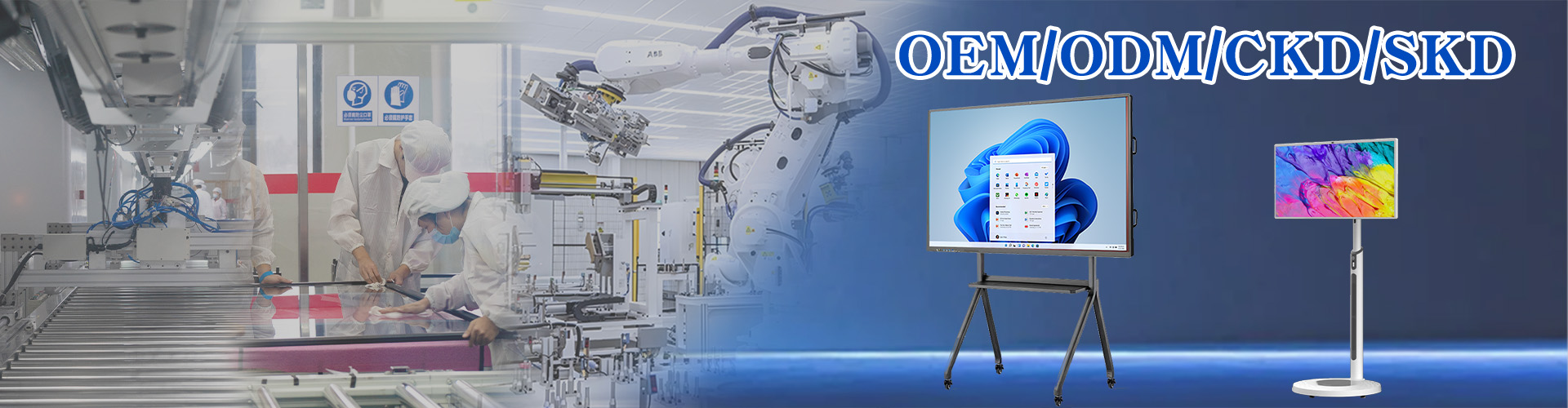
12. Branding and OEM / ODM / CKD / SKD
Four cooperation modes are available for volume programmes, and each one suits a different type of buyer:
OEM — your brand, boot screen, nameplate, UI language, carton artwork and manual language on a standard platform.
ODM — a jointly defined specification, enclosure finish, software image and feature set for a product line of your own.
CKD — complete knocked-down supply for markets that require local assembly, with the kit, documentation and test procedure agreed in advance.
SKD — semi knocked-down supply where part of the assembly is completed at the factory and the remainder locally.
Supply logo artwork as production files and state the target volume in the RFQ, since custom imaging, finishes and software builds normally tie to a minimum quantity. Factory visits are welcome at any time before order release, which is a practical way for a distributor to approve the assembly line, the aging test and the export packing in one trip. Keep the customisation bounded: branding, software and declared options are flexible, while the panel, glass stack, VESA pattern and environmental class belong on the fixed specification sheet.
13. Building the RFQ
A complete enquiry removes two or three quotation rounds. Send all of the following in one message:
Configuration — 86" 4K interactive flat panel, with the selected version identified.
Room and session — lecture, board meeting, collaboration or training, with the workflows to be accepted.
Viewing geometry — room length, distance to the last row, smallest required text size, window and ceiling light sources, side seating angle.
Mounting — wall bracket, mobile stand or floor pedestal, with VESA pattern, bracket rating, wall substrate, service clearance, doorway, lift and corridor dimensions, lift load capacity, floor load, and handling crew size.
Display — 3840 × 2160, BOE A+ anti-glare zero gap bonding glass, indoor brightness class, 16.7M colour, wide off-axis viewing.
Touch — required sensing technology, point count, simultaneous writers, stylus and pen accessories.
System — OS build, optional Windows OPS module, RAM / storage, named apps, third-party policy, UI language, boot screen.
Collaboration — split-screen zones, wireless projection protocols, multi-screen interaction, session-saving format.
Finish — standard black frame or a custom colour, with a colour reference for the frame, stand and nameplate.
Quantity and sites — units per room, number of rooms and buildings, and whether the order mixes sizes or forms.
Branding and packaging — logo, boot screen, nameplate, carton artwork, manual language and per-site marking.
Destination — country / port, mains voltage and plug type, preferred Incoterm, currency and payment terms.
Documentation — certificate set, warranty scope and spare-parts requirement for the tender.
Timing — required delivery date and whether a pilot unit is needed before the production run.
Enquiries are answered within 12 hours by email, product and price questions within 24 hours, and 7*24 online service is available. Monthly stock of 3,000–5,000 units is a supply-capability statement; confirm the actual date and minimum quantity for the specific customisation in writing when the quotation is issued.
14. Pilot Approval and the Golden Sample
For a custom software image, custom finish or multi-room order, approve one fully assembled pilot unit before the production run — panel, glass, bracket or stand, touch configuration and software together, not as five separate approvals. Run the two sessions from Section 11 on it: open the teaching app, write and annotate, pause a video, split the screen, cast from a lecturer laptop and a meeting laptop, save and share the notes, and run a group activity with simultaneous writers.
Add the physical checks that an 86-inch unit needs. Pass the assembled panel and stand through the narrowest doorway, into the lift and along the corridor to the room; confirm the lift load capacity; roll it across the real floor, lock the castors, and push the stand gently at full extension to confirm anti-tip stability; and verify that the agreed handling crew can position it safely. Then check 4K text legibility from the last row, anti-glare behaviour under the room's real window light, edge touch accuracy, wireless projection stability, the OS build and pre-installed apps, boot screen and logo, frame colour against the signed sample, bracket fit, service access, and export crate artwork.
The signed unit becomes the golden sample referenced by the QC checklist and by every later batch. Where a programme mixes a wall-mounted hall, a mobile-stand room, a chalk-surface form or a second size band, approve each as its own sample and its own purchase line. One named person on the buyer side should sign the approval — that single discipline prevents most specification drift between pilot and production.
15. Production, Quality Control and Supply Capacity
Products are strictly tested by QC before delivery, and the company also sells its own brand in China's domestic market, so quality control is a factory-level routine rather than a project extra. The company adheres to ISO 9001 standards, owns a production factory with a complete supply chain, and maintains 3,000–5,000 units in stock every month. Materials meet applicable standards, and competitive factory pricing is paired with superior quality across the range.
For custom batches, the approved specification sheet is the only reference: no panel substitution, no glass or touch-route change, no OS or software image change, and no frame colour or mounting change without written confirmation. Request the QC checklist and device serial list together with the shipment documents rather than after the container arrives. Where a project requires third-party inspection or a factory assessment, state it in the RFQ so it is built into the schedule rather than added at dispatch.
16. Certification and Tender Documentation
For government, education and healthcare tenders, the paperwork is part of the product. The company has been engaged in the business display industry for more than ten years, maintains independent product R&D institutions, and holds a certificate set covering 3C certification, energy-saving certificate, test report, national high-tech enterprise certificate, CNAS quality certification, CE, FCC, RoHS, ISO 9001 quality management, ISO environmental management and the product implementation standard certificate. It is also a designated brand in the domestic government procurement list and holds invention patents, utility model patents, design patents, intellectual property rights and copyrights.
Request current certificates for the exact configuration ordered: certificate numbers, validity dates and the legal entity name should match the proforma invoice, otherwise a tender submission can be rejected on paperwork alone. Where the tender names a specific OS build, touch configuration, VESA pattern or mounting style, the certificate set and the specification sheet should describe the same machine. Confirm warranty duration, spare-parts scope and the language of the user manual before the purchase order is issued.
17. Packaging, Freight, Installation and Project Timeline
An 86-inch glass panel ships as a display plus a bracket or stand, usually in a wooden crate or reinforced export carton. Confirm crate dimensions, foam protection, whether a stand ships assembled or flat-packed, the wooden-frame option, and any drop-test or humidity requirements for long routes. Freight is calculated from crate size and gross weight, not from the screen diagonal, and the delivery route survey from Section 6 should be attached to the packing plan. Keep the packing list, commercial invoice, certificate pack and mounting guide as one document set, with every crate labelled to the same serial number.
Commissioning follows a fixed sequence: unbox inspection against the QC checklist, bracket assembly on a load-bearing wall or stand assembly on a level floor, orientation and anti-tip check against the purchase order, power-on, network join, wireless projection from a real laptop, split-screen and whiteboard test, session-saving test, edge touch calibration, and administrator handover. Lecturer and presenter training is a deliverable, not a courtesy — record the final device list, serial numbers, OS build, touch configuration, mounting method, frame colour and admin credentials in the asset register before the integrator leaves.
| Stage | Owner | Output document |
|---|---|---|
| 1. Session & viewing geometry | University / integrator | Room length, last-row distance, smallest readable text |
| 2. Size & form lock | Both parties | 86" 4K IFP, form and version in writing |
| 3. Route & mounting survey | Integrator | Doorway, lift, corridor, floor load, handling crew, VESA and bracket rating |
| 4. Specification lock | Both parties | Signed sheet with display, glass, touch, OS, software and finish lines |
| 5. RFQ & quotation | Qunmao | Quotation with Incoterm, MOQ, certificate set and lead time |
| 6. Pilot approval | Both parties | Golden sample with a full session and a completed route test |
| 7. Production / QC | Qunmao | QC checklist and device serial list |
| 8. Documentation | Qunmao | Certificate pack, invoice and crate labels |
| 9. Freight & receiving | Forwarder / buyer | Signed receiving report per hall |
| 10. Commissioning & training | Integrator | Staff sign-off and asset register entry |
| 11. After-sales & repeat orders | Both parties | 24-hour support record, standardised reorder specification |
Lead times vary with customisation scope, quantity and destination. What belongs in the contract is the sequence and the acceptance document for each stage, not a generic number of days.
Questions receive a reply within 24 hours with solutions provided immediately; quick email response is within 12 hours, and 7*24 online service is available. For expansion, standardise on one size, one version, one OS build, one software image, one finish and one golden sample. Then a second phase in another building is a quantity change, not a new project.
18. Frequently Asked Questions
Q. Are "86 inch interactive flat panel", "86inch freestanding interactive flat panel" and a large display with a stand different products?
A. No. They describe one 86-inch 4K platform with two optional details: the size written with or without a space, and the mounting method. A wall bracket, a mobile stand or a floor pedestal, and a standard black or custom frame, are configuration lines on the same purchase order — not separate products.
Q. Is 86 inches the right size for our rooms?
A. It suits lecture halls, teaching theatres, flagship boardrooms and large briefing rooms where the last row still needs to read small references. The range spans 55 to 110 inches: 55–65 inch for huddle and small rooms, 75 inch for standard group rooms, 86 inch for large rooms, and 98–110 inch for the largest spaces. Record the distance to the last row and the smallest text size that must remain readable, then keep one size per purchase line.
Q. Wall mount, mobile stand or floor pedestal — how do we choose?
A. A wall bracket suits a dedicated hall with a load-bearing wall and a known viewing height. A mobile stand suits rooms that share the panel or layouts that change by session. A floor pedestal suits a permanent floor position without wall drilling. At 86 inches, also confirm the VESA pattern, bracket load rating, castor locking, base footprint, anti-tip stability, doorway, lift and corridor dimensions, lift load capacity, floor load and handling crew size.
Q. Is it a true 4K display, and will the back row read small text?
A. Yes. The panel is 3840 × 2160 UHD with 4K video and image decoding and playback, so a single high-resolution asset library can serve the whole estate. Combined with a BOE A+ grade panel, anti-glare glass with zero gap bonding, 16.7M colour, an indoor brightness class and wide off-axis viewing, small references stay readable across a large room. Approve a content layout with generous margins on the pilot unit from the last row.
Q. How many people can write at once, and which touch technology is used?
A. Infrared or capacitive multi-touch is available, and the point count is confirmed for the selected version on the approved specification sheet. State the required number of simultaneous writers, stylus behaviour, palm rejection and calibration stability at RFQ stage, then test them on the pilot unit with a real group activity, including strokes at the panel edges. Anti-glare zero gap bonding glass keeps the writing feel natural during a long lecture.
Q. Which operating system and software does it run?
A. An Android platform with teaching apps, whiteboard tools, multimedia resources and wireless projection, plus an optional Windows OPS module for rooms that depend on legacy Windows software. Confirm the exact OS build, pre-installed apps, third-party installation policy, RAM, storage, interface language, boot screen, administrator accounts and session-saving policy on the approved sheet.
Q. Can we get a black frame, or a custom colour on the frame and stand?
A. Yes. A standard black frame is the usual choice for lecture halls and corporate rooms, and a custom frame colour with a matching stand and nameplate is available for branded interiors. Put the colour reference on the specification sheet, approve it on the signed sample, and confirm the surface treatment for daily cleaning. Locking the finish once prevents shade differences across a multi-building roll-out.
Q. How is an 86-inch unit delivered and brought into the room?
A. It ships in a wooden crate or reinforced export carton, with the display and the bracket or stand packed together or separately as agreed. Freight is calculated from crate size and gross weight. Before the order, survey the narrowest doorway, the lift and its load capacity, the corridor, floor load and the handling crew size; then repeat that route on the pilot unit. Crate artwork, the packing list and the certificate pack should carry the same serial reference.
Q. Is it suitable for outdoor or direct-sun positions?
A. The 86-inch interactive flat panel is an indoor education and business product with an indoor brightness class. For a street-facing or direct-sun position, request the dedicated outdoor high-brightness display line with its own enclosure and thermal specification. State the environment in the RFQ so the correct line is quoted.
Q. What cooperation modes, supply capacity and after-sales support are available?
A. OEM, ODM, CKD and SKD are all available, covering branding, a jointly defined specification, complete knocked-down kits and semi knocked-down supply for local assembly. Monthly stock is 3,000–5,000 units, products are strictly QC-tested before delivery, and the factory operates under ISO 9001 with a complete in-house supply chain. Questions receive a reply within 24 hours with solutions provided immediately, quick email response is within 12 hours, and 7*24 online service is available. Standardise on one version, one OS build, one software image, one finish and one golden sample, then reuse the approved specification sheet as the reorder reference.
19. Start Your Project
Send the session and viewing geometry, the size and form, the mounting method and route survey, the touch and system requirements, the frame finish, the quantity and the destination in one message, and the process above starts with a specification that can be quoted, sampled and repeated. For lecture halls, teaching theatres, flagship boardrooms and large briefing rooms, the 86" 4K interactive flat panel for education and business is the reference configuration; where a chalk-writing surface, a smaller standard room, a vertical advertising kiosk or an outdoor position is required, the same project team will quote the matching unit from the range. One approved specification sheet is what turns a single pilot hall into an estate-wide roll-out.