English
 Español
 Português
 Français
 Русский язык
 Italiano
 Deutsch
 Nederlands
 لعربية
 한국어
 Japanese
 ภาษาไทย
 Türkçe
 Tiếng Việt
 Bahasa Indonesia
 Hindi
 kazakh
 Uzbek
 Thai
 Farsi





A self-ordering counter lives or dies by its busiest hour. Whether a brief calls it a self service payment terminal, a self-service payment terminal for kiosks, or simply a 32-inch ordering machine, the buyer is asking for the same outcome: a guest who can browse a menu, build an order, pay without waiting, and walk away with the right receipt. This guide is written for restaurant chains, retail operators, hospitality groups, importers and POS integrators who need to specify one, approve a pilot batch and then repeat it across stores. It uses the QM-3225DC 32" self-service payment ordering kiosk as the working configuration, and walks through the decisions that turn a checkout requirement into an orderable, repeatable specification.
1. Who This Guide Is For
Four roles normally shape a self-service ordering order. The restaurant, retail or hospitality operator defines the guest journey, the menu structure and the payment flows that must be accepted. The POS integrator owns the counter position, the peripheral set, the software interface and the network. The importer and tender agent assembles the paperwork and the delivery schedule. The factory project manager turns all of it into one approved specification sheet. When those four agree on the same document, store 1 and store 200 behave identically at peak hour; when they do not, the differences show up during commissioning rather than in the quotation.
Qunmao Display Technology Co., Ltd. was established in 2009 with a production base in Shenzhen covering 230,000 square metres, integrating production, sales, software development and service for LCD and central control equipment. As an OEM & ODM solution provider, it exports more than 85% of output to over 50 countries and regions, including India, Morocco, Russia, Indonesia, the USA, South Africa, Southeast Asia and Pakistan. Interactive whiteboards, interactive flat panels, smart advertising displays, digital signage, smart conference panels, smart blackboards, educational tablets, smart terminals and queue machines all sit in the main product range — enough breadth that the first job is always to name the exact configuration for the programme.
2. Where a 32" Self-Service Payment Terminal Earns Its Place
The 32-inch countertop format is the workhorse of quick-service and self-ordering environments. Typical deployments include quick-service restaurants and casual dining chains, food courts and canteens, coffee and bakery counters, cinema and entertainment concessions, supermarket and retail checkout assistance, hotel and resort grab-and-go points, hospital and campus catering, transport-hub food service, and exhibition or event catering where queues peak in short bursts.
The commercial case is measured in minutes and accuracy. Self-service kiosks let customers place orders, make payments and customise orders with ease; they reduce wait times, improve order accuracy and boost efficiency, while freeing staff to handle preparation and exceptions. User-friendliness, customisability and secure payment processing are built into the design intent. For a chain, the further value is standardisation: one approved menu layout, one peripheral set and one software image can be rolled out to every counter without re-specifying each store.
3. Define the Checkout Journey Before Choosing Hardware
Start from the guest journey, not from the screen size. Four common steps lead to four different acceptance items:
| Journey step | What the terminal must do | What to confirm in the specification |
|---|---|---|
| Browse and customise | Show a clear menu with modifiers, options and prices that stay legible in a queue | Portrait content layout, FHD legibility, 20-point touch responsiveness |
| Review the basket | Let a guest edit items, quantities and add-ons before committing | UI flow, tap targets, third-party client software behaviour |
| Pay securely | Complete the transaction without staff intervention | Declared payment peripherals, secure processing workflow, receipt output |
| Collect and leave | Hand the guest a receipt or order number and reset for the next guest | Printer or display confirmation, session reset, offline behaviour |
One boundary is worth stating early. If a guest only needs to look up information, find a product or read a directory, that is an information kiosk. A payment terminal is chosen when the journey ends in a transaction, with a basket, a payment step and an order confirmation. Fixing that split at the start keeps the bill of materials clean and avoids paying for peripherals the project will never use.
4. Choose the Kiosk Form From the Range
Three self-service forms cover most front-of-house work, and each has a clear job:
Countertop payment ordering terminal (QM-3225DC) — the configuration used here — takes orders and payments at a till or counter; ordered one line per lane, with a spare ratio.
Information inquiry kiosk — answers questions, shows directories and runs product lookup without a transaction; ordered as a separate line with its own model number.
Vertical advertising or signage display — promotes campaigns and wayfinding in the same venue; quoted as its own hardware line.
Where a venue needs a sloped, angled information point beside the ordering lane, the 32" K-type interactive inquiry kiosk is a natural companion form from the same 32-inch family: one unit completes a transaction, the other answers questions before the guest reaches it. Keep each as its own purchase line with its own quantity, peripheral set and software image. This is also how a brief for a self-service payment terminal for kiosks is normally handled in practice — the payment configuration is declared on the terminal order, whether the units are new or are joining an existing kiosk estate.
The 32-inch format appears across the kiosk family in vertical, wall-mounted, countertop and K-type styles, with other sizes available for larger venues. Choose one size and one form per order line so the content layout, enclosure drawing and counter cut-out stay consistent.
5. Reference Specification and Why Each Line Matters
The table below is the reference configuration for the QM-3225DC. It is the document the quotation, the pilot approval and the incoming inspection should all point to.
| Item | Specification | What it delivers |
|---|---|---|
| Brand / Model | QUNMAO / QM-3225DC | A single, repeatable part number for every lane and every reorder |
| Display | 32 inch self-service payment ordering terminal, desktop / counter machine | A compact front-of-counter canvas sized for one guest and a queue behind them |
| Resolution | 1920 × 1080 (Full HD) IPS HD LCD panel with LED backlight | Gorgeous colour, high brightness and sharp menu prices, modifiers and allergen text |
| Media support | 4K video and image decoding and playback | One high-resolution promotional asset library can serve the whole chain |
| Active display area | 394 × 699.5 mm (H × V), 16:9 panel in portrait | A tall menu column with a basket summary and a clear payment zone |
| Viewing angle | 89 / 89 / 89 / 89 | Readable by a guest leaning in and by a second guest glancing from the queue |
| Brightness | ≥300 cd/m² | Comfortable under indoor restaurant, retail and hospitality lighting |
| Refresh rate | 60 Hz | Smooth menu transitions, promotional video and basket animations |
| Touch | 20-point capacitive touch, G+G high-channel capacitance solution | Smooth writing, precise touch and strong anti-interference during peak-hour use |
| System | Intelligent Windows operating system, third-party client software can be installed | A ready platform for the operator's ordering, POS and loyalty applications |
| Structure | All-in-one frame, super thin, easy installation and convenient maintenance | Quick counter fit-out and straightforward service access behind the unit |
| Service | OEM and ODM customisation support | Chain branding, packaging and configuration |
A few programme-specific items are best agreed at RFQ stage rather than assumed: the exact OS build, RAM and storage, the complete payment peripheral set, speaker and camera configuration, whole-unit weight, counter cut-out and enclosure drawing, and export packing dimensions and gross weight. Recording them on the approved specification sheet is what keeps store 200 identical to store 1 — and what makes a reorder a one-line email.
6. FHD Panel, 4K Media Decoding and Portrait Content
The 1920 × 1080 IPS HD LCD panel is the working surface for the menu; 4K video and image decoding and playback is the media capability behind it. In practice that means a chain can produce one promotional asset library in high resolution and publish it to every lane, while the ordering interface itself is designed at FHD for crisp prices, modifiers and buttons. Both lines belong on the specification sheet so the content team and the software team are working to the same numbers.
The 394 × 699.5 mm active area is a 16:9 panel installed in portrait, which suits a checkout journey better than a wide layout: a tall menu column at the top, a persistent basket summary in the middle, and a large payment and confirm zone within comfortable reach. Approve that layout on the pilot unit with the real menu, including the longest item name, the deepest modifier chain and the busiest promotional banner. Keep the approved zone ratios on the same sheet as the hardware so a second store receives identical content behaviour.
7. Capacitive G+G Touch and the 20-Point Checkout UI
The high-channel capacitance G+G touch solution is specified for smooth writing, precise touch and strong anti-interference, with 20-point capacitive touch. In a self-ordering context those three qualities translate into a guest who can tap a small modifier, swipe a long menu and confirm a basket without a missed tap — even when the screen is busy, the counter is wet or several people are near the unit.
Turn that into acceptance items: tap accuracy at the panel edges, responsiveness after rapid consecutive taps, behaviour with a gloved or slightly damp finger where local hygiene rules require it, palm rejection, calibration stability after a power cycle, and cleaning-product resistance on the glass. Then verify them on the pilot unit with a real rush-hour sequence rather than a single demonstration tap. "The terminal supports touch" is a capability; "a guest can build a five-item order with modifiers in under a minute, without a retry" is the acceptance criterion.
8. The Payment Peripheral Stack
Secure payment processing is a design intent of the self-service ordering kiosk, and the exact peripheral set is a programme decision. Declare each item in the RFQ, name the interface and driver, and verify it on the golden sample with one completed transaction:
| Peripheral | Role in the journey | What to put on the specification sheet |
|---|---|---|
| QR / barcode scanner | Member codes, coupons, mobile payment and pickup tokens | Scan engine, Symbologies, window position, beeper and driver |
| Card reader / POS module | Chip, contactless and mobile-wallet payments | Interface, certification for the destination market, mounting bracket |
| Receipt printer | Order confirmation, queue number and receipts | Paper width, cutter, reloading access, driver and consumable type |
| NFC / membership reader | Loyalty identification and stored-value payment | Protocol, reader position, card and phone behaviour |
| Camera or scan window | QR login, age or identity checks where required | Resolution, field of view, privacy cover and local compliance |
| Network module | Order transmission and remote monitoring | Wired or WiFi, fallback behaviour, administrator access |
Keep the peripheral set on one named list with model numbers, interfaces and driver versions. A terminal, a printer and a card reader that were approved separately but never run together are three working items and one failed checkout. Where a chain already operates an installed estate, state whether the order covers complete new terminals or the payment configuration for units being extended — the two have different packing lists, documentation and commissioning steps.
9. System, POS Integration and Software
The QM-3225DC runs an intelligent Windows operating system and supports third-party client software installation, so the operator's ordering application, POS client, loyalty module and payment service sit on the same unit as the display. Android or Windows builds are selected at RFQ stage and frozen on the approved specification sheet; the same applies to the OS build, licence scope, RAM and storage.
Put the software scope into the specification: the named ordering and POS applications, the payment service and its certification for the destination market, menu and price-list update workflow, tax and receipt format, local language and currency, loyalty and coupon logic, administrator accounts, timed power, transaction logs, order-number sequence, and behaviour when the network drops. List every application, driver and interface by name so the delivered image matches the operator's live POS rather than a generic demo.
10. Ordering Accuracy, Queue Flow and Accessibility
Three design goals follow directly from the self-service model: reduce wait times, improve order accuracy and boost efficiency. They are worth writing down as acceptance items. A guest should be able to see the basket total before paying, edit a modifier without starting again, read allergen and price information at a glance, and receive a clear order number or receipt at the end. Errors at the basket step are the ones that reach the kitchen, so the review screen deserves as much pilot attention as the payment screen.
Add the physical queue facts to the same review: viewing height for a standing guest and for a wheelchair user, reach distance to the payment zone, counter cut-out and cable routing, glare from windows or ceiling lights against the 89 / 89 / 89 / 89 viewing angle, speaker or beeper volume in a noisy food court, and a clear reset between guests. Where several lanes sit side by side, approve one lane first and use it as the reference for the rest.
11. OEM and ODM for Chain Programmes
OEM and ODM service is available for volume programmes, and it is most valuable when it is applied once and then frozen for the whole estate. The configurable surface typically covers:
Brand and identity — logo, nameplate, boot screen, UI language and currency, carton artwork and manual language.
Software — a standard image, the named ordering and POS clients, home-screen layout, menu zone ratios and tax or receipt defaults.
Configuration — OS build, RAM and storage, network module, and the declared payment peripheral set.
Structure and packaging — counter enclosure finish, cut-out drawing, export carton and per-store carton marking.
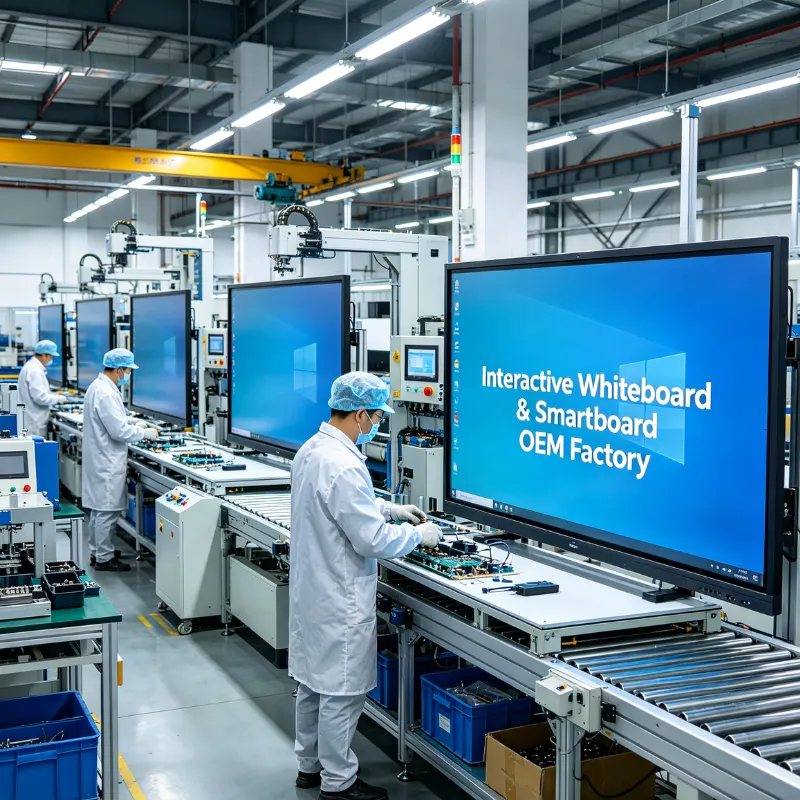
Supply logo artwork as production files and state the target volume in the RFQ, since custom imaging, finishes and software builds normally tie to a minimum quantity. Factory visits are welcome at any time before order release, which is a practical way for a distributor to approve the assembly line, the aging test and the export packing in one trip. Keep the customisation bounded: branding, software and declared peripherals are flexible, while the panel, touch route and environmental class belong on the fixed specification sheet.
12. Building the RFQ
A complete enquiry removes two or three quotation rounds. Send all of the following in one message:
Configuration — QUNMAO QM-3225DC, 32" self-service payment ordering terminal, counter / desktop form.
Journey — browse, customise, basket review, pay, collect, with the target checkout time and menu depth.
Display — 1920 × 1080 FHD IPS LED, ≥300 cd/m², 60 Hz, 89 / 89 / 89 / 89, portrait 394 × 699.5 mm active area, 4K media decoding.
Touch — 20-point capacitive G+G, edge accuracy, cleaning and hygiene requirements.
Peripherals — the complete named list of scanner, card reader, printer, NFC reader, camera and network module, with drivers and interfaces.
System — OS build, RAM / storage, named ordering and POS applications, payment service, licence scope, language and currency.
Integration — menu update workflow, tax and receipt format, loyalty logic, transaction logs, offline behaviour and administrator accounts.
Site facts — counter cut-out, viewing height, reach distance, power outlet, network position, glare and ambient noise.
Quantity and sites — lanes per store, number of stores, delivery addresses, and whether the order joins an existing estate.
Branding and packaging — logo, boot screen, nameplate, carton artwork, manual language and per-store marking.
Destination — country / port, mains voltage and plug type, preferred Incoterm, currency and payment terms, and payment certification required locally.
Documentation — certificate set, warranty scope and spare-parts requirement for the tender.
Timing — required delivery date and whether a pilot unit is needed before the production run.
Enquiries are answered within 12 hours by email, product and price questions within 24 hours, and 7*24 online service is available. Monthly stock of 3,000–5,000 units is a supply-capability statement; confirm the actual date and minimum quantity for the specific customisation in writing when the quotation is issued.
13. Pilot Approval and the Golden Sample
For a custom software image, branded finish or multi-store order, approve one fully assembled pilot unit before the production run — display, touch, system image and the complete peripheral set together, not as five separate approvals. Run one real transaction end to end: open the live menu, add a five-item order with modifiers, review and edit the basket, pay with each declared method, print or display the receipt and order number, confirm the order reached the POS or kitchen, disconnect the network and confirm the agreed fallback, then reset for the next guest.
Add checks for 4K promotional playback, FHD price legibility from the queue, edge tap accuracy, beeper volume, the boot screen and logo, menu zone ratios, tax and currency format, receipt layout, peripheral driver versions, counter cut-out fit, cable routing, service access behind the all-in-one frame, and export carton artwork. The signed unit becomes the golden sample referenced by the QC checklist and by every later batch. Where a programme mixes countertop lanes with an angled information point or a second size, approve each as its own sample and its own purchase line. One named person on the buyer side should sign the approval — that single discipline prevents most specification drift between pilot and production.
14. Production, Quality Control and Supply Capacity
Products are strictly tested by QC before delivery, and the company also sells its own brand in China's domestic market, so quality control is a factory-level routine rather than a project extra. The company adheres to ISO 9001 standards, owns a production factory with a complete supply chain, and maintains 3,000–5,000 units in stock every month. Materials meet applicable standards, and competitive factory pricing is paired with superior quality across the range.
For custom batches, the approved specification sheet is the only reference: no panel substitution, no touch or OS change, no software image change, and no peripheral or driver change without written confirmation. Request the QC checklist and device serial list together with the shipment documents rather than after the container arrives. Where a project requires third-party inspection or a factory assessment, state it in the RFQ so it is built into the schedule rather than added at dispatch.
15. Certification and Tender Documentation
For government, finance, healthcare and chain tenders, the paperwork is part of the product. The company has been engaged in the business display industry for more than ten years, maintains independent product R&D institutions, and holds a certificate set covering 3C certification, energy-saving certificate, test report, national high-tech enterprise certificate, CNAS quality certification, CE, FCC, RoHS, ISO 9001 quality management, ISO environmental management and the product implementation standard certificate. It is also a designated brand in the domestic government procurement list and holds invention patents, utility model patents, design patents, intellectual property rights and copyrights.
Request current certificates for the exact configuration ordered: certificate numbers, validity dates and the legal entity name should match the proforma invoice, otherwise a tender submission can be rejected on paperwork alone. Where the destination market requires payment-module certification, confirm that the declared card reader or POS module carries it and that its model appears on the same document set. Confirm warranty duration, spare-parts scope and the language of the user manual before the purchase order is issued.
16. Packaging, Freight and Counter Installation
A 32-inch countertop terminal normally ships as a display plus a stand or counter frame, often with the declared peripherals packed separately. Confirm export carton dimensions, foam protection, whether the unit ships assembled or flat-packed, the wooden-frame option, and any drop-test or humidity requirements for long routes. Freight is calculated from packing size and gross weight, not from the screen diagonal. Keep the packing list, commercial invoice, certificate pack, peripheral list and mounting guide as one document set, with every carton labelled to the same serial number.
Commissioning follows a fixed sequence: unbox inspection against the QC checklist, counter frame or stand assembly, cut-out and cable check, power-on, OS and licence verification, network join, installation of the named ordering and POS clients, peripheral driver and pairing check, a live test transaction, receipt and order-number confirmation, tax and currency check, offline fallback test, and administrator handover. Staff training is a deliverable, not a courtesy — record the final device list, serial numbers, OS build, software image, peripheral set, counter position and admin credentials in the asset register before the integrator leaves.
17. Training, Spare Ratios and Multi-Store Roll-Out
Handover is short but worth documenting: how a guest starts an order, how staff reload receipt paper, clear a jam, restart the client, handle a declined payment, and who to contact for a replacement peripheral. Capture those points on one page in the agreed language and place it in the same handover pack as the user manual. Consumables and a small spare set of high-wear peripherals are usually cheaper than an emergency shipment during a busy trading period.
Questions receive a reply within 24 hours with solutions provided immediately; quick email response is within 12 hours, and 7*24 online service is available. For expansion, standardise on one model, one OS build, one software image, one peripheral set and one golden sample. Then a second phase in another city is a quantity change, not a new integration project.
| Stage | Owner | Output document |
|---|---|---|
| 1. Checkout journey & menu depth | Operator / POS integrator | Journey, target checkout time, payment methods |
| 2. Form & size lock | Both parties | 32" countertop QM-3225DC, form and version in writing |
| 3. Peripheral & software lock | Both parties | Named peripheral list, drivers, OS build and POS clients |
| 4. RFQ & quotation | Qunmao | Quotation with Incoterm, MOQ, certificate set and lead time |
| 5. Pilot approval | Both parties | Golden sample with one completed live transaction |
| 6. Production / QC | Qunmao | QC checklist and device serial list |
| 7. Documentation | Qunmao | Certificate pack, invoice and packing list |
| 8. Freight & receiving | Forwarder / buyer | Signed receiving report per store |
| 9. Commissioning & training | Integrator | Staff sign-off and asset register entry |
| 10. After-sales & repeat orders | Both parties | 24-hour support record, standardised reorder specification |
Lead times vary with customisation scope, quantity and destination. What belongs in the contract is the sequence and the acceptance document for each stage, not a generic number of days.
18. Frequently Asked Questions
Q. Are "self service payment terminal" and "self-service payment terminal for kiosks" different products?
A. No. Both names describe the same 32-inch countertop ordering and payment platform. The working configuration here is the QUNMAO QM-3225DC. The phrase "for kiosks" usually signals that the units will join an existing self-service estate, so state in the RFQ whether the order covers complete new terminals or the payment configuration for units being extended. Fix the form, the peripheral list, the OS build and the software image, and the phrase resolves into one orderable specification.
Q. Is the display 4K?
A. The panel is 1920 × 1080 Full HD IPS with an LED backlight, and the unit supports 4K video and image decoding and playback. That means one high-resolution promotional asset library can serve the whole chain, while the ordering interface is designed at FHD for crisp prices, modifiers and buttons. Both lines belong on the approved specification sheet so content and software teams work to the same numbers.
Q. Does it ship in portrait or landscape?
A. The working configuration is portrait, with a 394 × 699.5 mm active area — a 16:9 panel installed vertically. It suits a tall menu column, a persistent basket summary and a payment zone within comfortable reach. Approve the zone ratios on the pilot unit with the real menu, including the longest item name and the deepest modifier chain.
Q. What touch technology and how many points does it support?
A. A 20-point capacitive touch system built on a high-channel G+G capacitance solution, specified for smooth writing, precise touch and strong anti-interference. State edge accuracy, rapid-tap behaviour, palm rejection, calibration stability and cleaning-product resistance as acceptance items, then verify them on the pilot unit with a real rush-hour ordering sequence.
Q. Which payment peripherals can be configured?
A. Declare the QR or barcode scanner, card reader or POS module, receipt printer, NFC or membership reader, camera or scan window, and network module in the RFQ, each with its model, interface and driver. Approve the complete set together on the golden sample by running one live transaction end to end. A terminal and a card reader approved separately but never run together do not make a working checkout.
Q. Which operating system and software does it run?
A. An intelligent Windows operating system with third-party client software installation, so the operator's ordering application, POS client, loyalty module and payment service sit on the same unit. Android or Windows builds are selected at RFQ stage and frozen on the approved sheet, together with the OS build, licence scope, RAM, storage, language, currency, tax format and transaction-log behaviour.
Q. What happens if the network drops at a store?
A. Agree the offline fallback, local basket behaviour and order-number sequence in the specification sheet, then test them on the pilot unit by disconnecting the network during a live transaction. For chain fleets, also agree administrator accounts, timed power, transaction logs, remote monitoring and the menu update workflow before production.
Q. Is it suitable for outdoor or drive-through positions?
A. The QM-3225DC is an indoor countertop terminal with a ≥300 cd/m² brightness rating for restaurant, retail, hotel and public-space lighting. For a street-facing, drive-through or direct-sun position, request the dedicated outdoor high-brightness line with its own enclosure, sealing and thermal specification. State the environment in the RFQ so the correct line is quoted.
Q. What can OEM / ODM customise, and what is the supply capacity?
A. OEM / ODM covers logo, nameplate, boot screen, UI language and currency, carton artwork, manual language, a standard software image, the named ordering and POS clients, home-screen and menu zone ratios, tax and receipt defaults, OS build, RAM / storage, network module, the declared peripheral set, enclosure finish and packaging. Monthly stock is 3,000–5,000 units, products are strictly QC-tested before delivery, and the factory operates under ISO 9001 with a complete in-house supply chain. Include the target volume in the RFQ.
Q. What after-sales support applies to a multi-store roll-out?
A. Questions receive a reply within 24 hours with solutions provided immediately, quick email response is within 12 hours, and 7*24 online service is available. Certificate papers, warranty scope and spare parts are confirmed before the purchase order. Standardise on one model, one OS build, one software image, one peripheral set and one golden sample, then reuse the approved specification sheet as the reorder reference so store 200 is identical to store 1.
19. Start Your Project
Send the checkout journey, the form and size, the complete peripheral list, the system and POS requirements, the quantity, the store list and the destination in one message, and the process above starts with a specification that can be quoted, sampled and repeated. For self-ordering, secure payment and receipt confirmation at an indoor counter, the QM-3225DC 32" self-service payment ordering kiosk is the reference configuration; where a venue also needs an angled information point, a vertical advertising display or an outdoor position, the same project team will quote the matching unit from the range. One approved specification sheet is what turns a single pilot lane into a chain-wide roll-out.