English
 Español
 Português
 Français
 Русский язык
 Italiano
 Deutsch
 Nederlands
 لعربية
 한국어
한국어 Japanese
 ภาษาไทย
 Türkçe
 Tiếng Việt
 Bahasa Indonesia
 Hindi
Hindi kazakh
 Uzbek
Uzbek Thai
Thai Farsi
Farsi
LCD Splicing Screen Shipping Packaging Protection Guide
 2026-08-17
 1474
1474




2026-08-17
1474
Avoid Screen Damage During Transit, Packing and On‑Site Handling
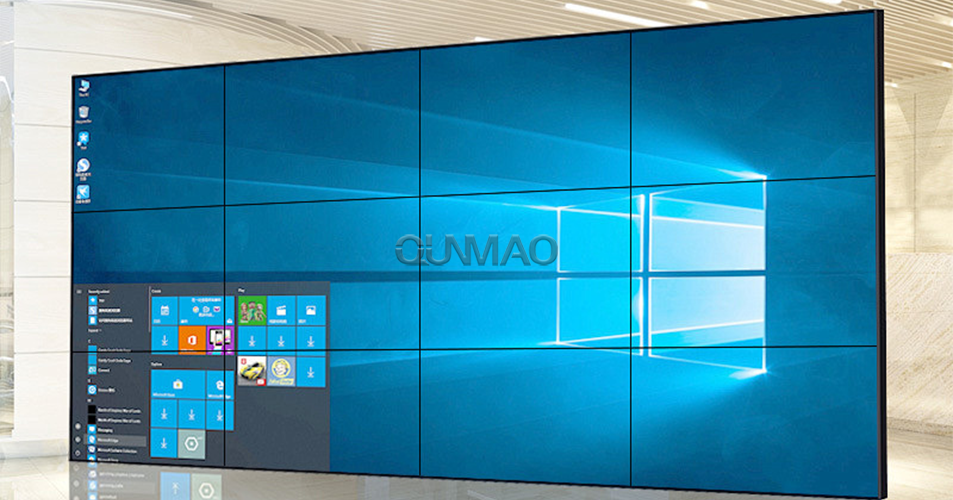
Large LCD splicing screens turn up everywhere in modern commercial spaces. You see them inside shopping‑mall central halls. You spot them on corporate meeting‑room walls. Security monitoring rooms also rely heavily on these display units. These screens deliver solid visual performance for daily business use. Many project teams overlook one simple fact. LCD panel glass stays extremely fragile. Damage can happen even before formal installation finishes.
Qunmao has completed hundreds of large‑scale display projects over the years. Our field teams run into preventable screen damage cases quite often. Small careless moves leave permanent scratches or internal panel cracks. Damaged panels go straight to scrap. You face long project delays and extra replacement costs. Every technician involved in packing, transport and installation must keep careful handling rules top of mind. Transport stages carry the highest risk for unexpected harm.
You cannot fix most physical LCD screen damage on site. Scratches, internal liquid leakage and glass fractures need full panel replacement. Replacement lead times may stretch from several days to multiple weeks. Your client will miss planned launch dates for monitoring centers or exhibition‑hall projects. Proper pre‑shipping preparation cuts most of these avoidable risks right away.
Liquid crystal material sits sealed between thin layers of glass inside each LCD unit. Sharp contact leaves permanent surface scratches. Sharp jolts twist internal glass layers. Tiny invisible cracks spread across the panel. You may boot the screen and see no obvious issues at first. Days later dark spots, color bleeding and dead pixel zones start to show up.
Finger oil residue also creates problems. Oil from bare fingers sticks to anti‑glare surface coatings. Stains become harder to clean over time. Improper cleaning wipes can strip away functional surface layers. You must set clear rules for every worker who touches unpacked panels.
Sharp objects scrape hard‑coated front glass, leaving permanent visible marks.
Strong impact generates hidden internal cracks that appear after installation.
Direct finger contact leaves oil marks that resist standard cleaning work.
Loose internal cables and metal fittings rub against panel faces during bumpy transit.
Box deformation from stacking weight squeezes panels and triggers glass breakage.
Every panel needs inspection before packing. Check each unit for existing scratches or defects. Document findings with photos. This step clears disputes about whether damage happened at factory or during transit. Set aside panels with existing flaws so they do not ship to client sites.
You must never touch exposed screen surfaces with bare hands or sharp items. Operators wear clean soft cotton gloves when handling bare panels. Move panels slowly. Avoid twisting or bending motions. Even moderate torque can crack thin LCD glass layers.
Internal box filling deserves close attention. Bubble wrap or thick foam goes around all four sides of every panel. Fill empty gaps inside cartons. These fillings stop panels from sliding and knocking against one another while trucks travel over uneven road surfaces. Moving parts inside the box create most impact damage during long‑haul deliveries.
Carry out full visual inspection and photo documentation before you start packing work.
Supply cotton gloves for all staff who touch bare LCD panel surfaces.
Wrap every panel with bubble cushioning material on front and rear sides.
Fill void space inside shipping boxes to eliminate panel shifting inside packaging.
Separate power cords, signal wires, network cables and interface accessories. Place all small hardware parts on the rear side of panels. Keep cables away from direct contact with front screen glass.
Thin lightweight cartons will not work for LCD splicing panel shipments. You need thick, high‑strength outer boxes. Many professional projects choose plywood cases for long‑distance or multi‑leg transport. These heavy‑duty shells hold shape under stacking pressure and rough handling at logistics hubs.
Box deformation brings real danger. When boxes cave in, external pressure transfers directly onto panel glass. Even panels with foam wrapping will suffer damage. Test box strength before large batch shipments. Confirm cases resist compression from stacked weight.
Mark every shipping container with clear printed warning labels. Print “FRAGILE”, “DO NOT STACK” and “HANDLE WITH CARE” on multiple outer faces. Logistics workers see these prompts and adjust loading behavior. Labels alone cannot guarantee safe treatment. Solid physical packaging forms your real‑world protection.
Damage can also show up during unpacking. Many teams focus only on factory‑side packing rules and ignore site‑side steps. You should unpack boxes on flat, clean ground. Clear away stones, metal scraps and sharp debris from the unpack zone. Small hard objects underneath can punch through foam and scratch panel surfaces.
Use plastic opening tools. Do not run sharp utility knives deep into box interiors. Blades can cut through foam cushioning and score LCD glass. Lift panels out slowly. Two workers should carry each large‑size splicing unit. Single‑person lifting creates uneven stress points across panel edges.
Carry out visual checks right after you take panels out of boxes. Look for surface scratches, glass cracks and dents. Power on units as early as possible. Confirm display output works normally. Report transit‑related damage to logistics providers within agreed claim windows.
| Check Item | Improper Shipping & Packing Practice | Recommended Proper Shipping & Packing Practice |
|---|---|---|
| Panel Handling | Bare‑hand contact with screen face, single‑person lifting | Gloved operators, two‑person lifting for large‑size panels |
| Inner Box Cushioning | Little foam or bubble wrap, large empty gaps inside carton | Full foam filling, zero free movement for panels inside package |
| Accessory Placement | Cables and metal hardware sit against front screen surface | All accessories stored on rear side, isolated from glass face |
| Outer Container | Thin ordinary cartons, easy to deform under stacking weight | Thick reinforced cartons or plywood cases for long‑distance transport |
| Outer Marking | No fragile warning marks on shipping containers | Multi‑side printed “Fragile” and “No Stacking” warning labels |
| Unpacking Tools | Sharp utility knives pushed deep into box interior | Blunt plastic opening tools, avoid blade penetration inside box |
| Pre‑ship Inspection | No photo record before goods leave warehouse | Visual inspection plus photo archive for every panel unit |
| Project Impact | High risk of panel scrap, delayed project schedule, extra replacement cost | Lower panel damage rate, stable project timeline, fewer unexpected expenses |
Assume outer carton protection alone makes panels safe. Inner foam gaps still allow panels to shift and collide in transit.
Put power adapters, metal brackets and hard cable connectors directly against front screen surfaces inside boxes.
Skip pre‑shipment photo records. You lose evidence when damage disputes happen with logistics partners.
Allow single‑person lifting for large‑format splicing panels. Uneven force creates hidden glass stress fractures.
Use sharp blades to cut open packing boxes without controlling blade depth. Blades scratch LCD glass underneath foam layers.
Stack heavy cargo on top of LCD shipping boxes. Compression force deforms cartons and breaks internal panels.
Unpack on rough ground scattered with sharp debris. Small hard items punch through protective foam material.
Q1: Can minor surface scratches on LCD splicing screens get repaired?
Most front‑glass scratches cannot get repaired on site. Light coating marks sometimes respond to special cleaning fluid. Deep scratches penetrating glass layers need full panel replacement. Preventive packing work costs far less than new panel purchases.
Q2: Are bubble wrap and foam enough protection for long‑distance road transport?
Inner cushioning works together with strong outer containers. Foam cannot save panels if outer boxes cave in under stacking weight. For cross‑province or international shipments, plywood cases deliver better anti‑compression performance.
Q3: Who takes responsibility when panels arrive damaged after shipping?
Responsibility depends on pre‑shipment inspection records and unpacking photos. Complete photo archives taken before shipment and right after unpacking help you sort out liability with logistics service providers.
Q4: Can we transport multiple LCD panels stacked face‑to‑face directly?
You must place thick protective isolation layers between screen faces. Never let two bare screen surfaces touch each other directly. Tiny dust particles trapped between glass faces will create scratches during transit vibration.
Q5: What temperature conditions affect LCD panels during shipping?
Avoid extreme hot or cold environments. Liquid crystal layers react to drastic temperature swings. Do not leave packed panels sitting inside closed trucks under strong sun for extended hours. Keep storage temperature within normal commercial‑grade ranges.
Q6: How many people should carry a single large‑size splicing panel?
Panels 55 inch and above need two trained operators. Each worker supports one side of the unit. Keep panel surface in vertical orientation. Horizontal flat carrying increases risk for internal glass stress damage.
Q7: What should you do if you spot damage right after unpacking?
Stop installation work immediately. Take clear photos of boxes, cushioning material and defective panel. Keep original packing materials. Notify your supplier and logistics provider quickly. Do not throw away packaging evidence before claim processing finishes.
Complete visual inspection and take photos for every LCD panel before packing.
Prepare cotton gloves for all staff handling bare display panels.
Wrap panels with bubble or foam material, fill all empty gaps inside shipping boxes.
Separate cables and metal hardware. Store accessories on panel rear side only.
Select reinforced cartons or plywood cases for long‑distance shipment.
Print fragile, no‑stack warning labels on multiple outer box surfaces.
Plan two‑person handling workflow for panels 55 inches and larger.
Prepare flat, clean ground space before unpacking goods on‑site.
Use blunt plastic opening tools, avoid deep knife cuts into box interiors.
Inspect and power‑test panels right after unpacking, preserve all packing evidence if damage appears.
LCD splicing screen damage from transit creates heavy costs for you and your clients. Good packaging and handling routines do not add huge amounts of project expense. These simple steps protect your hardware investment, keep construction timelines on track and cut unexpected replacement work for your display projects.


 Floor 6, Building A, No. 3, North District, Shangxue Science and Technology City, Xinxue Community, Bantian Street, Longgang District, Shenzhen City
 info@szqunmao.com
 +86 13148726043
 +86 13148726043