English
 Español
 Português
 Français
 Русский язык
 Italiano
 Deutsch
 Nederlands
 لعربية
 한국어
 Japanese
 ภาษาไทย
 Türkçe
 Tiếng Việt
 Bahasa Indonesia
 Hindi
 kazakh
 Uzbek
 Thai
 Farsi


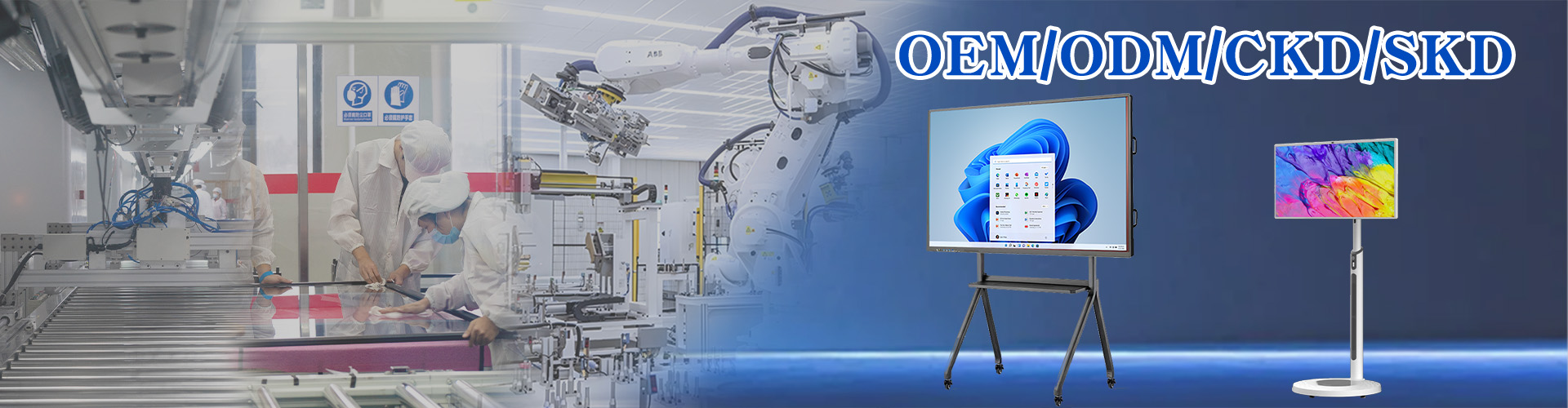



Not every display needs to be bolted to a wall. A battery-assisted screen on castors can follow a presentation from a meeting room to a reception desk, hold a digital-art display at a retail counter for an afternoon, or give a hotel guest a larger screen than a tablet without claiming permanent floor space. This guide is written for distributors, brand owners, hospitality groups and IT buyers who need to specify a portable smart screen on wheels, approve a pilot batch and then repeat the configuration across sites. It uses the 21.5" Portable Smart TV on Stand with Battery as the working configuration, and walks through the decisions that turn a movable-screen idea into an orderable specification.
1. Who This Guide Is For
Four roles normally shape a portable display order. The brand owner or distributor defines the product line, the price point and the markets it will serve. The hospitality, retail or office buyer defines where the unit will be used and how long it must run between charges. The importer and tender agent assembles the paperwork, the shipping route and the delivery schedule. The factory project manager turns all of it into one approved specification sheet. When those four agree on the same document, a pilot unit and unit 200 behave identically; when they do not, the differences show up during roll-out rather than in the quotation.
Qunmao Display Technology Co., Ltd. was established in 2009 with a production base in Shenzhen covering 230,000 square metres, integrating production, sales, software development and service for LCD and central control equipment. As an OEM & ODM solution provider, it exports more than 85% of output to over 50 countries and regions, including India, Morocco, Russia, Indonesia, the USA, South Africa, Southeast Asia and Pakistan. Its range covers smart advertising displays, digital signage, smart terminals, interactive flat panels, conference panels and educational displays — enough breadth that the first job is always to name the exact configuration for the programme.
2. Where a Movable 21.5" Screen Earns Its Place
The 21.5-inch format sits in a useful gap: larger than a tablet for shared viewing, small enough for one person to move between rooms. Typical deployments include gaming and TV viewing at home, slideshow presentations in small meeting rooms, digital-art displays in retail and gallery settings, product demonstrations at trade shows and pop-up events, menu or information display at restaurant counters, in-room entertainment and information in hotels, training content in classrooms and offices, and reception or lobby signage that changes position through the day.
What these have in common is a session, not a permanent installation. Content is shown for a defined period, the screen is moved or recharged, and the space returns to its earlier use. That is the business case for battery assistance and castors: one screen can cover several positions that would otherwise each need a fixed display, and a distributor can offer a product that ships as a complete unit rather than as an integration project.
3. Define the Session Before Choosing the Specification
Start from what happens during a session, not from the diagonal. Four common jobs lead to four different emphasis areas:
| Session | What the unit must do | What that implies |
|---|---|---|
| Presentation or training | Run a slideshow, cast from a laptop, stay readable from across a small room | Full HD clarity, 178° off-angle viewing, stable stand, reliable casting |
| Entertainment and gaming | Play video and TV content, respond quickly to a remote or touch input | Smooth colour and motion, optional voice remote, local media input |
| Digital art and brand display | Hold a static or slow-moving image for hours in a retail setting | Colour consistency, low-power content mode, battery runtime target |
| Information at a counter or event | Move between positions, show a loop, be set up by one person | Locking castors, manageable whole-unit weight, fast power-on |
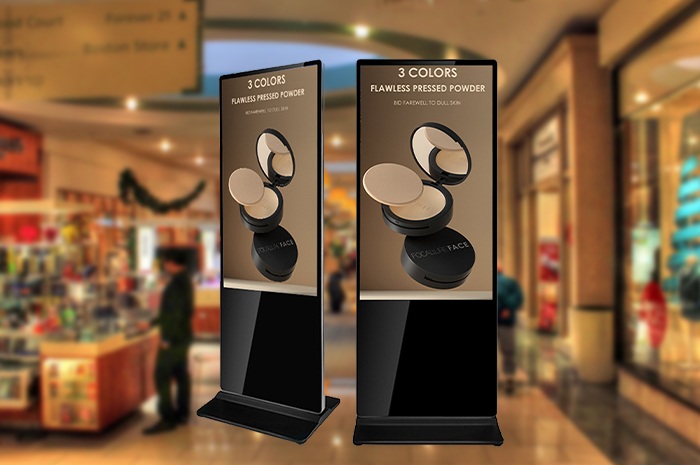
One boundary is worth stating early. If the brief calls for an always-on, fixed-position advertising display in a mall aisle or a shop window, a floor-standing digital signage unit is the appropriate line. Where content must run all day at a large format with central scheduling, the 75" 4K branded kiosk digital signage display (QM-7516GL) is the complementary choice, while the 21.5-inch portable screen serves the sessions that move. Defining that split at the start keeps both quotations clean.
4. Choose the Form: Movable, Wall-Mounted or Floor-Standing
Three installation styles solve three different problems:
| Form | Best fit | What it changes in the order |
|---|---|---|
| Wall-mounted display | A permanent position with a known viewing height and no floor space to spare | Bracket, wall substrate, fixed cabling, no castors |
| Fixed floor-standing kiosk | High-traffic visitor interaction, wayfinding and continuous campaign playback | Base footprint, anti-tip check, always-on mains power, CMS scheduling |
| Movable screen on stand and castors | Sessions that change position, run on battery or are stored between uses | Battery, castors, stand drawing, whole-unit weight, charging position |
For a movable programme, the drawing matters as much as the panel. Agree the stand height range, tilt and rotation angles, portrait or landscape orientation, base footprint, castor size and locking behaviour, assembled dimensions and whole-unit weight. Then check the narrowest doorway and lift on the delivery route, the floor surface at each site and the charging position. A screen that one person can roll from a meeting room to a reception desk removes the need for a second display; one that needs two people and a trolley does not.
5. Display Performance and Why Each Line Matters
The table below is the reference configuration for the 21.5-inch portable smart screen. It is the document the quotation, the pilot approval and the incoming inspection should all point to.
| Item | Specification | What it delivers |
|---|---|---|
| Panel | 21.5" LCD, Full HD portable smart screen on stand | A shared-viewing size that still moves through a standard doorway |
| Resolution | 1920 × 1080 Full HD | Sharp text, slides and product images at close viewing distance |
| Brightness | 250 cd/m² | Comfortable under indoor home, office and light-business lighting |
| Contrast | 1200:1 | Depth and legibility in photographs, video and digital art |
| Colour | 8-bit true colour, 16.7M | Consistent brand colours across a fleet of units |
| Maximum viewing angle | 178° | Readable from a sofa, a side seat or a standing group when the screen is angled |
| Remote control | Voice remote control, optional | Hands-free control for presentations and in-room entertainment |
| Earphone | Type-C earphone | Private listening in hotel, office and training settings |
| USB | USB 2.0 OTG | Local media playback from a drive without a network connection |
| Type-C and external interface | Supported | Charging, display input and peripheral connection in one compact port set |
| Indicative price | USD 250–305 per piece | A starting reference for the base configuration; volume pricing is agreed per order |
A few programme-specific items are best agreed at RFQ stage rather than assumed: the OS build and casting protocols, RAM and storage, touch configuration, WiFi capability, speaker output, battery capacity and rated runtime, and export packing dimensions. Recording them on the approved specification sheet is what keeps unit 200 identical to unit 1 — and what makes a reorder a one-line email.
6. Battery-Assisted Operation
Battery assistance is what separates a movable smart screen from a conventional display. It lets the unit run a presentation, a gaming session or a digital-art display without a wall outlet, then return to a charging position between uses. For a hotel, that means an in-room screen can be placed where the guest wants it; for an event team, a demonstration can run on a stand without routing a cable across the floor; for a retailer, a counter display can be repositioned during the day.
For volume orders, agree the runtime target, charging method, adapter specification, behaviour while running and charging, and low-battery indication with the supplier at RFQ stage. Then verify runtime on the pilot unit with the content the screen will actually run — streamed video and a static art image place very different demands on the battery. Because the unit ships with a battery, also request the transport and safety documentation required by the carrier and the destination market at the documentation stage.
7. Wheels, Stand and Ergonomics
Castors and a stand turn a panel into a room-to-room asset. Define wheel diameter and material, whether all or only some castors lock, brake behaviour while someone taps or writes on the screen, stand height range, tilt and rotation, orientation, assembled height and base footprint, and anti-tip stability at full extension. Add cable routing, the charging position and the narrowest doorway the assembled unit must pass.
Ergonomics are a commercial decision too. A screen used seated at a hotel desk needs a different height range from one used standing at a trade-show counter. Decide early whether the unit is meant to be rolled fully assembled or lifted and carried — those are two different weight, handle and packaging specifications. A "portable" product that needs two people is not portable in the buyer's sense of the word.
8. Smart Platform, Casting and Connectivity
The unit is designed to work alongside smartphones and tablets, giving users a larger screen for content that starts on a mobile device. USB 2.0 OTG covers local media, Type-C covers charging and display input, a Type-C earphone connection covers private listening, and the optional voice remote covers hands-free control. That combination suits both a consumer entertainment line and a light-business presentation line without adding an external player.
For a chain roll-out, specify the OS build, supported casting protocols from iOS, Android, Windows and macOS, pre-installed applications and installation policy, interface language, boot screen, RAM and storage, WiFi capability and home-screen layout on the approved sheet. List every application, file format and language by name so the delivered software image matches the operator's content workflow. Confirm whether the voice remote is included in the box, and whether the Type-C earphone line requires an adapter.
9. Content and Interaction Design
The 21.5-inch Full HD panel is well matched to short-session content: a slideshow deck, a product video, a looping digital-art piece, a menu board or a TV session. Portrait and landscape each have a place — a tall art piece or menu column in portrait, a deck or video in landscape — so agree the orientation with the stand drawing and approve content layouts in that orientation.
Where touch interaction is part of the brief, specify the required touch points, sensing technology, stylus support, palm rejection and calibration stability, then test them on the pilot unit with the castors locked. A screen that moves while being touched is a frustrating experience; confirming brake behaviour and touch response together is a small step that prevents most handover complaints.
10. Branding and OEM / ODM for Distributors
OEM and ODM service is available for volume programmes, and it is most valuable when it is applied once and then frozen. The configurable surface typically covers:
Brand and identity — logo, nameplate, boot screen and startup animation, UI language, carton artwork and manual language.
Software — a standard image, pre-installed applications, casting defaults, home-screen layout and content layouts.
Configuration — battery option, stand and castor set, voice remote inclusion, touch option and port population.
Packaging and documentation — export carton, foam protection, battery transport documents, warranty card and per-market marking.
Supply logo artwork as production files and state the target volume in the RFQ, since custom imaging, finishes and battery configurations normally tie to a minimum quantity. Factory visits are welcome at any time before order release, which is a practical way for a distributor to approve the assembly line, the aging test and the export packing in one trip. Keep the customisation bounded: branding, software and declared options are flexible, while the panel, battery runtime and whole-unit weight belong on the fixed specification sheet.
11. Building the RFQ
A complete enquiry removes two or three quotation rounds. Send all of the following in one message:
Configuration — 21.5" Portable Smart TV on Stand with Battery, movable screen on castors.
Environment — indoor home, office, hospitality, retail or light-business sessions; no direct sun or rain.
Display — 1920 × 1080 Full HD, 250 cd/m², 1200:1, 16.7M colour, 178° viewing angle.
Battery — target runtime for the named session, charging method, adapter and transport documents.
Wheels and stand — castor count and locking, height and tilt ranges, orientation, base footprint, assembled dimensions.
Weight — maximum whole-unit weight and whether the unit is rolled or carried.
System — OS build, casting protocols, RAM / storage, pre-installed apps, UI language and boot screen.
Interfaces — Type-C, USB 2.0 OTG, external interface, Type-C earphone and voice remote inclusion.
Touch — required points, technology, stylus and simultaneous users, if applicable.
Quantity and sites — units per location, total volume, number of delivery addresses and target markets.
Branding and packaging — logo, nameplate, carton artwork, manual language and per-market marking.
Destination — country / port, mains voltage and plug type, preferred Incoterm, currency and payment terms.
Documentation — certificate set, battery papers, warranty scope and spare parts.
Timing — required delivery date and whether a pilot unit is needed before the production run.
Enquiries are answered within 12 hours by email, product and price questions within 24 hours, and 7*24 online service is available. Indicative pricing starts at USD 250–305 per piece; the final quotation names each configuration line rather than a single per-piece figure.
12. Pilot Approval and the Golden Sample
For a custom battery, stand, software image or multi-unit order, approve one fully assembled pilot unit before the production run — panel, battery, stand, castors and system together, not as five separate approvals. Run the real session on it: unplug the unit and play the actual video, deck or art piece for the agreed runtime, plug in while running, roll it across the real floor, lock the castors and tap or write on the screen, cast from a real phone and laptop, check the voice remote and every named port, and pass the assembled unit through the narrowest doorway on site.
Add checks for Full HD text legibility at the intended viewing distance, brightness behaviour under the room's real lighting, 178° off-angle viewing, colour consistency, boot screen and logo, base stability at full extension, battery indicator and low-battery behaviour, and export carton artwork. The signed unit becomes the golden sample referenced by the QC checklist and by every later batch. One named person on the buyer side should sign the approval — that single discipline prevents most specification drift between pilot and production.
13. Production, Quality Control and Supply Capacity
Products are strictly tested by QC before delivery, and the company also sells its own brand in China's domestic market, so quality control is a factory-level routine rather than a project extra. The company adheres to ISO 9001 standards, owns a production factory with a complete supply chain, and maintains 100–500 units in stock every month for this portable screen line. Materials meet applicable standards, and CE, RoHS and FCC conformity is available for the delivered configuration.
For custom batches, the approved specification sheet is the only reference: no panel substitution, no battery or stand change, no OS or software image change without written confirmation. Request the QC checklist and device serial list together with the shipment documents rather than after the container arrives. Where a project requires third-party inspection or a factory assessment, state it in the RFQ so it is built into the schedule rather than added at dispatch.
14. Certification and Tender Documentation
For hospitality groups, retail chains and public-sector buyers, the paperwork is part of the product. The company has more than ten years in the business display industry, maintains independent R&D institutions, and supports ISO 9001 quality management, CE, RoHS and FCC documentation alongside its broader quality management certifications. A designated-brand listing in the domestic government procurement list and a portfolio of invention, utility model and design patents, intellectual property rights and copyrights are also available for tender submissions.
Request current certificates for the exact configuration ordered: certificate numbers, validity dates and the legal entity name should match the proforma invoice, otherwise a submission can be rejected on paperwork alone. For battery-assisted units, include the carrier and destination-market transport documents in the same pack. Confirm warranty duration, spare-parts scope and the language of the user manual before the purchase order is issued.
15. Packaging, Delivery and On-Site Setup
A rolling 21.5-inch unit normally ships as a screen, a stand and a battery, often in more than one carton. Confirm export carton dimensions, foam protection, whether the stand and castors ship assembled or flat-packed, whether the battery ships installed or separately, and any drop-test or humidity requirements for long routes. Freight is calculated from packing size and gross weight, not from the screen diagonal. Keep the packing list, commercial invoice, certificate pack, battery documents and stand assembly guide as one document set, with every carton labelled to the same serial number.
There is no wall drilling and no integrator commissioning in the usual sense — this is a roll-out-and-power-on product. Still work through a fixed sequence: unbox inspection against the QC checklist, castor and stand assembly, lock and anti-tip check, charge and unplugged runtime test, network join, casting from a real phone and laptop, touch and voice-remote check, every named port, and user handover. Confirm the floor surface, doorway clearance, charging position and a safe parking spot. Record the final device list, serial numbers, battery configuration, stand part number, OS build and admin credentials in the asset register before roll-out sign-off.
16. Training, After-Sales and Fleet Expansion
User training is a deliverable, not a courtesy: staff need to charge and move the unit safely, content editors need to publish a deck or art piece, and IT needs to rejoin a unit to the network after a replacement. Capture those three procedures in a short handover document in the agreed language.
Questions receive a reply within 24 hours with solutions provided immediately; quick email response is within 12 hours, and 7*24 online service is available. For expansion, standardise on one battery configuration, one stand and castor part number, one OS image, one port population and one golden sample. Then a second phase in another market is a quantity change, not a new project — and the approved specification sheet becomes the reorder reference.
17. Indicative Project Timeline
| Stage | Owner | Output document |
|---|---|---|
| 1. Session & environment | Buyer / product owner | Indoor scenarios, runtime target, rolled or carried |
| 2. Form factor lock | Both parties | Movable screen with stand and castors, confirmed in writing |
| 3. Specification lock | Both parties | Signed sheet with display, battery, wheels, OS, ports and touch lines |
| 4. RFQ & quotation | Qunmao | Quotation with Incoterm, MOQ, certificate set and lead time |
| 5. Pilot approval | Both parties | Golden sample with a real unplugged session and roll test |
| 6. Production / QC | Qunmao | QC checklist and device serial list |
| 7. Documentation | Qunmao | Certificate pack, battery papers, invoice and packing list |
| 8. Freight & receiving | Forwarder / buyer | Signed receiving report per site |
| 9. Setup & handover | Buyer / integrator | User sign-off and asset register entry |
| 10. After-sales & repeat orders | Both parties | 24-hour support record, standardised reorder specification |
Lead times vary with customisation scope, quantity and destination. What belongs in the contract is the sequence and the acceptance document for each stage, not a generic number of days.
18. Frequently Asked Questions
Q. What is a portable smart screen on wheels, and who typically buys it?
A. It is a compact display with a stand, castors and a built-in battery that can run a session without a wall outlet and move between rooms. Distributors, hospitality groups, retailers, event teams and office IT buyers use it where a fixed display would be underused. The 21.5-inch working configuration suits shared viewing while still passing through a standard doorway.
Q. What content and use cases does it support?
A. Gaming, TV viewing, slideshow presentations, digital art, product demonstrations, menu and information display, training content and light-business signage — at home, on the go or in a business setting. It is designed to pair with smartphones and tablets so content that starts on a mobile device gets a larger screen.
Q. How long does the battery run?
A. Runtime depends on the battery configuration and the content being played. Agree a measured runtime target for your scenario at RFQ stage, confirm the charging method, adapter and behaviour while running and charging, and verify it on the pilot unit with the actual video, deck or art piece. Streamed video and a static image place very different demands on the battery.
Q. Is 1920 × 1080 sharp enough on a 21.5-inch screen?
A. Yes. Full HD at this diagonal gives crisp text, slides and product images at the close viewing distances a movable screen is used for. 250 cd/m², 1200:1 contrast, 8-bit 16.7M colour and a 178° maximum viewing angle keep it readable and consistent when the screen is angled or viewed from a sofa or a standing group.
Q. Can it be used outdoors or in a bright shop window?
A. It is built for indoor home, office, hospitality, retail and light-business settings. The 250 cd/m² rating suits normal interior lighting. For direct sun, rain or unconditioned temperatures, a dedicated outdoor high-brightness display is the appropriate product line. "Portable" here means movable between indoor rooms, not weather-resistant.
Q. What do the wheels and stand support?
A. Castor quantity and locking, wheel size, stand height and tilt ranges, orientation, base footprint, assembled dimensions and anti-tip stability are all agreed on the installation drawing before production. Decide whether the unit is rolled fully assembled or lifted and carried, and check the narrowest doorway and lift on the delivery route.
Q. What connections and control options are available?
A. USB 2.0 OTG for local media, Type-C connectivity, a Type-C earphone connection, external interface support and an optional voice remote control. Confirm the OS build, casting protocols from iOS, Android, Windows and macOS, WiFi capability, RAM, storage and pre-installed applications in the specification sheet, and state whether the voice remote ships in the box.
Q. Is it a touch screen, and can we add touch to the order?
A. Touch interaction can be specified as part of the configuration. State the required touch points, sensing technology, stylus support, palm rejection and calibration stability on the approved sheet, then test them on the pilot unit with the castors locked. Confirming brake behaviour and touch response together prevents a screen that moves while being used.
Q. What is the indicative price, and what can OEM / ODM customise?
A. Indicative pricing starts at USD 250–305 per piece for the base configuration; the formal quotation names each configuration line. OEM / ODM covers logo, nameplate, boot screen, UI language, carton artwork, manual language, a standard software image, pre-installed applications, the battery option, stand and castor set, voice remote inclusion, touch option, RAM / storage and port population. Include the target volume in the RFQ so custom imaging and finishes can be scheduled.
Q. What are the supply capacity and after-sales terms for a fleet order?
A. The portable screen line maintains 100–500 units in stock every month, with strict QC testing before delivery, ISO 9001 adherence and a complete in-house supply chain. Questions receive a reply within 24 hours with solutions provided immediately, quick email response is within 12 hours, and 7*24 online service is available. For expansion, standardise on one battery, one stand, one OS image and one golden sample, then reuse the approved specification sheet as the reorder reference.
19. Start Your Project
Send the session, the runtime target, the wheel and stand requirements, the OS and touch specification, the quantity and the destination in one message, and the process above starts with a specification that can be quoted, sampled and repeated. For gaming, TV, slideshows, digital art and light-business use, the 21.5" Portable Smart TV on Stand with Battery is the reference configuration; where a fixed always-on large-format advertising display is required, the same project team will quote the matching digital signage unit. One approved specification sheet is what turns a single pilot into a fleet.