English
 Español
 Português
 Français
 Русский язык
 Italiano
 Deutsch
 Nederlands
 لعربية
 한국어
한국어 Japanese
 ภาษาไทย
 Türkçe
 Tiếng Việt
 Bahasa Indonesia
 Hindi
Hindi kazakh
 Uzbek
Uzbek Thai
Thai Farsi
Farsi
Digital Display Equipment For Brazilian Schools IFP Boards, Freestanding Displays Stands
 2026-08-18
 448
448




2026-08-18
448
Brazil’s education system has been accelerating the pace of digital upgrading in recent years. Both federal and state‑level educational policies encourage campuses to phase out outdated traditional teaching tools and popularize intelligent interactive devices. Funding releases happen at different rates across regions, so implementation timelines shift widely from state to state.
Most large and medium‑sized cities in Brazil have completed the initial deployment of basic smart classroom equipment. City‑based private schools often move faster with full‑scale hardware rollouts. Small and medium‑sized towns and rural schools are gradually launching equipment renewal projects. These locations create large‑scale new orders for interactive displays and digital signage. Many rural schools receive public grants that only cover hardware purchase, leaving limited budget for extra accessories or extended on‑site support.
In classroom scenarios, the limitations of traditional teaching equipment are easy to see. Ordinary writing boards only support simple handwriting and drawing. They cannot play video content, connect to local area networks or run real‑time student interaction functions. Teachers have to carry multiple devices such as projectors, laptops and speakers during classes. Setting up and taking down these tools eats into lesson time. Bulky wiring across classroom floors also creates trip hazards for students moving around desks.
You can remove most of that daily friction with classroom electronic boards. One single unit handles writing, video playing, picture demonstration and network resource access. Teachers pull up lesson materials within seconds. They do not need to plug and unplug several separate devices before each class. Lessons become more engaging for students, especially for science, language and art subjects that rely heavily on visual examples.
In campus public areas, traditional paper posters and bulletin boards carry many practical drawbacks. Paper notices degrade quickly under high humidity and heavy rain across much of Brazil. Staff must print, laminate and re‑hang notices every few days. If updates arrive after working hours, critical information sits outdated until the next business day. Campuses with thousands of students face real risk: exam changes, event schedules or safety alerts may not reach people in time.
Many Brazilian schools now install 49‑inch freestanding digital displays inside shared zones. Landscape screen orientation fits natural viewing angles for walking audiences. The freestanding frame needs no wall drilling or building renovation work. You can shift these units between lobbies, hallways or event spaces without construction teams. This flexibility matters a great deal for older school buildings with thin plaster walls or restricted renovation budgets.
Supporting hardware cannot be overlooked when you plan these deployments. IFP stands directly affect how well your expensive display hardware performs day‑to‑day. A poorly matched stand leads to screen tilt, unstable placement or blocked ventilation. Many school buildings in Brazil feature non‑load‑bearing interior walls. Wall brackets cannot safely hold large‑size interactive panels. Mobile and fixed IFP stands resolve this constraint. You adjust height and tilt position to fit both adult teachers and younger student groups. Good stands add physical protection against accidental bumps from passing students. You also move screens between different classrooms for shared usage across departments.
Classroom electronic boards sit at the centre of modern smart classrooms across Brazil. Education administrators and front‑line teachers keep choosing this hardware for regular lesson delivery. Unlike standard consumer television screens, every hardware choice on these boards targets classroom use cases. Built‑in writing layers, precise multi‑touch input, integrated speaker hardware and dual‑system switching all answer real school‑site requirements.
Touch response defines day‑to‑day user satisfaction. Popular classroom electronic boards support high‑precision multi‑point touch input. Teachers write and draw directly on screen surfaces with bare fingers or stylus pens. Lines render without lag. You get smooth writing feedback comparable to classic whiteboard markers. Multiple students can touch the screen surface at once. Group quiz activities, joint drawing tasks and collaborative problem‑solving work directly on the panel. Lessons hold more student attention compared to static textbook projection.
Multimedia playback capability replaces messy old projector setups. These boards open most common video, audio and image file formats. Teachers launch courseware, recorded lab demonstrations and foreign‑language listening audio files with a few taps. Old projector systems force classrooms to dim lights for clear images. Dim rooms make note‑taking hard for students. Anti‑glare panel layers on classroom electronic boards deliver sharp visuals under normal classroom lighting. You keep room lights switched on while playing educational media content.
Daily operating hours create strict hardware stress for Brazilian school equipment. Many classrooms run teaching activities 6 to 8 hours each weekday. Some schools host after‑school programs and weekend community training events. Total daily runtime extends further. Cheap consumer screens quickly suffer brightness drop and colour shift under long‑hour operation. Classroom electronic boards use industrial‑grade display panels. Power draw stays controlled. Backlight components hold stable brightness for thousands of working hours. Anti‑glare surface treatment cuts reflection from large classroom windows, which are very common in Brazilian school architecture.
Pairing boards with suitable IFP stands expands deployment options further. Fixed heavy‑duty IFP stands work best for permanent classroom installation. These units lock into one position for semester‑long teaching cycles. Mobile IFP stands come fitted with lockable caster wheels. Staff roll full‑size boards out to assembly halls, temporary training rooms or outdoor covered activity zones. One single interactive board serves multiple classes. Small‑budget schools cut total procurement numbers through hardware sharing across departments.
Supports simultaneous multi‑student touch input for group class exercises
Dual‑system switch lets you toggle between Android and Windows environments
Built‑in speakers remove need for separate external speaker purchases
Anti‑glare panel performs well in naturally bright classrooms
Compatible with mobile or fixed IFP stands for flexible room‑to‑room movement
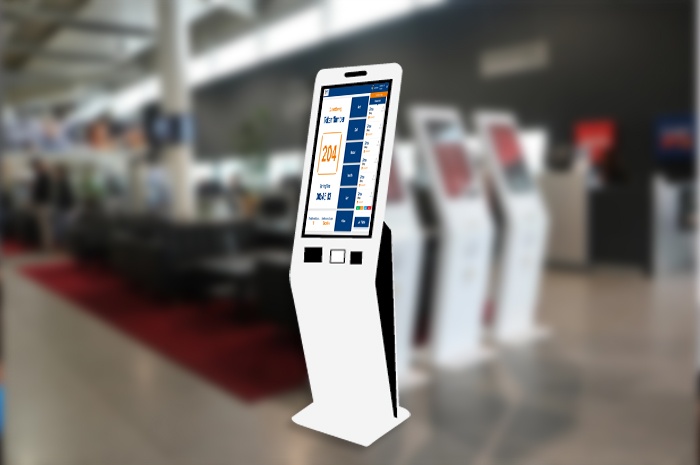
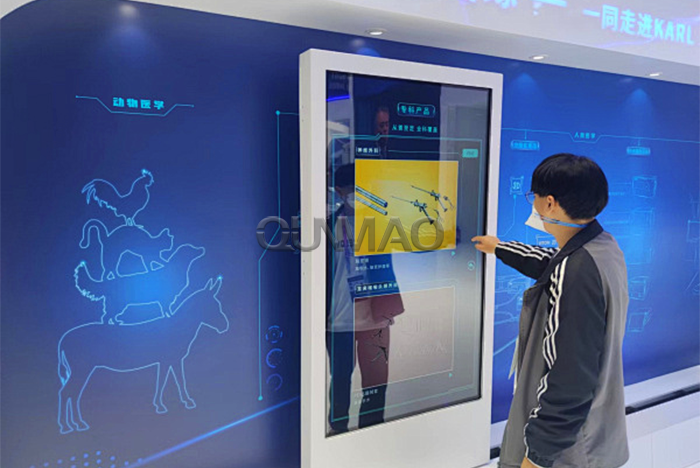
The 49‑inch freestanding interactive digital display merges digital signage playback and responsive touch interaction inside one cabinet. It shows scheduled campus content like regular non‑touch screens. Visitors also tap, swipe and select items directly on screen. You see heavy usage across school lobbies, library entry zones, student activity spaces and exhibition rooms inside Brazilian educational institutions.
At main building lobbies, these devices run self‑service inquiry terminals. Students, visiting parents and guest speakers pull up campus building maps, staff contact lists, class timetables and admission policy documents. During enrollment periods and parent‑teacher conference weeks, visitor numbers surge. Self‑service touch screens reduce queue pressure on front‑desk administrative workers. The hardware runs twenty‑four hours per day. People access information outside standard office opening hours.
School libraries install these interactive units near book entry gates. Students search book ID numbers, real‑time borrowing status and exact shelf locations. Search results pop up in seconds. Library staff spend less time answering simple location questions. School administrators push reading suggestions, upcoming library workshops and due‑date reminders to the screen remotely. You update content without physical visits to library premises.
Exhibition zones and achievement galleries make full use of touch‑driven functions. Staff upload campus history photo collections, student competition artwork, research project summaries and campus event video clips. Guests tap screen buttons to flip through albums, zoom photographs and launch video playback. Visitors explore campus achievements at their own pace. You avoid repeated manual poster replacement for rotating exhibition themes.
Hardware components match heavy‑traffic campus conditions. High‑brightness industrial panels cope with mixed indoor lighting. Some lobby spaces receive strong natural sunlight through large glass windows. Capacitive touch layers handle constant repeated tapping from large student populations. Firmware supports cloud‑based remote content management. IT staff edit playlists, swap images and adjust scheduling settings from central office locations. You do not need USB drives to update every physical unit one‑by‑one.
Self‑service inquiry cuts front‑desk workload during busy school seasons
Freestanding cabinet requires no wall modification for quick setup
Cloud content management supports remote playlist editing
Capacitive touch hardware withstands frequent student‑driven operation
Works for library lookup, lobby guidance and rotating campus exhibitions
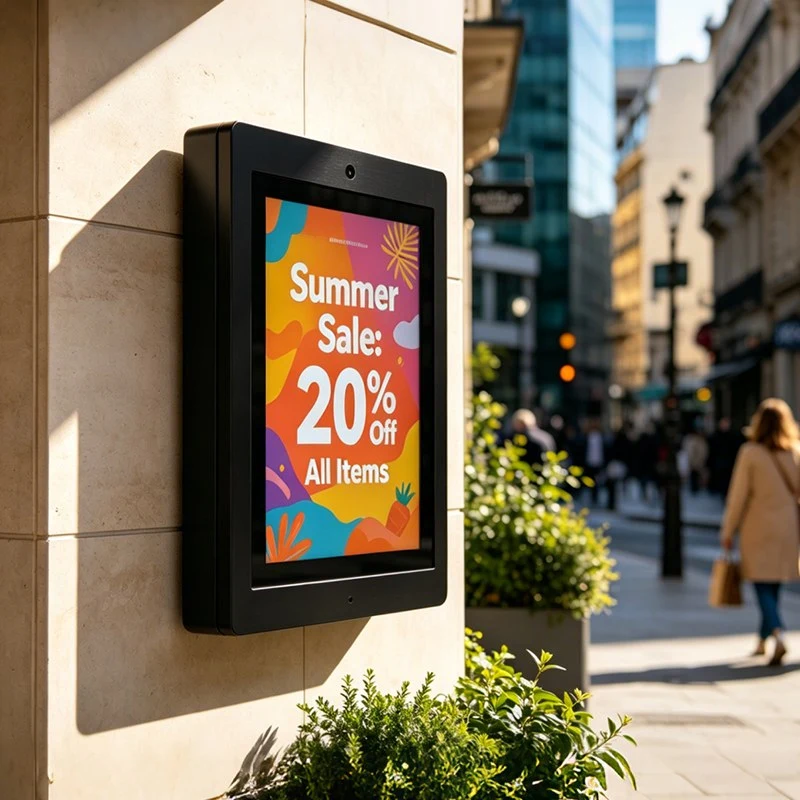
The 49‑inch landscape freestanding digital display focuses purely on stable media playback and scheduled notice publishing. Design teams remove heavy‑duty touch hardware. This lowers total project cost for locations where visitors only view content and do not need to tap screens. You find these units widely deployed inside hallways, student canteens, playground entry points and main teaching building halls across Brazilian schools.
Landscape screen proportions fit human horizontal viewing patterns. People walking past read wider content blocks comfortably. The 49‑inch dimension has proven practical for Brazilian campus layouts. It delivers readable visuals without oversized cabinet bodies. Units fit inside narrow connecting corridors. They also fill large open hall spaces without blocking pedestrian flow. Many project planners select this exact size after years of real‑world campus feedback.
Every day these screens carry many types of school announcements. Teaching building installations broadcast exam timetables, temporary classroom relocation alerts and teacher on‑duty schedules. Canteen‑placed units share meal service hours, food safety reminders and weekly food menus. Public holiday periods bring seasonal greeting clips and event promotion materials. You rotate different content groups for different time slots throughout each school day.
Built‑in playback software delivers practical scheduling tools. Administrators assign grouped playlists, set automatic power‑on and power‑off timetables and enable continuous loop playback. Split‑screen layout lets you run multiple information streams on one physical screen. You show a lunch menu on one section while scrolling campus safety reminders on another section. All configuration tasks complete via network connection. You walk to each screen location far less often.
Hardware builds target long‑run continuous operation. Display panels resist brightness decay over thousands of working hours. Image clarity stays consistent through months of daily playback. Full machines complete strict power‑supply and thermal testing. Hardware tolerates common voltage fluctuations and wide temperature shifts you see across different regions inside Brazil. Humidity resistance also matters for coastal‑zone school campuses.
Landscape layout optimised for walking pedestrian viewing
No touch hardware reduces purchase cost for pure‑display locations
Timed power scheduling saves power consumption overnight
Split‑screen function runs multiple information streams simultaneously
Industrial panel tolerates long‑hour daily playback in school environments
IFP stands hold up classroom electronic boards and freestanding display hardware. Your choice of stand directly changes equipment safety, user comfort and how freely you can move screens around campus. When you source hardware for Brazilian schools, you pick between two main categories: fixed stands and mobile stands. Each serves distinct campus scenarios.
Fixed IFP stands suit screens that stay in one spot for full semesters. Manufacturers build these units from thick high‑strength metal alloys. Frame structures hold heavy large‑size panels stable. You avoid wobble risk during fast‑paced classroom writing work. Height and tilt angle adjust manually. You set positions so both teachers and seated students view screen content comfortably. Good tilt settings reduce eye strain for daily users.
Mobile IFP stands install heavy‑duty caster wheels with mechanical foot brakes. You match these stands with interactive boards used across multiple rooms. School workers roll equipment between lecture halls, regular classrooms and temporary activity venues. Shared hardware cuts total purchase quantity. This delivers meaningful budget relief for rural schools and smaller private learning institutions.
High‑quality IFP stands add built‑in cable channels and storage compartments. School facility teams in Brazil value tidy visible environments. Cable channels tuck power cords and data wiring inside stand frames. Loose hanging wires disappear. You remove trip hazards for students walking nearby. Some stand models include small lower shelves for stylus pens, remote controllers and minor teaching accessories.
Buying habits inside the Brazilian education market follow clear patterns. Most tender projects source display hardware and matching IFP stands within one single purchase order. Local procurement teams pay close attention to size compatibility, maximum load rating and long‑term mechanical durability. Combined complete sets sell better than separate component‑by‑component buying. You reduce mismatch risk between screens and supporting frames when you order matched bundles.
Fixed IFP stands offer stable long‑term placement inside regular classrooms
Brake‑fitted mobile casters support room‑to‑room hardware sharing
Adjustable height and tilt improve viewing comfort for all age groups
Internal cable channels eliminate loose exposed wiring risks
Matched bundles simplify tender documentation for Brazilian education buyers
Digital‑focused education construction across Brazil keeps moving forward. Government‑backed investment flows continue. Private education operators also expand smart‑classroom hardware rollouts. Demand stays steady for classroom electronic boards, both variants of 49‑inch freestanding digital displays and matching IFP stands over coming years. Regional differences exist. Wealthier southern states complete upgrades faster. Northern and inland rural areas see growing order volumes as public grant funds arrive.
If you supply or resell hardware for Brazilian education buyers, split your product recommendations by real‑world usage scenarios. For formal classroom tender projects, focus your proposal on full‑performance classroom electronic boards plus adjustable IFP stands. You highlight responsive touch writing, stable long‑hour runtime and cross‑system compatibility for local education software.
For lobby and public‑zone campus projects, assign proper 49‑inch freestanding display variants for each zone. Use interactive touch‑enabled units for lobby help points and exhibition galleries. Choose non‑touch landscape models for hallways and dining halls. This way you match actual functional needs while controlling total project spend. You avoid paying extra for touch hardware that will never get used.
Local adaptation directly impacts project acceptance. Every device must support Portuguese user menus and operating interfaces. This is non‑negotiable for school‑site deployment. You also test hardware performance under local voltage standards, high humidity and temperature swings. Upgrade dust‑proof sealing, anti‑rust surface treatment and internal heat dissipation structures to fit Brazilian real‑world operating conditions.
After‑sales support shapes long‑term business relationships. Local‑based technical support resources speed fault diagnosis and on‑site repair response. School operators cannot wait weeks for overseas technicians when teaching hardware stops working. Reliable hardware quality paired with fast‑acting local support helps you secure repeated orders from state‑level and private‑sector education buyers.
| Product Type | Main Features | Primary Application Scenarios in Brazil | Key Procurement Notes For Brazilian Schools |
|---|---|---|---|
| Classroom Electronic Board | Multi‑touch, low‑latency writing, 4K display, dual‑system support | Smart classrooms, teaching halls, teacher training rooms | Verify Portuguese UI, check anti‑glare performance for bright classrooms; order matching IFP stands |
| 49" Freestanding Interactive Display | Touch query function, vertical cabinet, remote content management | School lobbies, libraries, exhibition halls, student centers | Confirm touch layer durability for heavy student traffic; no wall mounting required |
| 49" Landscape Freestanding Display | Non‑touch, high brightness, split‑screen playback, landscape orientation | Corridors, canteens, teaching buildings, campus entrances | Prioritise low light‑decay panels for long‑hour continuous playback |
| IFP Stand (Fixed) | High load‑bearing, height & tilt adjustment, internal cable routing | Permanent classroom installation for interactive boards | Check weight rating matches exact screen model weight |
| IFP Stand (Mobile) | Lockable casters, height adjustable, cable management, storage shelf | Shared‑usage hardware across multiple classrooms & event rooms | Brake quality matters for busy student‑filled campus environments |
Q1: Can classroom electronic boards replace old projectors completely inside Brazilian school classrooms?
A1: Yes for most new‑build and upgraded classrooms. Classroom electronic boards remove projector lamps, separate speakers and messy signal cables. You get clear visuals even with room lights switched on. You still need to confirm screen size fits your classroom depth before ordering large‑panel units.
Q2: Why pick freestanding displays instead of wall‑mounted digital signage for Brazilian school buildings?
A2: Many older school walls cannot safely hold large display weight. Freestanding cabinets skip renovation work. You re‑position hardware for special events without construction teams. This option fits public grant projects with zero building‑modification budget.
Q3: Do I need to buy IFP stands together with interactive flat panels or source them separately?
A3: Buying matched sets delivers better results for Brazilian education projects. Mismatched third‑party stands may fail load‑safety requirements for public‑sector tender rules. Matched bundles also simplify inspection and acceptance steps for school procurement officers.
Q4: What language support do Brazilian school displays require?
A4: Device operating menus, setting panels and playback software must offer full Portuguese language interfaces. Partial translation creates barriers for local teachers and IT administrators. Pure English‑only hardware rarely passes public‑school tender checks.
Q5: How many hours per day can these education‑grade displays run reliably?
A5: Classroom electronic boards and freestanding digital signage built for education handle 8‑12 hours daily continuous operation. Consumer televisions cannot sustain this workload. They show visible brightness drop after several months of heavy school‑site use.
Q6: Should I choose touch‑enabled 49‑inch freestanding units for school canteen and corridor deployment?
A6: No. Most hallway and canteen locations only show pre‑set announcements. Touch hardware adds extra cost with zero practical benefit there. Save interactive touch‑screen models for lobbies, libraries and exhibition zones where visitors actively tap screens.
Q7: What environmental factors demand attention for hardware shipped to different regions across Brazil?
A7: High humidity in coastal zones, wide temperature swings in inland areas and occasional local voltage fluctuations all affect device lifespan. You select hardware with enhanced heat dissipation, dust‑proof seals and wide‑voltage power supply modules for broad‑range deployment.
Q8: Can one mobile IFP stand work for multiple different screen sizes?
A8: Only within the official mounting‑size range published by the stand manufacturer. Do not use stands outside their supported screen size and weight limits. Public‑school tender audits often check load‑rating documentation for all deployed display hardware.


 Floor 6, Building A, No. 3, North District, Shangxue Science and Technology City, Xinxue Community, Bantian Street, Longgang District, Shenzhen City
 info@szqunmao.com
 +86 15920011166
 +86 15920011166