English
 Español
 Português
 Français
 Русский язык
 Italiano
 Deutsch
 Nederlands
 لعربية
 한국어
한국어 Japanese
 ภาษาไทย
 Türkçe
 Tiếng Việt
 Bahasa Indonesia
 Hindi
Hindi kazakh
 Uzbek
Uzbek Thai
Thai Farsi
Farsi
Qtenboard Interactive Smart Panel | Android 14 Interactive Display for Classrooms & Offices
 2026-08-13
 1125
1125




2026-08-13
1125
Finding reliable interactive display hardware that fits classrooms, corporate meeting rooms and public commercial spaces takes careful consideration. Many generic touch panels lag during daily multitasking, lack flexible sizing options, or run outdated operating systems that limit app compatibility. When you partner with Qtenboard, you gain hardware built for consistent daily use alongside practical upgrades designed to remove routine workflow obstacles. Every feature gets crafted to deliver tangible improvements to teaching sessions, team conferences and public interactive scenarios alike.
Our flagship offering is the Qtenboard Interactive Smart Panel. Unlike basic television screens or low-grade touch monitors, this unit functions as a fully integrated digital hub. It merges precise touch input, powerful internal hardware and intuitive system software into one sturdy display unit. People use these panels to control smart building equipment, showcase dynamic digital content, adjust indoor lighting and climate settings, and lead collaborative group work across residential lobbies, school campuses and corporate office floors. The responsive touch layer lets anyone navigate menus, annotate documents and launch applications without complicated training sessions.
Latest Android 14 Operating SystemAndroid 14 delivers smoother background resource management compared to older Android iterations. Apps launch quickly, background tasks pause appropriately to avoid resource waste, and system security updates roll out steadily. Teachers access educational learning platforms without compatibility errors. Office teams run video conference software, note-taking tools and screen casting applications side by side with no crashes. The refined permission controls also keep internal files and classroom content protected during shared usage.
8GB RAM + 128GB Internal Storage For Stable MultitaskingEight gigabytes of memory handles simultaneous workloads with ease. You can run digital whiteboard software, a video call window, a media player and document viewer all at once without visible stuttering. The 128GB built-in storage holds thousands of course slides, meeting archives, recorded lectures, image resources and application install files. You no longer need to plug in external USB drives constantly to free up space for new content each week.
Comprehensive Size Range To Match Any Room LayoutWe provide six standard dimensions to accommodate compact training rooms all the way up to large lecture halls and convention spaces: 65-inch, 75-inch, 86-inch, 98-inch, 105-inch and 110-inch. Small private tutoring rooms work well with 65-inch and 75-inch variants. Standard classroom layouts and mid-sized company meeting rooms fit the 86-inch model perfectly. Auditoriums, exhibition booths and large corporate conference halls rely on the 98-inch up to 110-inch panels to guarantee clear visibility for everyone seated at the back of the room.
Ultra HD Vibrant Visual Display For Learning & CollaborationThe UHD panel delivers sharp, detailed imagery for text-heavy textbooks, technical diagrams, product renderings and instructional video footage. Color calibration balances brightness so content stays readable under both dim indoor lighting and rooms with ample natural daylight coming through windows. When teachers pull up scientific charts or mathematical graphs, fine lines and numerical values remain distinct. Business teams examine detailed product schematics and market data visuals without missing critical details. Extended viewing sessions create less eye strain compared to washed-out, low-brightness budget displays.
Full-Range Wired & Wireless Connectivity OptionsThe body includes multiple physical ports: HDMI input, USB-A, USB-C, audio jack and LAN port for wired stable connections. Wireless protocols cover dual-band WiFi, Bluetooth and built-in screen casting protocols. Staff connect laptops, external cameras, storage drives and sound equipment quickly. You mirror content from iPhones, Android phones and Windows laptops without downloading extra casting software beforehand. Bluetooth pairs wireless microphones, speakers and stylus accessories in seconds to expand audio and input capabilities during group sessions.
Simplified Intuitive Interface For All User GroupsThe home layout follows straightforward logic with large icons, clear text labels and adjustable display scaling. Young students learning basic digital tools navigate the whiteboard and learning apps without adult assistance. Senior instructors and office workers with limited tech experience access meeting files and system settings without confusion. Administrators lock certain menu sections to prevent accidental system changes during shared public use. Custom home screens can be set up for classroom mode, office conference mode and lobby display mode to switch purposes rapidly.
Optimized Power Saving ArchitectureInternal power regulation hardware cuts unnecessary energy draw during idle periods. The screen dims automatically when no touch input gets detected after a set time, and the unit enters low-power standby mode after longer inactivity stretches. After school hours or overnight office downtime, power consumption drops significantly. Over months and years of daily operation, the accumulated electricity savings reduce long-term operational expenses for schools and enterprises. The backlight also runs with gentler power cycles to extend overall screen service life.
The biggest advantage of our interactive smart panel lies in its flexible adaptation across educational and commercial environments. Each setting unlocks different functions that directly improve daily workflow efficiency and user engagement.
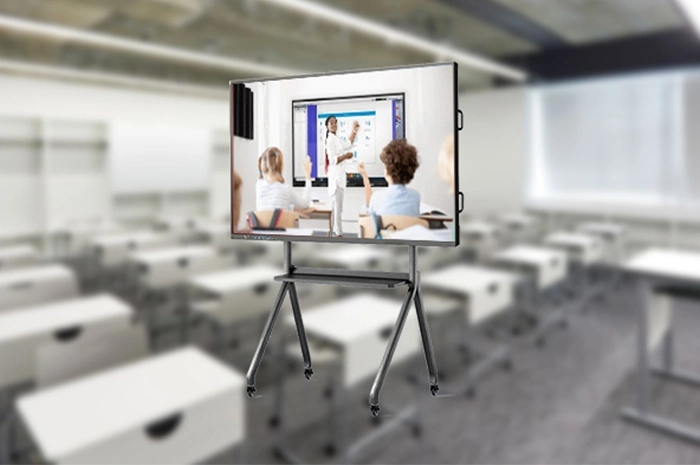
K12 & Higher Education Classroom TeachingTeachers replace traditional chalkboards completely with the digital whiteboard function. They annotate course materials, embed instructional videos, insert geometric figures and build knowledge charts live during class. Students come up to the screen to complete group exercises side by side. All classroom notes save digitally and can be retrieved via QR scan on student phones after class for review. Peer discussion becomes more active when learners can mark content together on the large shared screen.
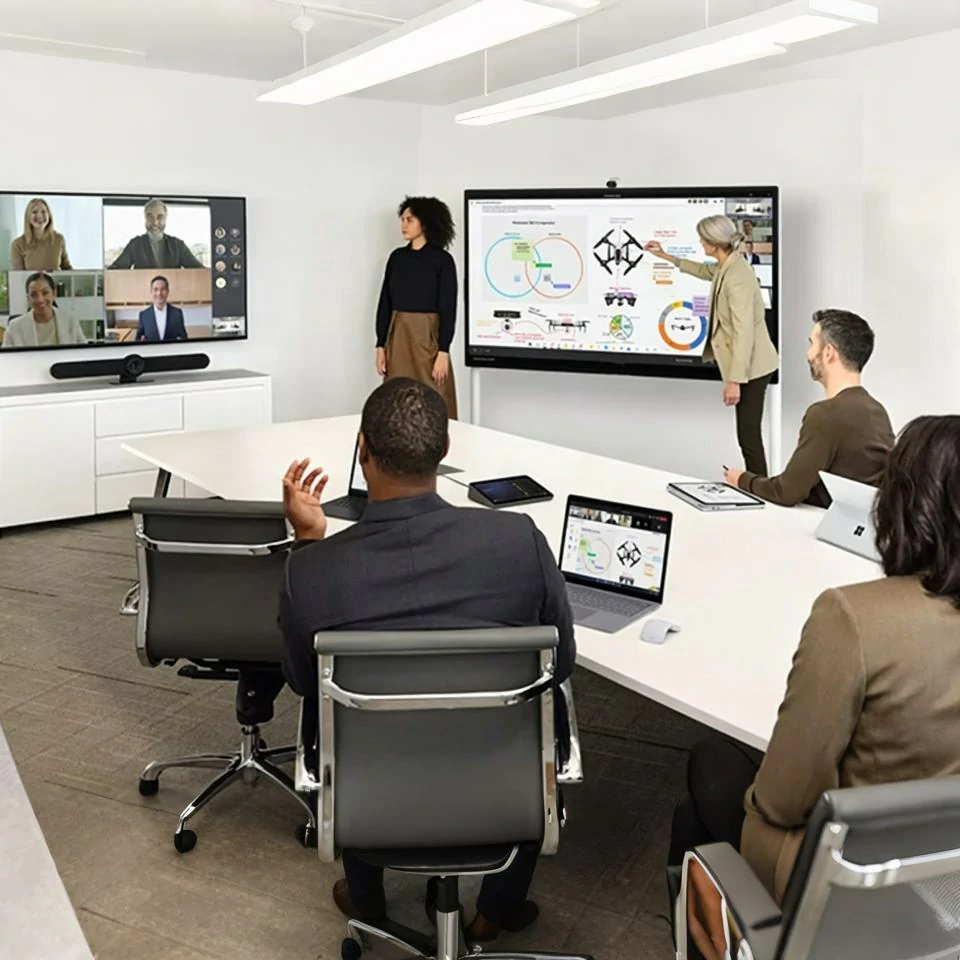
Corporate Office Conference & Team CollaborationInternal project meetings, client presentations and remote cross-regional video calls all run smoothly on this panel. Staff cast slides and data reports from personal devices instantly. The built-in touch tool lets teams circle key data points, draft plans and jot down brainstorming ideas collectively. Meeting records get stored securely inside the device storage for later sorting and summarizing. Remote colleagues see all on-site annotations and discussion content clearly during video conferences.
Exhibition Halls, Lobby & Public Interactive SpacesRetail lobbies, trade show booths and public service halls use the panel for rolling product introductions, service guidelines and interactive inquiry pages. Visitors tap the screen to browse information without staff assistance. The power-saving design suits long unattended running hours, and the sturdy front glass resists accidental bumps from passersby.
Training Institutions & Professional Skill CoursesVocational training centers use the panel to play operational demonstration videos and split-screen comparison content. Trainers pause footage to highlight key movement details, draw attention to critical steps and assign interactive quizzes on screen. Storage space holds massive amounts of training video archives for repeated playback throughout different training batches.
| Comparison Item | Ordinary Projector + Whiteboard | Basic Low-End Touch Screen | Qtenboard Interactive Smart Panel |
|---|---|---|---|
| Operating System Version | No built-in intelligent system | Android 9 / Android 10 outdated version | Latest Android 14, full app compatibility & security updates |
| Memory & Storage | N/A | 4GB RAM + 32GB/64GB ROM, easy overload | 8GB RAM + 128GB ROM, stable multitasking & large file storage |
| Available Screen Sizes | Fixed projected range only | Limited 2~3 sizes | 65",75",86",98",105",110" full size lineup |
| Display Clarity & Brightness | Dim image, heavy light reflection | Standard UHD, mediocre color tuning | Optimized UHD, anti-glare, eye-friendly long-hour viewing |
| Connectivity Capacity | Only wired HDMI, messy wiring | Basic single-band WiFi, few ports | Dual-band WiFi, Bluetooth, abundant wired ports & wireless casting |
| Operation Difficulty | Complicated equipment debugging | Cluttered system layout | Simplified UI, adaptable for all age groups |
| Energy Consumption | High continuous power draw | No dedicated power saving modes | Auto dimming & standby mode cuts idle power usage |
| Long-Term Usage Cost | Regular lamp replacement & maintenance fees | Slow system aging, limited service life | Zero consumables, stable long-term operation |
Q1: Can Android 14 install mainstream meeting and educational applications such as Zoom, Google Meet and classroom learning software?
Google Play access comes pre-enabled on the system. You download all commonly used video conference tools, digital whiteboard programs and educational learning applications directly. Android 14 maintains full compatibility with nearly all modern Android apps, and system updates keep compatibility steady as developers roll out new software versions. No extra firmware flashing is required for standard application installation.
Q2: Will 8GB RAM and 128GB storage slow down after months of daily heavy use?
The system includes built-in memory cleanup and storage sorting tools to clear cache files automatically. 8GB RAM handles daily multi-window work without sustained lag, and 128GB space holds large volumes of courseware and meeting records. You can attach external USB storage drives if you need extra space for massive video archives. With routine monthly quick cleanup, operating speed stays consistent throughout years of daily use.
Q3: How do I choose the proper screen size for my classroom or meeting room?
For rooms under 20 square meters, pick 65-inch or 75-inch. Standard classrooms ranging from 20 to 40 square meters fit the 86-inch model best. Spaces larger than 40 square meters including lecture halls and big conference rooms select 98-inch, 105-inch or 110-inch. The goal is to ensure attendees sitting in the back row can read text and charts clearly without straining their eyes.
Q4: Does wireless casting support both Apple iOS and Windows devices simultaneously?
The panel recognizes AirPlay, Miracast and standard wireless casting protocols natively. iPhones, iPads, Windows laptops and Android smartphones can all cast content. Multiple users can take turns sharing their screens one after another during group meetings without adjusting complex settings between device systems.
Q5: Can we lock system settings to stop students or visitors from altering configurations accidentally?
Administrator password protection is built into the system backend. You restrict access to system storage management, network modification and app installation menus. Users in classrooms and public areas can only use whiteboard, casting and playback functions. Important system configurations remain secure from unintended changes.
Q6: How much electricity does the power-saving mode cut compared to normal running status?
After 5 minutes without touch input, screen brightness reduces moderately. After 20 minutes of inactivity, the panel enters low-power standby mode where power consumption drops to roughly 15% of regular working power. For schools and offices that remain vacant overnight and on weekends, the cumulative electricity reduction brings clear operational cost savings over a full year.
Q7: What warranty and after-sales services come with bulk institutional orders?
Every Qtenboard interactive panel carries a standard 2-year manufacturer warranty covering screen faults, touch module issues and system hardware breakdowns under normal usage. Large-scale purchases for school districts and enterprise branches receive complimentary remote system debugging, user operation training and priority technical support responses to guarantee smooth daily operation.
Qtenboard interactive flat panels transform traditional static teaching and meeting modes into active collaborative experiences. Powered by Android 14, ample memory and storage, a complete size lineup, clear UHD visuals, universal connectivity and accessible operation, this hardware adapts seamlessly to education, corporate and public commercial scenes. Teachers deliver more immersive lessons that encourage student discussion and teamwork. Office teams hold more efficient conferences with streamlined document sharing and note archiving. Public spaces deliver smooth unattended interactive information services with controlled energy expenditure.
All classroom notes, discussion content and visual data get fully preserved inside the device. Users export these materials as charts, tables, graphs and other visual formats for review, sorting and follow-up work. Instead of relying on scattered paper notes and temporary handwritten records, all valuable information gets digitized neatly for long-term preservation and repeated use.
To view full detailed parameters, official dimension specifications and bulk procurement terms, visit our dedicated product page for further details:Qtenboard Interactive Flat Panel Official Product PageUpgrade your classroom and collaborative workspace with stable, versatile interactive display technology from Qtenboard today.


 Floor 6, Building A, No. 3, North District, Shangxue Science and Technology City, Xinxue Community, Bantian Street, Longgang District, Shenzhen City
 info@szqunmao.com
 +86 15920011166
 +86 15920011166