English
 Español
 Português
 Français
 Русский язык
 Italiano
 Deutsch
 Nederlands
 لعربية
 한국어
한국어 Japanese
 ภาษาไทย
 Türkçe
 Tiếng Việt
 Bahasa Indonesia
 Hindi
Hindi kazakh
 Uzbek
Uzbek Thai
Thai Farsi
Farsi
Qunmao K-Type Self-Service Terminal | In-Depth Industry User Review & Practical Guide
 2026-08-10
 1258
1258




2026-08-10
1258
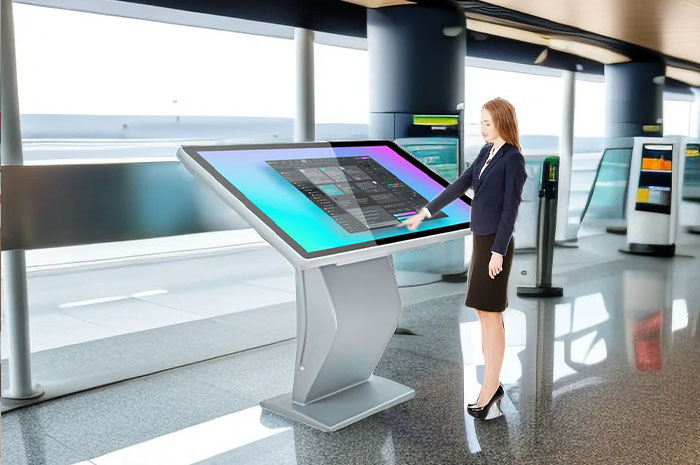
I have spent years working inside the commercial display and electronic terminal sector. I have tested, inspected and compared hundreds of self-service kiosks from dozens of manufacturers across domestic and overseas markets. Most products follow similar frameworks. They hit basic usage standards without leaving deep impressions. When I first ran full onsite testing on Qunmao’s K-type self-service terminal, my view shifted entirely. Every detail from casing shaping to underlying system tuning targets real commercial lobby demands. After weeks of continuous trial runs and scenario simulation, I decided to share this genuine assessment with venue managers, enterprise procurement staff and commercial space operators who plan to deploy self-service inquiry equipment.
Many business owners buy self-service terminals to cut front desk manpower pressure. Poor exterior matching, laggy touch response, limited usable functions, frequent system crashes and slow after-sale support turn these devices into idle decorations. Qunmao’s K series solves these widespread pain points one by one. We break down its actual performance across five core dimensions below.
Commercial lobbies carry dual tasks. They deliver practical service functions while shaping the overall brand impression for visitors. Bulky, rigid machine casings often clash with refined interior decoration, and overly large footprints occupy valuable walking space near entrances and front desks.
Smooth curved outline & minimalist industrial styling. The K-type kiosk abandons stiff angular frames common on budget terminals. Continuous curved lines wrap the whole vertical body. The surface uses matte anti-scratch coating. It pairs seamlessly with hotel lobby luxury decor, corporate office minimalist interiors, government service hall standardized layouts and shopping mall public rest areas. You will not see awkward visual conflict after installation.
Space-saving vertical structure. Floor occupation area stays compact. You can place it beside elevator entrances, reception counters, corridor junctions and service area entrances without blocking pedestrian flow. Multiple units arranged in sequence still keep the space open and tidy. The tall vertical screen draws gentle visual focus, lifting the technological texture of the whole venue without overbearing effects.
Adjustable color customization for brand matching. Qunmao supports casing tone adjustment based on corporate VI standards. You can pick gray, silver, dark blue and custom color schemes to unify the terminal appearance with wall tones, furniture and brand logos. Small details such as bottom skirting and screen border thickness get fine-tuned to fit on-site measurement data before production.
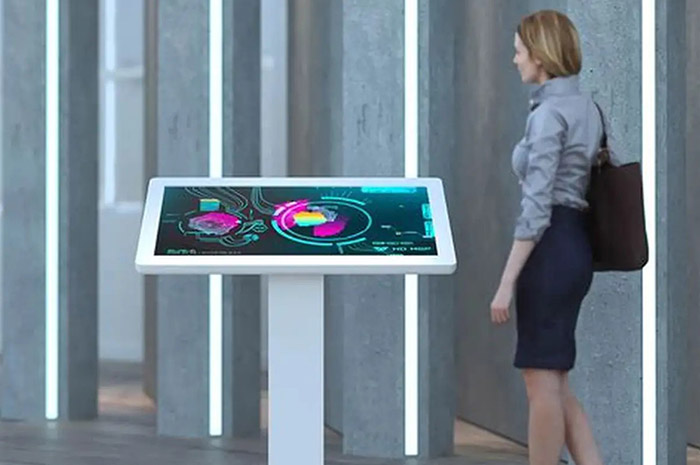
Visitor experience hinges on screen response and interface logic. Slow touch feedback makes users impatient. Blurred display content leads to repeated wrong operations. Complex menus stop elderly users and first-time visitors from finishing basic inquiries. Qunmao optimizes both hardware touch layers and system UI to lower usage barriers entirely.
Near-instant touch response. Capacitive multi-touch panel cuts input delay to a minimum. A light tap, short slide or quick swipe triggers commands right away. No repeated tapping or waiting for system reaction. During peak lobby hours with heavy user flow, the screen still maintains consistent sensitivity without drift or misrecognition of gestures.
High-definition color accurate display panel. The built-in industrial-grade LCD screen delivers saturated natural colors and sharp text rendering. Small font descriptions, navigation maps and product detail pictures all stay clear under indoor mixed lighting. No color fading or reflection blurs content when users stand at different viewing angles.
Simplified layered inquiry interface. The default system menu removes redundant secondary pages. Core functions sit on the homepage. Large buttons and clear text guides tell users the next step directly. Visitors with no prior contact with self-service machines can complete company profile browsing, location navigation and service inquiry within thirty seconds.
A qualified self-service terminal cannot only handle simple text queries. Venue operators need flexible function expansion to adapt to changing business demands. Qunmao designs the K series with modular architecture. Basic modules meet daily inquiry needs, and extended plugins open deeper management values for backend administrators.
Basic daily service modules. Users check product parameter details, browse enterprise introduction documents, view floor navigation maps and look up service business hours. All content loads fast after selection. The system caches frequently accessed files locally to avoid waiting time brought by unstable network signals.
Backend user operation data collection. The terminal automatically records daily access times, most viewed content categories, average operation duration and frequently abandoned steps. Administrators export these structured reports to analyze visitor interest trends. You adjust homepage content layout and add hot service entries according to real usage records.
Optional hardware expansion ports. The reserved interfaces support QR code scanners, receipt printers, card readers and ID recognition modules. Hotels add room check-in functions; enterprise lobbies configure visitor registration; shopping malls install coupon printing services. One device switches between multiple business modes without replacing the whole machine.
For commercial venues, downtime means suspended service. Maintenance visits consume manpower and material costs. Many low-cost kiosks start to lag, freeze or crash within half a year after deployment. Internal hardware heat accumulation and poorly optimized system firmware cause most breakdowns. Qunmao strengthens internal structure and system adaptation for long-time continuous operation.
Continuous runtime performance. The internal cooling system dissipates heat evenly during all-day operation. The test record shows the terminal runs steadily for 720 hours nonstop without system halt or screen flickering. Sudden network fluctuations do not trigger program crashes.
Anti-interference industrial components. The main control board, touch controller and power supply adopt industrial standard parts. They resist voltage fluctuation and indoor dust erosion. Even in busy environments with frequent people passing by, hardware faults rarely occur.
Reduced maintenance expenditure. Fewer breakdown incidents slash on-site repair times. The sealed casing lowers dust accumulation inside the screen. Venue staff only need simple surface wiping for daily upkeep. Compared with ordinary self-service terminals, annual maintenance expenses drop noticeably after switching to the K-type model.
Hardware quality matters greatly, yet after-sales service determines long-term usage experience. Slow ticket replies and delayed technician arrangements leave venues stuck with unusable devices. Qunmao builds a complete service system covering pre-sales measurement, installation debugging and post-launch maintenance.
Rapid problem response channel. Service hotlines and online customer service stay accessible during working hours. When system errors or touch abnormalities appear, you submit fault descriptions and pictures. Support staff offer remote troubleshooting guidance within short time windows to solve simple issues without waiting for field visits.
On-site technician scheduling for complex faults. If remote adjustment cannot resolve hardware failures, the company arranges local after-sale engineers to arrive at the venue and complete inspection, part replacement and debugging.
Regular usage follow-up and maintenance reminders. The team conducts periodic return visits after installation. They check running status, clear system junk files and update firmware versions proactively. These small checks prevent hidden risks from evolving into large breakdowns, keeping the terminal in smooth working condition year round.
| Comparison Item | Common Budget Self-Service Terminal | Qunmao K-Type Vertical Self-Service Kiosk |
|---|---|---|
| Overall Appearance & Space Adaptation | Bulky rigid frame, limited color options, easy to conflict with lobby decoration | Slim curved vertical body, customizable casing tone, compact floor footprint |
| Touch Response Speed | Obvious delay, gesture misrecurrence occurs during peak hours | Near zero lag touch panel, stable recognition under heavy user flow |
| Screen Display Effect | Weak color accuracy, reflection interference, blurred small text | Industrial high-definition panel, wide viewing angle, anti-reflection processing |
| Function Expansion Ability | Fixed single function, no reserved expansion interfaces | Modular design, supports printer, card reader, scanner and data statistics module |
| Continuous Running Stability | Prone to freeze and crash after 1-3 months of daily use | Industrial cooling and components, stable long-time all-day operation |
| Annual Maintenance Workload & Cost | Frequent repairs, high labor and part replacement expenses | Few faults, simple daily cleaning, low long-term maintenance expenditure |
| After-Sales Response Speed | Slow reply, long waiting time for on-site maintenance | Quick remote troubleshooting, localized engineer on-site service arrangement |
Q1: Can the system interface content be customized according to corporate brand style?
Yes. Our technical team adjusts homepage layout, brand logo placement, color scheme and menu text before delivery. You upload brand pictures and copy content, and we complete the pre-installation debugging work offline. You can revise text and pictures locally after deployment without professional technical skills.
Q2: Does the terminal work normally when the venue network cuts off temporarily?
Core inquiry content, navigation maps and enterprise profile data are stored inside local memory. Basic operations run fully offline. Network connection is only required for real-time data upload, cloud backup and remote after-sale assistance.
Q3: What extra hardware modules can be added to the K-type kiosk later?
You may add QR code scanning modules, thermal receipt printers, IC card readers, ID card recognition equipment and voice broadcast units. All reserved ports match standard accessories. Engineers complete installation and system adaptation within one visit.
Q4: How long is the standard warranty period, and what does the warranty cover?
The whole machine enjoys standard warranty coverage. It includes touch screen, main control board, power supply and internal hardware parts. Man-made damage and improper disassembly are excluded. Firmware upgrades and remote troubleshooting stay free throughout the warranty cycle.
Q5: Is the screen resistant to daily accidental scratches from visitors?
The surface adopts hardened anti-scratch glass layer. Light friction and accidental touches will not leave permanent marks. Avoid hard sharp objects striking the screen surface deliberately to extend service life further.
Q6: Can multiple kiosks in different branches synchronize operation data to one backend management platform?
Yes. With stable network access, all terminals upload daily operation records to the unified cloud backend. Administrators view data reports of all locations on one management page and compare visitor flow and content preference across different venues.
Q7: What indoor environment conditions suit the K-type self-service terminal best?
It adapts to regular indoor lobby temperature and humidity ranges. Avoid direct long-time sunlight irradiation on the screen and severely damp spaces. Normal air-conditioned commercial environments create the most stable running conditions.
Years of industry experience tell me that valuable commercial display terminals balance appearance usability, daily operation experience, long-term stability and reliable after-sale protection. Qunmao K-type self-service terminal does not pursue exaggerated configurations. It targets real pain points of lobby service scenarios. It beautifies public spaces, lowers front desk labor pressure, collects usable visitor data and keeps steady operation month after month. When you pick Qunmao for your venue self-service deployment, you secure a stable technical partner for long-term commercial operation.


 Floor 6, Building A, No. 3, North District, Shangxue Science and Technology City, Xinxue Community, Bantian Street, Longgang District, Shenzhen City
 info@szqunmao.com
 +86 15920011166
 +86 15920011166