English
 Español
 Português
 Français
 Русский язык
 Italiano
 Deutsch
 Nederlands
 لعربية
 한국어
한국어 Japanese
 ภาษาไทย
 Türkçe
 Tiếng Việt
 Bahasa Indonesia
 Hindi
Hindi kazakh
 Uzbek
Uzbek Thai
Thai Farsi
Farsi
Infrared vs Capacitive Touch for Conference Tablets Qunmao Display
 2026-08-24
 1669
1669




2026-08-24
1669
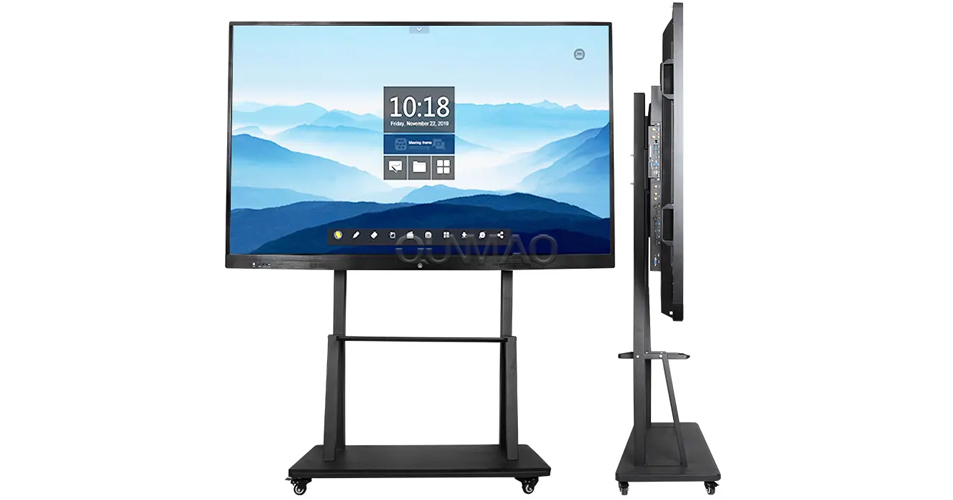
You start shopping for a smart conference tablet, and you quickly notice big price gaps between similar‑looking devices. Two units can share the same screen size, same Android system, same set of built‑in speakers. Yet one costs half as much as the other. Most buyers trace this price gap back to one key hardware component: touch technology.
Capacitive touch delivers precise finger input. You know it well from daily‑use smartphones. It works great on small panels. But it hits clear limits when you scale up to large‑format meeting displays. Almost all modern large‑size interactive all‑in‑one meeting machines rely on infrared touch systems instead. Infrared touch uses infrared scanning imaging to register your touch points. It cuts hardware costs significantly. This technical choice is the main reason smart conference tablets sit at price points many businesses can afford today.
A lot of business buyers walk into procurement with fixed wrong assumptions. Many think good conference tablets must cost 30000‑50000 RMB each. Some teams stick with old‑style projectors that sell for a few thousand RMB, because they believe interactive flat‑panel hardware stays out of budget. This mindset does not match current market reality.
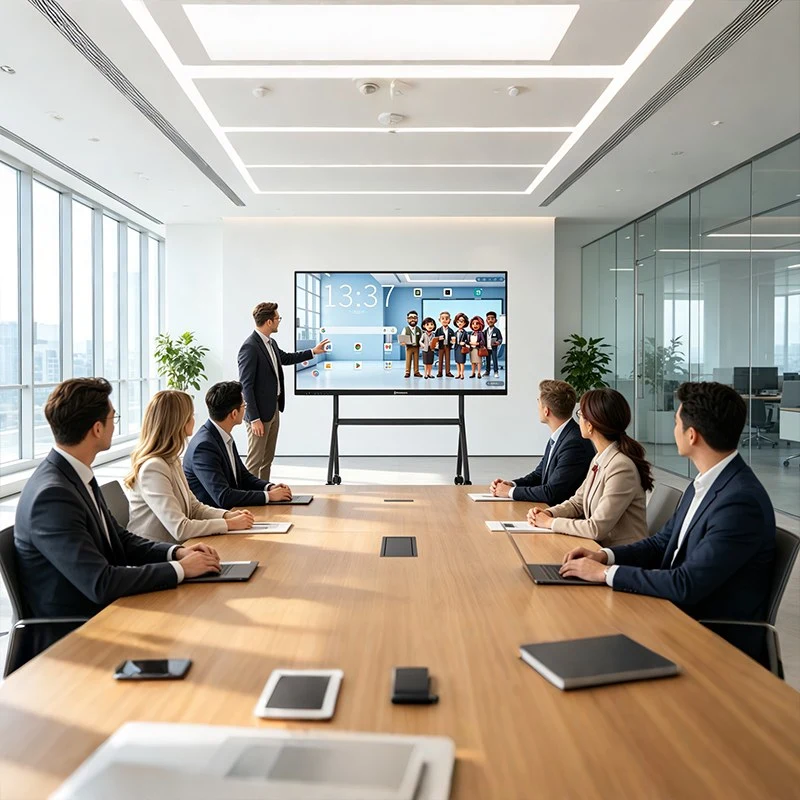
Conference tablet R&D and mass‑production processes keep improving year after year. Core component costs keep dropping. If you source directly from original manufacturers such as Qunmao Display, wholesale pricing becomes accessible for regular enterprise procurement. A 65‑inch conference tablet, the most common size for corporate meeting rooms, is available at realistic wholesale price levels. You do not need to stretch your budget to extreme levels to equip every meeting room in your office.
You can tell these two touch solutions apart without opening device spec sheets. Physical appearance gives you clear clues.
Infrared touch‑display recessed in frame: You will see a distinct raised border around the active display area. Infrared sensors sit inside this frame structure. The screen surface sits slightly recessed compared with the top edge of the outer bezel.
Capacitive touch screen: The whole front surface lies completely flat. No raised lip or recessed gap. It looks just like the screen on your everyday smartphone.
Capacitive touch builds a stable, transparent sensing layer over the display panel. Transparency is a basic requirement for this hardware layer. When your finger contacts the surface, the system captures absolute coordinate data for every touch spot.
Absolute coordinate systems work independently of previous touch positions. Every tap registers as a fresh set of X and Y values. The touch hardware acts as a separate positioning system. It translates physical finger contact into exact screen coordinates for your operating system.
Capacitive‑based all‑in‑one units carry several visible plus points. The flat front creates a slim, light‑weight physical profile. Full‑surface flat design makes waterproof implementation far simpler. Touch response feels snappy in day‑to‑day use.
Infrared touch builds a tight infrared matrix along X and Y axes across the screen surface. Transmitters and receiver sensing parts install inside the outer frame of the touch screen. These components weave an invisible infrared detection grid across the whole display surface.
When your finger or another solid object blocks these light beams, the receiver loses signal on specific beam paths. The control chip detects this beam loss. It calculates the corresponding X‑axis and Y‑axis coordinate values, then sends that touch data to your device mainboard.
Hardware layout creates visible physical traits. You get that framed border around the usable screen. The whole unit ends up thicker and heavier compared with equal‑size capacitive models. Still, material and assembly expenses stay low, which drives down final product pricing.
| Evaluation Item | Capacitive Touch Screen | Infrared Touch Screen |
|---|---|---|
| Surface look | Fully flat front panel, no protruding frame lip | Recessed screen surface, with surrounding sensor frame |
| Touch response | Very sensitive, fast reaction for finger touches | Reliable, works with fingers, stylus, or gloves |
| Maximum practical size | Hard to go above 75 inches; unit cost spikes sharply for large panels | Easily supports 55‑inch up to 110‑inch display sizes |
| Waterproof & dust‑proof | Easy to achieve full‑surface waterproof structure | Can reach waterproof grades, but needs careful frame sealing work |
| Strong‑light anti‑interference | Can face drift issues under strong direct sunlight | Good anti‑glare and anti‑interference performance under bright light |
| Damage risk | Surface layer damage may break whole touch function; full panel replacement needed | Sensors sit inside frame; display glass scratch rarely kills touch function |
| Price range | Very high; large‑size smart blackboard models can exceed 100000 RMB | Cost‑effective; 55‑98‑inch conference tablets sit in several thousand to tens of thousands RMB range |
| Main application scenarios | Small‑medium displays, high‑end premium small panels | Enterprise meeting rooms, school classrooms, large public interactive displays |
Neither touch technology wins across every single metric. You have to match hardware strengths to your actual working environment.
Size limits stop you from building extra‑large interactive panels at reasonable costs. If you want 86‑inch or 98‑inch meeting hardware, capacitive solutions push budgets far higher.
Surface damage carries heavy consequences. A crack on the touch layer can disable all touch input. You will face expensive full‑panel replacement work.
You pay big premiums for large‑format units. Some capacitive smart blackboard products go past 100000 RMB per unit. That price level blocks wide deployment for most companies and schools.
It handles strong ambient light well. Many meeting rooms have large windows with direct daylight. Infrared hardware keeps stable touch performance under these bright conditions.
You can operate with bare fingers, stylus pens, or even thin work gloves. This matters for workshop meeting spaces or industrial control rooms.
Mature mass‑production cuts total cost. You can roll out multiple meeting‑room units without blowing up your procurement budget.
Long service life for heavy daily use. Many Qunmao Display conference tablets with infrared touch run for thousands of hours inside corporate offices and educational classrooms.
You do not have to chase smartphone‑level capacitive touch for your meeting room. Most meeting‑room work consists of annotating slides, tapping menus, and writing notes with stylus pens. Infrared touch delivers more than enough accuracy for these daily tasks.
You need screen sizes 65‑inch up to 98‑inch for meeting rooms or classrooms
You plan multi‑unit bulk procurement for many rooms and watch total spending closely
Your working space has bright sunlight hitting the display surface
Users sometimes wear gloves or use different stylus tools during operation
You want lower repair cost when surface glass gets minor scratches in busy public spaces
Your target screen size stays under 75 inches
You require strict full‑surface waterproof for special‑purpose locations
Budget limits do not restrict your purchase, and you prioritize ultra‑flat visual appearance above all else
Q1: Does infrared touch feel less precise than capacitive touch for meeting note‑taking?
A1: For standard meeting‑room work such as slide annotation, text writing and menu tapping, modern infrared touch delivers enough precision. You will notice meaningful gaps only when you perform ultra‑fine tiny handwriting tasks. Most corporate meeting scenarios never require that level of fine‑point accuracy.
Q2: Can infrared touch support multi‑touch for multiple‑person collaborative writing?
A2: Yes. Current‑generation infrared touch conference tablets from Qunmao Display support multi‑point touch input. Several team members can write and draw on screen at the same time during brainstorming sessions.
Q3: Will dust inside the frame break infrared touch function?
A3: A small amount of normal dust will not stop touch function. You just need simple regular cleaning along the bezel gap. Heavy dust buildup over multiple years may affect sensor performance, which you can fix with basic cleaning work.
Q4: Why do most brand‑name conference tablet manufacturers choose infrared touch for large‑size models?
A4: It balances stable real‑world performance, large‑size support and acceptable total cost. Capacitive hardware faces cost and technical barriers at 86‑inch and bigger sizes. Infrared touch gives buyers workable large‑size interactive hardware without extreme price inflation.
Q5: When I compare two conference tablets of same inch size, what else besides touch tech should I check?
A5: Pay attention to display brightness, built‑in camera and microphone specs, OPS slot compatibility, speaker power rating, and after‑sales support terms. Touch technology is one major cost factor, but these other parameters also shape your real‑world user experience.
Q6: Can I get sample units before bulk order from Qunmao Display?
A6: Yes. You can request sample conference‑tablet units to test infrared touch performance and overall device function inside your own working environment before placing large‑volume purchase orders.
You should not judge conference‑tablet quality purely based on whether it uses capacitive touch. Smart procurement focuses on matching hardware features to your real‑site working conditions. Most office meeting rooms and classrooms gain great practical value from mature infrared‑touch conference tablets.
As an original source manufacturer, Qunmao Display supplies infrared‑touch conference tablets across 55‑inch to 98‑inch sizes. Plenty of enterprises and educational institutions already deploy these devices for daily meetings and teaching activities. If you want stable large‑size interactive hardware at reasonable wholesale price levels, you can look into our conference‑tablet product range for your next‑round facility upgrade project.


 Floor 6, Building A, No. 3, North District, Shangxue Science and Technology City, Xinxue Community, Bantian Street, Longgang District, Shenzhen City
 info@szqunmao.com
 +86 15920011166
 +86 15920011166