English
 Español
 Português
 Français
 Русский язык
 Italiano
 Deutsch
 Nederlands
 لعربية
 한국어
 Japanese
 ภาษาไทย
 Türkçe
 Tiếng Việt
 Bahasa Indonesia
 Hindi
 kazakh
 Uzbek
 Thai
 Farsi

Indoor Floor-Standing Digital Signage Parameters | B2B Procurement Guide
 2026-11-26
 28



2026-11-26
28
The selection of indoor floor-standing digital signage parameters should follow a sequence: first lock down the scenario and technical specifications, then discuss price and configuration. This guide breaks down the commercial-grade standard parameters, the relationship between size and brightness, touch solution trade-offs, system and motherboard configurations, structural stability, and the seven most common pitfalls in engineering procurement. It concludes with tiered configuration scenarios and a pre-order checklist, providing a direct reference for integrators, chain brands, and overseas importers.
Comparing prices first and filling in requirements later is the most common sequencing error in floor-standing digital signage procurement. Low-price quotes often only cover the bare minimum to "make the screen light up": brightness may be only 250 cd/m², the touch module is priced separately, and the motherboard memory is just enough to boot up. Only on site do buyers realize that the screen is unreadable by a window in the lobby during the day, or that the interactive software cannot be installed at all. The cost of rework and budget overruns usually far exceeds the price difference initially saved.
The positioning difference between floor-standing units, wall-mounted units, and outdoor units can be summarized in one sentence: wall-mounted units solve "hang it up and display," outdoor units solve "waterproof, dustproof, and high brightness," while floor-standing units solve independent placement at indoor floor locations, close-range interaction, and cable management. All three share panel logic, but their structures, heat dissipation, and protection levels are completely different, and their parameter tables cannot be used interchangeably.
It is recommended to break down the procurement decision into five sequential nodes: Scenario → Parameters → Structure → Certification → After-sales. The scenario determines size and brightness levels, parameters determine the minimum configuration, structure determines long-term stability, certification determines smooth acceptance and customs clearance, and after-sales determines the maintenance costs of multi-site projects three years later. Skipping the first two steps to compare prices directly will make every subsequent step passive.
This section only answers "what commercial standards look like" and does not provide specific selection advice; the selection method is covered in the next section.
| Parameter | Common Commercial Standard | What to Ask |
|---|---|---|
| Panel Grade | A-grade industrial panel, screened for 7×24 continuous operation | Is panel source documentation or batch nameplate available? |
| Resolution | 1920×1080 mainstream, 4K optional for large sizes | Native pixel-to-pixel output, not interpolated scaling |
| Brightness | 350 / 450 / 700 cd/m² tiers | Measured or typical value? Anti-glare treatment? |
| Contrast Ratio | 1200:1 or above | Do dark scenes look washed out? |
| Viewing Angle | 178° (H/V) | Color shift when viewed from the side |
| Continuous Operation | Designed for 7×24, not consumer TV standard | Cooling structure and power supply headroom |
| Interfaces | HDMI, USB, RJ45, audio out | Compatibility with existing media players or OPS |
| Power Consumption | Varies by size and brightness level | Multi-site projects need daily runtime cost calculation |
Lifespan logic differs: Consumer TVs are designed for 4–6 hours per day, while commercial floor-standing units screen panels and power supplies for 7×24 continuous operation. The brightness degradation and dead pixel rates under prolonged use are not on the same order of magnitude.
Heat dissipation paths differ: Enclosed floor-standing cabinets require independent air ducts or thermal conduction structures. Passive cooling solutions from consumer TVs, when applied to floor-standing units, can easily trigger thermal throttling or crashes in high-temperature summer locations.
Operating stability requirements differ: Commercial scenarios do not allow "just reboot and try." Motherboards, power supplies, and systems need to support scheduled power on/off, power recovery, and long-term unattended operation.
Size is not "the bigger the better"; it is determined by viewing distance and content format. Close-range interactive locations prioritize reachability and readability, while medium-to-long-range locations prioritize visual coverage.
| Typical Scenario | Viewing Distance | Recommended Size Range | Screen Orientation |
|---|---|---|---|
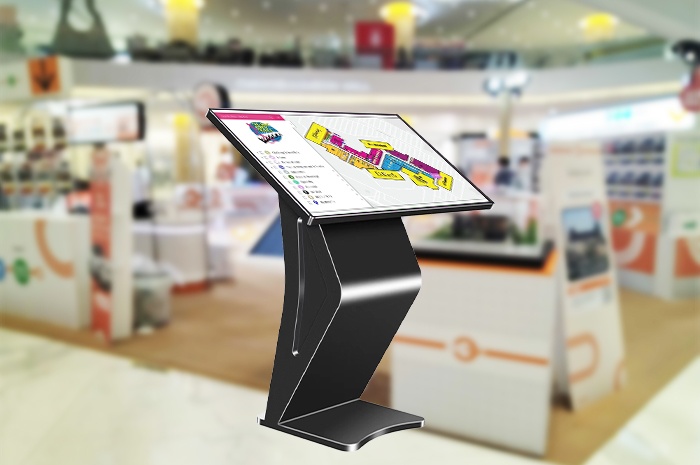
| Wayfinding / Ordering / Close Interaction | 0.5–1 m | 43–49 inch | Portrait primarily |
| Mall Main Aisle / Hotel Lobby | 1.5–3 m | 55 inch primarily | Portrait or landscape based on content |
| Showroom / Atrium / Long-Distance Attraction | 3 m and above | 65 inch and above | Portrait or double-sided |
Portrait orientation is better for portraits, posters, menus, and wayfinding maps, while landscape orientation is better for information streams, multi-column content, and video loops. Choose screen orientation based on content format, not installation habit.
Among commercial display parameters, brightness is the item most easily misled by nominal values. Indoor floor-standing units commonly use three tiers: 350 / 450 / 700 cd/m². The logic is as follows:
350 cd/m²: Indoor locations without direct light and with moderate foot traffic, such as inside store entrances, corridors, and backlit elevator lobbies.
450 cd/m²: The mainstream choice for lobbies, mall main aisles, and conventional indoor locations near windows but with shading. It is also the primary configuration for most commercial floor-standing units.
700 cd/m²: High-ambient-light locations, such as inside glass shop windows, near curtain walls, and atriums with direct skylight, where resistance to ambient light wash-out is required.
High brightness does not equal readability. When glass surface reflection is severe, even 700 cd/m² can be swallowed by reflections. During selection, simultaneously confirm whether the surface has AG (anti-glare) or AR (anti-reflection) treatment; otherwise, the brightness parameter is just a number on paper.
Touch is the item with the largest cost variation in floor-standing unit selection and is most easily blurred in quotations. Infrared, capacitive, and non-touch solutions correspond to completely different usage logic.
| Solution | Cost Level | Experience Characteristics | Applicable Scenarios | Points to Confirm |
|---|---|---|---|---|
| Non-touch | Lowest | Pure display, no interaction | Poster loops, menu screens, brand image positions | Do not pay for unused features |
| Infrared Touch | Medium | Can be made in large sizes, supports glove operation, wider bezel | Wayfinding, ordering, public inquiry, large-size floor-standing | Anti-light interference capability in strong light environments |
| Capacitive Touch | Higher (usually 2–3 times that of IR) | Smartphone-like feel, smooth multi-touch, narrow bezel | High-end interactive inquiry, brand experience, small-size wayfinding | Not friendly for thick gloves; caution for cost-sensitive projects |
A simplified engineering selection rule: prioritize capacitive touch for small-size interactive inquiry, prioritize infrared for large-size public wayfinding and ordering, and simply cut the touch budget for pure looping positions. For a detailed comparison of touch function differences and scenario matching, you can refer to Qunmao's 55" 4K UHD Interactive Floor-Standing Touch Screen Kiosk.
The choice between Android and Windows is essentially a trade-off between "content publishing logic" and "software operating environment."
Android: Low cost and fast deployment, suitable for CMS cloud publishing, group control, scheduled power on/off, and looping playback. Chain brands with multi-site unified management usually prioritize Android.
Windows: Suitable for scenarios requiring third-party EXE operation, queue management, proprietary interactive software, or local databases. More common in showrooms and customized interactive projects.
OPS Module: For integrators, a more practical question than "Android or Windows" is whether the host is pluggable. OPS solutions allow later upgrades or repairs without disassembling the screen, creating a significant difference in after-sales efficiency for multi-site projects.
Overseas Adaptation: Multilingual packs, Wi-Fi / Bluetooth standards, power plug standards, and access stability to CMS servers in the destination region all need confirmation before ordering.
In floor-standing digital signage configuration, the screen and motherboard determine "whether it can be used," while the cabinet structure determines "how long it can be used and whether it is safe."
Steel Plate Thickness: The thickness of the cabinet frame steel plate and base steel plate directly affects deformation resistance. Specific values are subject to the supplier's actual specification sheet, and can be verified with a caliper during the sample stage.
Aluminum Alloy Profile: Bezels and columns are often made of aluminum alloy. Focus on profile wall thickness and surface treatment process, not just the words "aluminum alloy."
Tempered Glass: The thickness of the front tempered glass and whether AG treatment is applied both affect impact resistance and glare performance.
Base Weight and Anti-Tip: Floor-standing units have a high center of gravity. Base weight and anti-tip design are items easily spot-checked during engineering acceptance. For high-traffic aisle locations, confirm the tilt test or fixing solution for the entire unit.
Maintenance Door and Cable Management: Whether the maintenance door has a lock, whether cables are hidden, and whether power and network cables are properly routed from the base or back affect later operation efficiency and on-site tidiness.
Heat Dissipation and Dust Protection: The heat dissipation path of the enclosed cabinet, dust protection structure of air inlets, and body temperature performance under continuous operation need to be verified by simulating 7×24 operation during the sample stage.
Operating Temperature and Humidity: Confirm according to the temperature and humidity range of the target installation environment. High-temperature and high-humidity markets such as the Middle East and Southeast Asia must not directly apply standard configurations from temperate regions.
The key to certification is not "whether there is a certificate," but "whether the model on the certificate is the model you are buying."
| Target Market | Common Requirements | Verification Action |
|---|---|---|
| European Union | CE (EMC / LVD / RoHS) | Request the EU Declaration of Conformity and verify that the model on the certificate/report matches the quotation and nameplate |
| United States | FCC Part 15; UL / ETL required by some channels | Request FCC SDoC or FCC ID and verify whether the applicant is the actual manufacturer |
| Middle East / Southeast Asia | Per project requirements, commonly CB / IEC reports | Confirm that the report covers the specific model and configuration; do not accept vague "series coverage" statements |
This section is the most valuable part of engineering procurement selection to cross-check line by line. Each pitfall is presented in three columns: "Phenomenon—Risk—How to Verify," with verification evidence tied to executable actions rather than stopping at "just ask."
| Phenomenon | Risk | How to Verify |
|---|---|---|
| Claimed "A-grade panel," actually A-minus grade or mixed batches | Dark corners, color spots, light leakage in low light; acceptance challenges, rework, or price reduction | Request panel nameplate photos and batch source documentation; inspect solid-color screens in a dark room during sample sealing |
| Nominal brightness does not match measured value | Unreadable during daytime near windows or in lobbies; forced to add shading or replace units | Use a luminance meter for spot testing, or request third-party reports; specify allowable deviation in the contract |
| Quotation says "touch included," but it is not | Passive budget additions; comparison baseline distorted; procurement process rework | Itemize the quotation: screen, touch module, motherboard, system, bracket, freight |
| Motherboard, RAM, storage downgraded | Interactive software cannot be installed; multitasking lags; CMS backend cannot handle the load | Request a configuration list; verify RAM / ROM / CPU model via system information upon arrival |
| Steel plate thickness misrepresented | Unstable base, deformation during transport, insufficient impact resistance | Measure with a caliper on the sample; specify thickness and tolerance in the contract |
| Sample and bulk goods inconsistent | Appearance, brightness, and touch experience degraded; passive acceptance | Write "subject to sealed sample" in the contract; retain the sample or video seal record |
| Verbal warranty, no spare parts guarantee | Long downtime; overseas projects cannot be repaired in time | Confirm in writing the warranty period, response time, spare parts supply cycle, and remote maintenance method |
Voltage and Plug: Confirm the voltage and plug standard of the target market, whether the power supply supports wide voltage input, and whether cables are matched in the box.
Certification Document Consistency: For customs clearance and acceptance, the certificate model, nameplate model, and invoice model must align.
Language Pack: Whether the system is pre-installed with the target language, and whether the CMS backend and on-screen content support multilingual switching.
HS Code and Logistics: Confirm classification in advance. Packaging methods for glass front panels and large metal bodies directly affect transport damage rates.
The total cost of low-price machines often lies not on the purchase order but in the three years of operation afterward.
| Cost Item | Hidden Costs Common in Low-Price Machines | Corresponding Value of Commercial-Grade Configuration |
|---|---|---|
| Energy Consumption | Higher power consumption; electricity costs accumulate across multiple sites | Calculate based on actual power × daily operating hours × electricity rate |
| Downtime | High motherboard or panel failure rate, no spare parts, long downtime | Response time commitment + spare parts strategy reduce downtime losses |
| Transport Damage | Weak packaging; higher glass and panel breakage rates | Wooden crates, pearl cotton, and upright packaging affect actual damage costs |
| No. | Confirmation Item |
|---|---|
| 1 | Lighting conditions and viewing distance at the installation site confirmed |
| 2 | Size and screen orientation match content format |
| 3 | Brightness level supported by measured evidence or reports |
| 4 | Touch solution clearly stated in the quotation |
| 5 | System type (Android / Windows / OPS) and configuration list locked |
| 6 | Panel grade and source documentation obtained |
| 7 | Steel plate and glass thickness have specification sheet values |
| 8 | Base weight and anti-tip solution confirmed |
| 9 | Heat dissipation and dust protection structure simulated during sample stage |
| 10 | Certification certificate model matches quotation model |
| 11 | Voltage, plug, and language pack adapted to target market |
| 12 | Warranty period and response time confirmed in writing |
| 13 | Spare parts supply cycle and remote maintenance method clarified |
| 14 | Sealed sample or video seal record retained |
| 15 | Packaging method and transport damage responsibility agreed |
Applying the preceding parameters and pitfall actions to specific tiers can be condensed into a three-tier configuration logic.
| Tier | Typical Configuration | Suitable Scenarios |
|---|---|---|
| Entry-Level | 43 inch, 350 cd/m², Android, non-touch | Store entrances, chain traffic attraction, looping posters and menus |
| Mainstream | 55 inch, around 450 cd/m², optional touch, Android / OPS | Mall main aisles, hotel lobbies, office buildings, restaurant ordering |
| High-End | 65 inch and above or double-sided, 700 cd/m², Windows / capacitive touch | Showrooms, high-end brand stores, interactive wayfinding, high-ambient-light locations |
If a lobby or shop window location requires double-sided display, you can refer to the 55" 4K UHD Interactive Floor-Standing Touch Screen Kiosk. This model offers 4K resolution (3840×2160), brightness ≥350 cd/m² (up to 500 nits optional), and both infrared and capacitive touch options. Its parameter tier can be cross-referenced with the mainstream and high-end scenarios above.
Retail / Chain Stores: Mainly 43–55 inch Android non-touch loops; entrance traffic-attraction locations can downgrade to 43 inch 350 cd/m².
Food & Beverage: 43–49 inch infrared touch or non-touch menu screens; for close-range ordering, prioritize touch accuracy and oil-resistant surface treatment.
Hotels: 55 inch 450 cd/m² Android floor-standing units for lobby member benefits and room rate loops; consider upgrading to 700 cd/m² for window-side locations.
Office Buildings: 55 inch Android CMS group publishing; focus on confirming scheduled power on/off and multi-floor unified management.
Showrooms: 65 inch and above or double-sided 700 cd/m² high-end configuration; Windows or OPS to handle customized interactive software.
Case Reference: A chain hotel lobby selected 55-inch 450 cd/m² Android floor-standing units for member benefits and room rate loops. Each site operated 14 hours per day. After 12 months of continuous operation, no perceptible brightness degradation was observed, and the backend managed scheduled power on/off by floor groups with no crashes caused by heat dissipation. The key to this case was not high configuration, but the matching of brightness level, operating hours, and cooling structure.
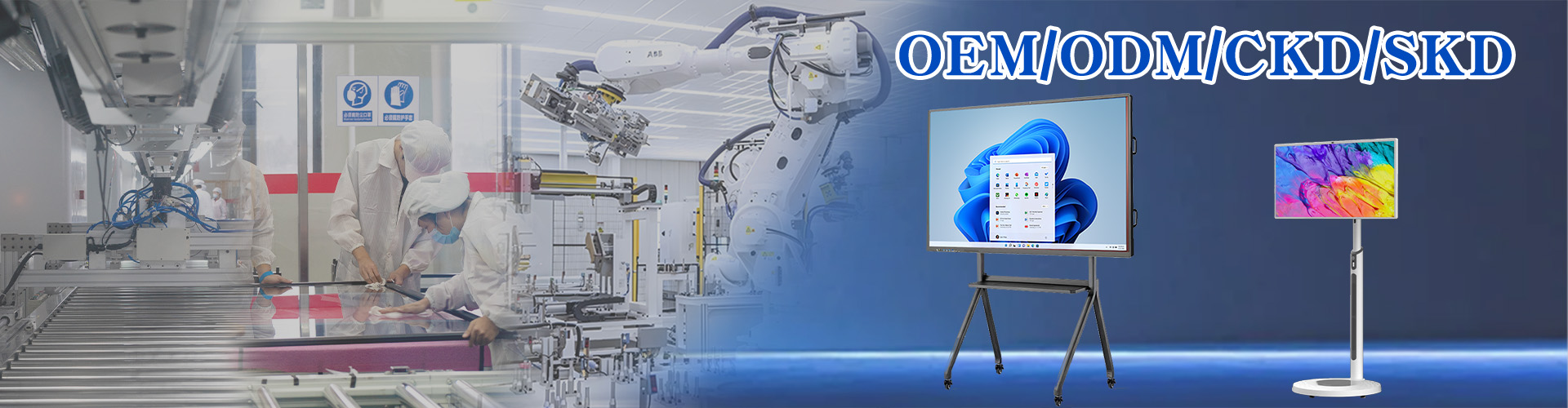
OEM / ODM Customization Scope: Size, exterior color, system type (Android / Windows / OPS), logo, and pre-installed software. Suitable for chain brands and channel partners building their own product lines.
Sampling and Lead Time: Confirm the sampling cycle, MOQ, and mass production lead time. The customization policy starting from 1 unit is subject to the supplier's current actual rules.
Company Background: Qunmao Display was established in 2009 and has a Shenzhen production base with large-scale manufacturing capabilities. It supports OEM / ODM customization starting from 1 unit. Specific capacity and certification status should be verified in writing during the inquiry stage.
Overseas Project Support: Installation guidance, operation training materials, after-sales response time zones, and spare parts strategy are more worthy of front-loading confirmation than unit price for multi-site overseas projects.
Determine by viewing distance: 43–49 inch for 0.5–1 meter close-range wayfinding or ordering; 55 inch primarily for 1.5–3 meter lobbies or mall main aisles; 65 inch and above for showrooms or atriums beyond 3 meters. Screen orientation depends on content format—portrait for posters and wayfinding, landscape for information streams.
Start with 350 cd/m² for conventional indoor locations without direct light, recommend 450 cd/m² for lobbies and mall main aisles, and choose 700 cd/m² for shop windows, near curtain walls, or high-ambient-light locations. Simultaneously confirm whether the surface has anti-glare treatment; otherwise, high brightness will be offset by reflections.
Prioritize Android for chain and conventional commercial scenarios focused on CMS cloud publishing, group control, and looping playback. Choose Windows for scenarios requiring third-party EXE operation, queue management, or customized interactive software. Integrators may prioritize pluggable OPS solutions for later maintenance without disassembling the screen.
Yes. OEM / ODM typically covers size, exterior color, system type, logo, and pre-installed software. Sampling cycles, MOQ, and customization fees need to be confirmed based on the actual configuration during the project inquiry stage.
To verify indoor floor-standing digital signage parameters for specific sites, or to obtain tiered configuration sheets and quotations, please contact Qunmao Display directly.
Contact Us for Parameters and Quotation
Email: info@szqunmao.com
Phone: +86 15920011166


 Floor 6, Building A, No. 3, North District, Shangxue Science and Technology City, Xinxue Community, Bantian Street, Longgang District, Shenzhen City
 info@szqunmao.com
 +86 13148726043
 +86 13148726043