English
 Español
 Português
 Français
 Русский язык
 Italiano
 Deutsch
 Nederlands
 لعربية
 한국어
 Japanese
 ภาษาไทย
 Türkçe
 Tiếng Việt
 Bahasa Indonesia
 Hindi
 kazakh
 Uzbek
 Thai
 Farsi

Wall Mount Kiosk vs Floor Standing Kiosk: Restaurant Space Guide
 2026-11-20
 19



2026-11-20
19
B2B Buyer's Guide · Self-Service Kiosk
Wall Mount Kiosk vs Floor-Standing: A B2B Self-Ordering Guide
When a restaurant, cafe, or quick-service chain decides to add self-ordering, one of the first hardware decisions is the form factor: a freestanding floor kiosk or a wall mount kiosk. Both can run the same ordering software and both can accept payment, but they change how customers move through the space and how much floor area the project gives up. This guide compares the two formats for B2B buyers — restaurant chains, equipment distributors, and POS integrators — and explains what to confirm before ordering a self service kiosk for restaurant use.
The kiosk form factor is often treated as an aesthetic choice, but in food service and retail it directly affects three things that show up on the balance sheet: usable floor area, customer throughput, and installation cost. A wall mounted ordering kiosk frees the floor; a floor-standing unit claims it. Getting this right at specification stage is far cheaper than reworking a store layout after delivery.
Do not choose the format before checking the software. A wall-mounted kiosk that fits the store layout can still fail if the restaurant's ordering software does not run on the selected system. Confirm the software environment at quotation stage, not after delivery.
A floor-standing kiosk occupies a footprint. Even a compact unit takes up floor area that could otherwise hold seating, a queue lane, or a pickup counter. A wall-mounted kiosk is fixed to the wall, so the floor beneath it stays usable.
For a quick-service restaurant or a compact cafe, that difference is often the deciding factor. The 21.5-inch wall-mounted self-service ordering kiosk has a product size of 385×810.22×86.66mm and a net weight of 15KG — a fraction of the footprint of a freestanding unit, and light enough for a standard wall bracket and two-person installation.
| Criteria | Wall-Mounted Kiosk | Floor-Standing Kiosk |
|---|---|---|
| Floor footprint | None (floor stays usable) | Occupies a fixed footprint |
| Ideal store size | Compact cafes, small QSR | Large-format, open floor |
| Installation | Wall bracket + mounting | Place and connect power |
| Mobility after install | Fixed to wall | Can be repositioned |
| Role in store | Ordering point | Ordering + visual landmark |
| Best for | Tight layouts, multi-store consistency | Flagship stores, promo display |
The form factor also changes how customers move through the store:
Wall-mounted kiosk. Customers order at the wall and step away with a printed ticket. The ordering point does not block an aisle or a queue lane, which matters in narrow retail and food-service layouts.
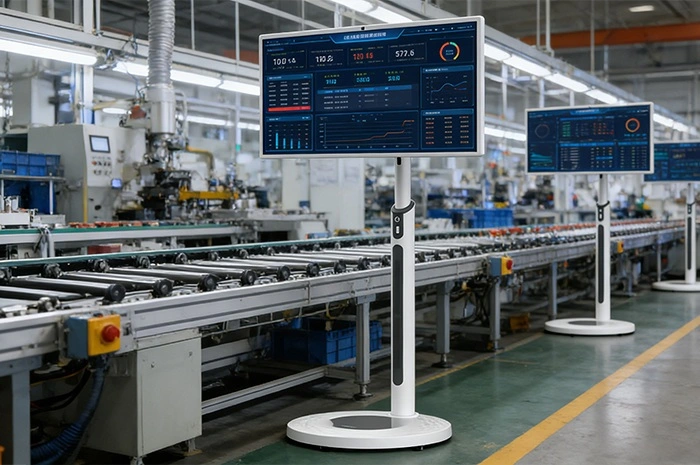
Floor-standing kiosk. Customers gather around the unit, which can create a cluster in the middle of the floor. In a high-traffic location, that cluster can interfere with staff movement or the pickup counter.
If the goal is to reduce queue length without blocking the store, a wall-mounted food ordering terminal is often the better fit. For flagship locations where the kiosk doubles as a promotional landmark, a floor-standing unit may justify its footprint.
During peak periods, the number of simultaneous ordering points matters more than the size of any single unit. A compact wall-mounted kiosk placed near the entrance can move the queue along faster than one large floor unit that becomes a bottleneck. For multi-store rollouts, plan the number and position of ordering points per location rather than defaulting to a single large installation.
Form factor does not change the hardware requirement. A self-ordering kiosk still needs the components that complete the transaction:
| Component | 21.5-inch model (product page) | Why it matters for ordering |
|---|---|---|
| Printer | 80mm thermal printer (built-in) | Issues the order ticket or payment receipt |
| Scanner | Barcode and QR code support | Mobile payment and order-code redemption |
| POS terminal | Reserved hole | Integrates a card payment terminal |
| Touch | Capacitive G+G, 20 points | Reliable self-service input without staff assistance |
| Display | 1920×1080 FHD, IPS, ≥300cd/m² | Clear menu readability in bright interiors |
| System | Windows (i5/i7) or Android | Matches the restaurant's ordering or POS software |
| Size / weight | 385×810.22×86.66mm, net 15KG | Wall-mount planning and delivery handling |
Model
QM-2225DC
Screen Size
21.5 inch
Resolution
1920×1080 (FHD)
Touch
Capacitive G+G, 20pt
Brightness
≥300 cd/m²
Net Weight
15 KG
A self-ordering kiosk is only as good as its checkout. Confirm which payment methods the project requires before specifying the hardware: a card payment terminal uses the reserved POS hole, while QR and barcode payment rely on the built-in scanner. Many operators support both, because card covers dine-in customers and QR covers mobile-wallet users. The 21.5-inch platform supports an intelligent Windows system (i5/i7) or Android, so it can integrate with the restaurant's existing POS and payment stack rather than forcing a change.
A wall-mounted kiosk is only as secure as the wall it is fixed to. Before committing to the format, confirm the wall structure and loading capacity with the installer, and specify the correct mounting bracket. Plasterboard partitions, glass storefronts, and load-bearing concrete walls each need a different fixing method. For a 15KG unit, a properly rated bracket on a suitable wall is straightforward; on an unsuitable wall, a floor-standing unit or a reinforced mounting point is the safer choice.
For multi-store rollouts: decide the form factor per location. A chain with mixed store layouts often uses wall-mounted units in compact locations and floor-standing units in larger ones, rather than forcing one format across every site.
CE FCC RoHS ISO9001 3C CNAS Test Reports
Commercial deployments, especially multi-site rollouts and public-facing venues, routinely require documented compliance. Qunmao Display, established in 2009 with a 230,000 m² Shenzhen production base, exports over 85% of output to 50+ countries and holds CE, FCC, RoHS, ISO9001, 3C, and CNAS certifications with product test reports — the compliance and supply-chain capacity large rollouts require.
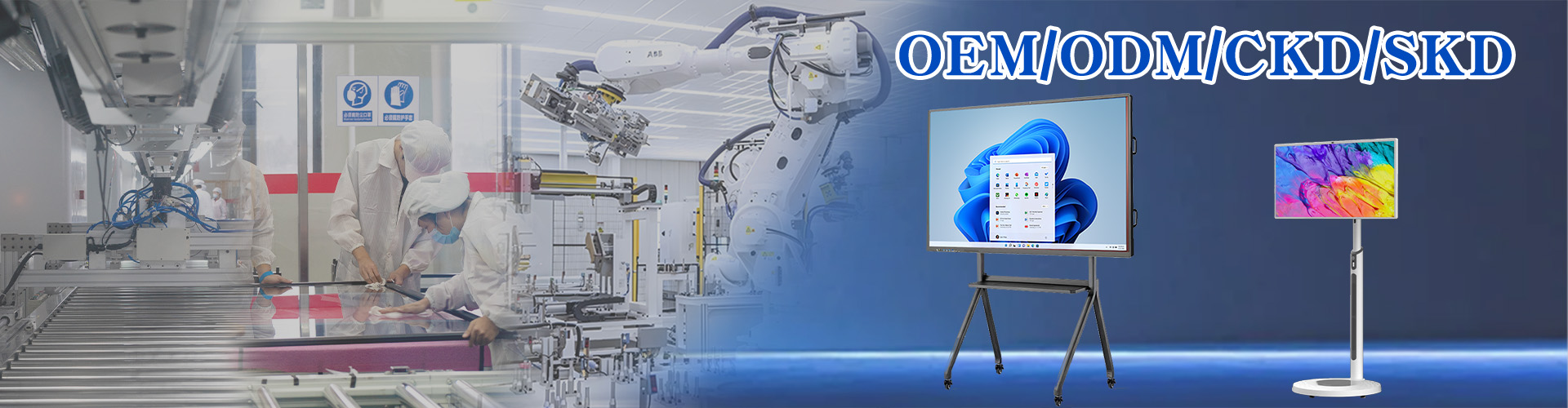
For distributors and POS integrators, the kiosk is often a branded product. Logo placement, boot animation, pre-installed ordering software, and even panel and sensor customization can be handled through OEM and ODM services. Confirm the branding scope, software preload, and MOQ at quotation stage so the units arrive market-ready rather than requiring on-site rework.
Software compatibility. Confirm whether the restaurant's ordering or POS software runs on Windows or Android, and select the configuration accordingly.
Payment method. Confirm whether the project needs a card payment terminal (POS reserved hole) or only QR/barcode payment (scanner).
Printer. Confirm the 80mm thermal printer is included and whether the paper roll size matches the local standard.
Wall structure. A wall-mounted kiosk needs a suitable wall and mounting bracket; confirm the mounting method and wall loading with the installer.
OEM and branding. For distributors and integrators, confirm logo, boot animation, and pre-installed software requirements at quotation stage.
Certifications and spares. Request current certificates for the ordered configuration and confirm the spare-parts policy and warranty terms in writing.
Supply and lead time. Confirm lead time for the specific configuration before committing to a store opening date.
Format decided per store: wall-mounted or floor-standing
Wall structure and mounting bracket confirmed for wall-mounted units
Ordering or POS software compatibility confirmed
Payment method confirmed: card terminal or QR/barcode only
80mm printer and paper roll size confirmed
OEM branding, boot animation, and software preload requirements defined
Current certificates and spare-parts policy confirmed in writing
Lead time confirmed against the store opening date
Is a wall-mounted kiosk strong enough for a busy restaurant?
Yes. At 15KG net with a Capacitive G+G 20-point touch panel and a reinforced frame, the 21.5-inch unit is built for continuous public use when mounted on a suitable wall with a rated bracket.
Can it take both card and QR payment?
Yes. The reserved POS hole integrates a card terminal, while the built-in scanner handles QR and barcode payment — most operators support both.
Which system does it run — Windows or Android?
The platform supports an intelligent Windows system (i5/i7) or Android, so it matches the restaurant's existing ordering or POS software.
Can we private-label the kiosk for our brand?
Yes. Logo, boot animation, and pre-installed software customization are available through OEM and ODM services, with low-MOQ support.
What wall do we need for a wall-mounted install?
A load-bearing wall with a correctly rated mounting bracket. Confirm wall structure and loading with the installer before specifying the format.
What certifications apply to commercial rollouts?
CE, FCC, RoHS, ISO9001, 3C, and CNAS with product test reports cover the standards most commercial and public-facing deployments reference.
Send your store layout, ordering software environment, payment method, and quantity — we will confirm the wall-mounted or floor-standing configuration, lead time, and wholesale pricing.


 Floor 6, Building A, No. 3, North District, Shangxue Science and Technology City, Xinxue Community, Bantian Street, Longgang District, Shenzhen City
 info@szqunmao.com
 +86 13148726043
 +86 13148726043