English
 Español
 Português
 Français
 Русский язык
 Italiano
 Deutsch
 Nederlands
 لعربية
 한국어
 Japanese
 ภาษาไทย
 Türkçe
 Tiếng Việt
 Bahasa Indonesia
 Hindi
 kazakh
 Uzbek
 Thai
 Farsi

Touch Screen Ordering & Payment Kiosk: B2B Sourcing Guide
 2026-11-17
 8



2026-11-17
8
For a restaurant chain, retail distributor, or self-service system integrator, sourcing a touch screen ordering kiosk is not the same as buying a general information kiosk. A self-service project needs a terminal that completes the transaction loop on one wall-mounted unit: the customer places an order, pays, and receives a printed receipt. That changes what to specify and what to confirm with the supplier before a batch order.
A general kiosk displays information. A self-service ordering or payment project needs three things in the same terminal: an ordering interface, a payment path, and a printed receipt. If any of the three is missing, the project ends up adding external hardware — a separate printer, a separate payment terminal — which complicates installation and support across multiple sites.
That is why the specification question is not “which touch screen is cheapest” but “which touch screen payment terminal covers ordering, payment, and printing in one wall-mounted unit.”
The 15.6-inch model is a wall-mounted self-service terminal. The product page lists its capabilities by module:
Display and touch. 15.6-inch 1920×1080 IPS panel, ≥280cd/m² brightness, capacitive G+G touch with 20 touch points, ≤2mm touch accuracy, 3mm tempered glass surface, and a listed 60 million touch service life.
Transaction hardware. An 80mm thermal printer, support for barcode and QR code scanning, and a reserved hole for a POS terminal.
Optional modules. A 5MP camera with face recognition support, and optional 3G/4G.
System. Windows 10/11 with Intel i5/i7, 4/8/16GB RAM, and 128/256/512GB SSD — or Android 13 as an alternative.
Installation. Wall-mounted, with a universal bracket; the unit is intended for indoor commercial use.
The same 15.6-inch terminal can be deployed as an ordering kiosk or as a payment terminal, but the project requirement changes what matters:
In a quick-service restaurant or retail counter, the terminal is used for self-ordering: the customer selects items and options, confirms the order, and the 80mm printer issues a receipt or order ticket. Here the touch responsiveness and the printer are the critical modules.
In a payment scenario, the POS terminal is fitted into the reserved hole, the scanner handles QR or barcode payment, and the printer issues a payment receipt. Here the POS integration and the scanner are the critical modules, and the system choice must match the payment software the project already uses.
Tell the supplier which scenario is primary. An ordering-first project and a payment-first project may use the same hardware but different software stacks. Confirming the primary use at quotation stage avoids a configuration that fits one scenario but not the other.
| Specification | 15.6-inch model (product page) | Why it matters in a self-service project |
|---|---|---|
| Screen | 15.6-inch, 1920×1080 | Fits a wall-mounted ordering or payment position |
| Touch | Capacitive G+G, 20 points, ≤2mm accuracy | Reliable self-service input without a staff member present |
| Printer | 80mm thermal printer | Issues order tickets or payment receipts on the spot |
| Scanner | Barcode and QR code support | QR payment and order-code redemption |
| POS | Reserved terminal hole | Integrates an existing payment module |
| System | Windows 10/11 (Intel i5/i7) or Android 13 | Matches the project’s existing POS or ordering software |
| Installation | Wall-mounted, universal bracket | Saves floor space in restaurant and retail environments |
| Packing / weight | 365×660×340mm, gross weight 12KG (with base bracket) | Freight and on-site handling planning for batch orders |
Specifications above are taken from the 15.6-inch wall-mounted self-service ordering and payment kiosk product page at the time of writing. Confirm current parameters and options with the supplier before finalizing an order.
For a wall mounted ordering kiosk order, the confirmation list is different from a single-unit purchase:
System choice. Confirm whether the project’s POS or ordering software runs on Windows or Android, and select the configuration accordingly.
Hardware configuration. For the Windows version, confirm the RAM and SSD size the software requires.
Printer and scanner. Confirm both are included in the configuration, and whether they affect production lead time.
Optional modules. Camera and 3G/4G should be confirmed at quotation stage rather than added later.
Packing and freight. Use the packing size (365×660×340mm) and gross weight (12KG with base bracket) for container and pallet planning.
Supply volume. The product page FAQ cites 3,000–5,000 units in stock per month; use this as a starting point for lead-time negotiation.
Certifications. CE, FCC, ROHS, ISO9001, and 3C are listed; request current certificates for the exact configuration you are ordering.
Confirm the software environment before the order, not after. A self-service ordering or payment project depends on software the project already uses. If the kiosk configuration does not match that environment, the problem surfaces at deployment — after production and shipping.
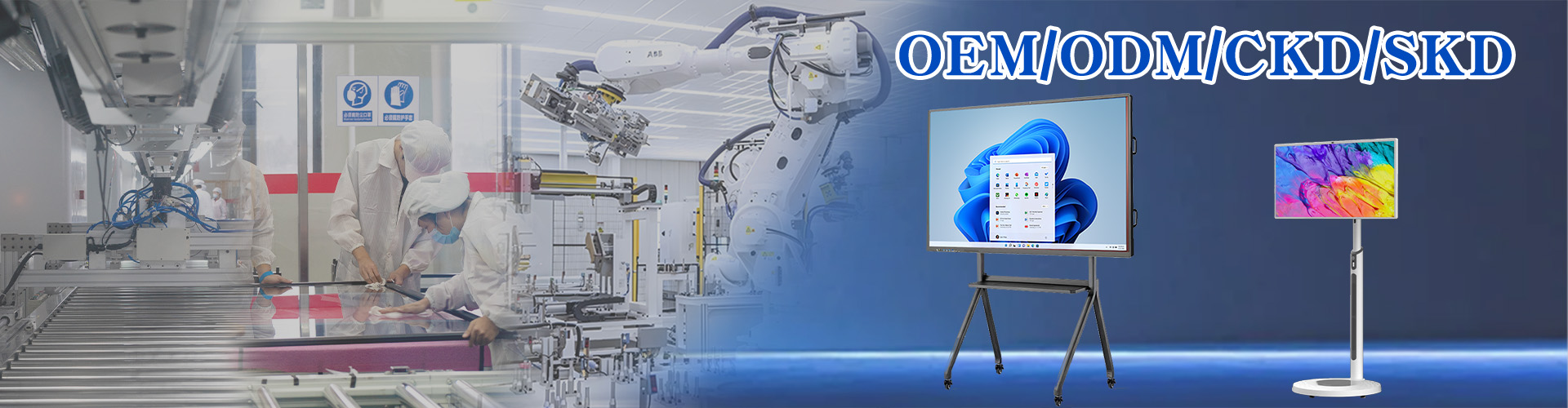
For distributors and system integrators, the relevant route is an OEM ordering kiosk order. The product page lists support for installing third-party APK, auto-start on power-up, a one-button start switch, and custom power-on/off timing. The OEM and ODM services page covers the broader process.
The items to raise at quotation stage are:
Branding and boot animation — confirm what is included and what is charged separately.
Software preload and system permissions for the project’s ordering or payment application.
Hardware configuration (RAM and SSD for the Windows version).
Packaging and carton marking for distribution orders.
Customized items affect lead time. Confirm the production lead time for the specific configuration before committing to a project delivery date, rather than assuming it matches the standard model’s stock availability.
Qunmao Display was established in 2009 with a 230,000m² production base in Shenzhen and exports more than 85% of its output to over 50 countries. For a wall mounted self-service kiosk order, confirm the following in writing:
Current certificates for the ordered configuration (CE, FCC, ROHS, ISO9001, 3C).
Monthly supply capacity and lead time for the specific configuration.
Spare-parts policy, warranty terms, and response time (listed as within 24 hours).
Export packaging and carton marking requirements.
Treating a general information kiosk as an ordering or payment terminal, and missing the printer, scanner, or POS reserved hole.
Not confirming whether the project’s software runs on Windows or Android before ordering.
Assuming the camera or 3G/4G module is standard instead of optional.
Calculating freight from product dimensions rather than packing size and gross weight.
Confirming OEM branding and software preload after the order instead of at quotation stage.
Relying on product-page certification text instead of requesting current certificates.
Primary use confirmed: ordering-first or payment-first
System choice confirmed: Windows 10/11 or Android 13
POS or ordering software compatibility confirmed
Printer and scanner included in the configuration
Camera and 3G/4G requirements confirmed at quotation stage
Packing size (365×660×340mm) and gross weight (12KG) used for freight planning
Monthly supply volume and lead time confirmed
OEM branding, software preload, and packaging requirements defined
Current certificates, spare-parts policy, and warranty confirmed in writing
Sourcing self-service ordering or payment kiosks for a project?
Send your primary use (ordering or payment), software environment, quantity, and OEM requirements — we will confirm the configuration, lead time, and wholesale pricing.


 Floor 6, Building A, No. 3, North District, Shangxue Science and Technology City, Xinxue Community, Bantian Street, Longgang District, Shenzhen City
 info@szqunmao.com
 +86 13148726043
 +86 13148726043