English
 Español
 Português
 Français
 Русский язык
 Italiano
 Deutsch
 Nederlands
 لعربية
 한국어
한국어 Japanese
 ภาษาไทย
 Türkçe
 Tiếng Việt
 Bahasa Indonesia
 Hindi
Hindi kazakh
 Uzbek
Uzbek Thai
Thai Farsi
Farsi
Digital Displays Complete Guide | Setup, Types, Use Cases Cost Benefits | Qtenboard QUNMAO
 2026-08-13
 1331
1331




2026-08-13
1331
You walk through mall corridors. You pause inside airport terminals. You grab coffee from your neighborhood shop. Bright screens greet you everywhere. They showcase limited-time offers, directional maps, and short promotional clips. These devices are not household televisions. They are digital signage, a practical communication tool reshaping how commercial spaces and public institutions deliver messages to visitors.
Paper posters and roadside billboards lock content in place for weeks or months. No edits happen until you pay for new printing and installation. Digital signage changes this entirely. You adjust text, photos and video content remotely whenever business needs shift. You set scheduled playback for different hours each day. You tailor messages for distinct customer groups as they pass through your premises.
You might own a small local shop hoping to lift daily sales. You may manage campus operations and need a reliable way to broadcast campus alerts. Or you simply want clear facts about this widely seen commercial tech. This guide lays out every core detail you need to start planning your own digital display setup, with real scenarios and measurable outcomes to guide your decisions.
Digital signage consists of interconnected LCD, LED or projection panels built to run variable visual content. Images, paragraphs, short animations and live streaming feeds all play across these screens. A dedicated software system controls the whole network. This setup lets you revise content from any internet-connected device, schedule playback ahead of time, and craft messages meant specifically for certain time slots or visitor demographics.
Take two straightforward examples you encounter daily. A diner swaps breakfast menus for lunch items each afternoon with a few clicks inside a cloud backend. No paper reprints, no staff time spent replacing taped sheets on walls. An airport pulls live flight departure data directly from airline servers. Gate numbers and departure times refresh automatically, so travelers never rely on outdated printed boards.
The clear gap between print and digital sits in adaptability. Printed material stays fixed until discarded. Digital displays update instantly, hold more content types, and encourage mild user interaction where appropriate. Visitors spend longer looking at these screens, and your messages register more firmly in their minds.
Three linked components power every digital signage system. All three parts operate in tandem to push your chosen content onto display screens across your locations.
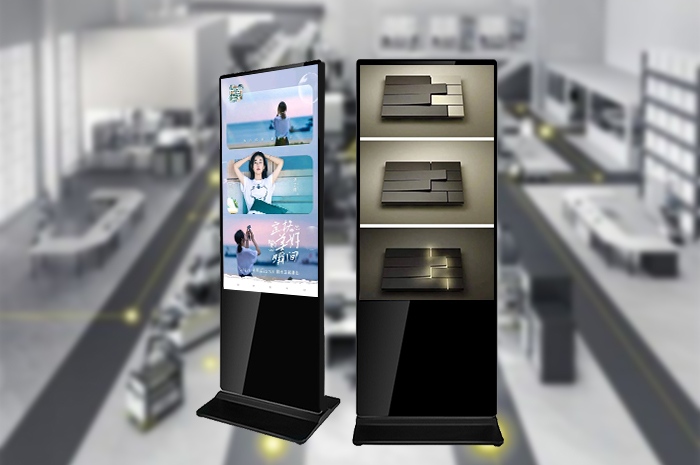
This group covers the physical equipment you install. The main panel ranges from compact 43-inch indoor units up to large 75-inch vertical floor-standing displays. A media player connects to each screen, storing temporary content data and running playback sequences. You can add wall brackets, freestanding bases, touch overlays or motion sensors based on your space layout and goals. Outdoor models carry reinforced casings to block moisture and harsh sunlight.
This acts as the central command hub. Most providers deliver cloud-hosted platforms accessible via web browsers or mobile apps. You drag and drop pictures and text into pre-built templates, arrange playback orders, and set timetables for automatic switching. If you manage dozens of screens across multiple branches, you send unified content to all devices simultaneously, or assign separate local content to individual outlets.
This is the information visitors view. Product photos, promotional clips, opening hour lists, social media updates and public service announcements all qualify. Successful content follows tight rules. Text stays short, visuals remain crisp, and the message matches the people walking past the screen. Cluttered text blocks fail to register within the few seconds you have to catch attention.
A retail chain puts this workflow into practice each weekend. Staff design a weekend discount video inside the cloud software early Friday morning. They set playback to begin Friday opening hours and end Sunday evening. The media players at each store connect to the cloud server, download the video file, and run the footage consistently across every shop location until the promotion concludes. No on-site adjustments are needed for hundreds of separate storefronts.
No single digital display fits every environment. Manufacturers build distinct formats tailored to space size, foot traffic volume, weather conditions and intended user behavior. Below are the most widely deployed styles for commercial and public use.
Standalone DisplaysSingle independent panels built for straightforward information delivery. Café menu boards, hotel lobby welcome screens and small boutique promotional panels fall into this category. Setup steps take minutes, and operational costs stay low, making these the ideal starting choice for small businesses with limited budgets and simple messaging needs.
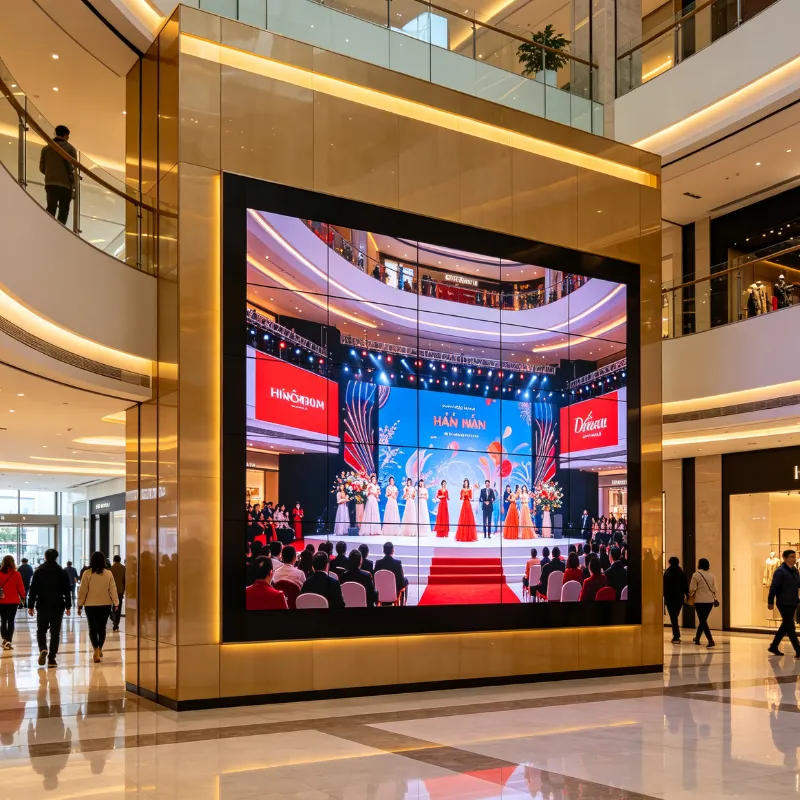
Video WallsMultiple narrow-bezel screens joined together to form one oversized continuous display. Stadium concourses, main mall atriums and large exhibition halls rely on these expansive setups. The combined surface draws eyes from far distances in crowded areas, suitable for major brand launches and large-scale event broadcasts.
Touchscreen SignageInteractive panels that let visitors tap, swipe and type to retrieve details. Airport navigation kiosks, museum exhibition guides and retail product lookup stations use touch functionality. Shoppers check stock levels, compare item specifications and pull up service details without needing employee assistance.
Outdoor Digital SignageWeather sealed panels engineered for external placement. Bus shelter advertisements, roadside billboards and sports arena scoreboards use this hardware. Protective layers block rain, dust and intense sunlight, while internal temperature control prevents overheating during hot summer days and freezing winter weather.
Transparent DisplaysGlass-like panels that stay clear when no content plays. Retail store window fronts and museum artifact cabinets use this design. Brands run product showcases without blocking natural light or the view into the shop interior, balancing advertising and store visibility seamlessly.
Digital displays have expanded across nearly every commercial and public sector. Each industry leverages the flexible playback system to solve unique daily operational challenges.
Retail StoresShops run seasonal sales footage, highlight newly arrived goods and post genuine customer feedback to push in-store purchases. Touch variants help buyers locate shelf positions and check real-time inventory counts, cutting down repeated staff inquiries and shortening customer shopping times.
Healthcare FacilitiesClinics and hospitals list current waiting times, ward navigation routes and general wellness advice across lobby screens. Calming nature clips play during peak waiting periods to ease stress for patients awaiting consultations or test results. Department hour updates go live instantly without printed notice rework.
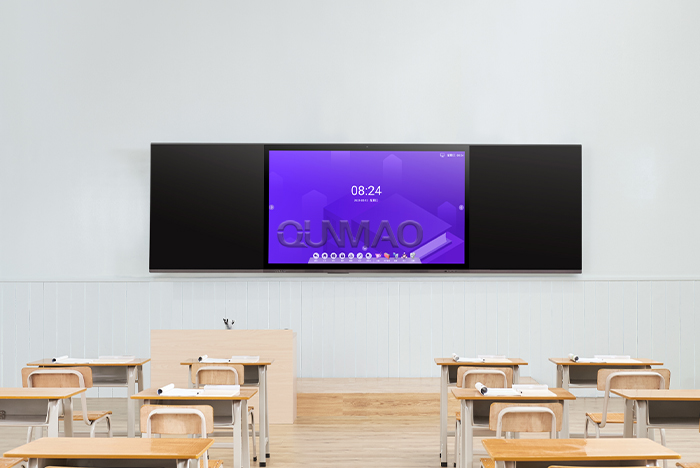
Educational CampusesSchools and universities post event timetables, campus safety alerts and student activity announcements down hallways and main entrances. Visitor navigation screens guide guests to administrative offices and lecture halls, streamlining campus access for parents and external attendees.
Transport HubsAirports, railway stations and bus terminals display real-time departure timetables, gate alterations and safety reminders. Data syncs directly with transport operators, so schedule changes appear the moment they take effect and travelers avoid missed departures from outdated paper listings.
Hospitality VenuesHotels greet arriving guests, outline facility amenities and showcase restaurant daily dishes inside lobbies and elevator cabins. Conference centers update meeting room schedules and event agendas automatically for corporate gatherings.
Corporate Office BuildingsOffice lobbies and staff break rooms share company milestones, team recognition updates and vacant meeting room status. For businesses with scattered branch offices, unified screen networks keep remote teams aligned on internal news and policy adjustments.
Paper posters retain only one set of benefits for a limited window. Digital displays deliver sustained practical perks that reduce labor work and improve visitor interaction month after month.
Quick Content AdjustmentYou revise menus, pricing or promotional text within minutes. Schedule morning breakfast deals and evening drink specials to load automatically without manual swapping. No design fees, no printing runs and no delivery waiting periods slow your messaging rollout.
Higher Visitor Attention RatesMoving visuals catch eyes far more effectively than flat printed images. Independent field tests record up to 80 percent higher engagement rates for digital screens compared to static wall posters. Passersby pause longer, absorb details more fully, and remember brand messages better.
Lower Long-Term Operating ExpenseInitial hardware purchase costs exist. After installation, you eliminate recurring charges for poster design, printing, courier delivery and staff posting labor. Businesses running monthly promotions recoup upfront costs quickly, and savings accumulate year after year.
Trackable Performance MetricsModern cloud platforms log screen running hours, content playback frequency and user touch interactions. You review weekly reports to identify which promotions draw the most attention, then shift budget toward higher-performing content plans. All marketing choices rest on measurable data rather than guesswork.
Uniform Brand Presentation Across BranchesHeadquarters upload brand-approved logos, color schemes and campaign material once. Every connected screen across all locations receives identical content. Local outlets may add small regional offers without disrupting overall brand visual standards.
| Comparison Item | Paper Posters & Static Billboards | QUNMAO Qtenboard Digital Displays |
|---|---|---|
| Content Update Speed | Days required for design, printing and installation | Remote editing live within 1 to 5 minutes |
| Viewer Engagement Level | Low static visual attraction | Up to 80% higher audience engagement |
| Cumulative Annual Cost | Continuous printing, labor and transport fees | One-time hardware cost plus minimal annual maintenance |
| Data Statistics Support | No viewing or conversion data available | Backend playback data and downloadable reports |
| Cross-Branch Unified Management | Manual posting at every location separately | One backend controls all nationwide screens |
| Service Lifespan | Discarded after single promotional cycle | 5–8 years stable daily commercial operation |
| Applicable Content Format | Images and printed text only | Videos, pictures, scrolling text, live data feeds |
Digital signage is far more than illuminated screens playing repeated videos. It serves as a flexible communication channel built to adjust alongside your business needs and visitor behaviors. Small neighborhood eateries and large international transportation hubs both benefit from its core functions.
You cut recurring printing expenses, standardize brand messaging across all locations, capture more customer attention and collect usable data to refine future marketing plans. QUNMAO designs and manufactures full-series Qtenboard commercial digital displays covering indoor standalone units, vertical floor screens, outdoor waterproof panels and interactive touch kiosks. In-house production controls color accuracy, hardware stability and overall pricing to fit small startups and large chain enterprises alike.
Understanding the basic operating structure, available categories and industry use cases lets you pick the right configuration for your space. As consumer attention grows harder to secure in crowded commercial environments, digital signage delivers reliable returns that static printed formats cannot match. Now is the ideal moment to plan your first digital display deployment.
Q1: Do I need professional technical knowledge to manage digital signage content?
You require no coding or professional design experience. All modern cloud management platforms adopt simple drag-and-drop layouts with ready-made templates for menus, sales promotions and welcome notices. Most users master basic content creation and scheduling within 15 minutes. Our team supplies simplified operation guides and short video tutorials to resolve minor questions quickly.
Q2: What overall budget should I prepare for digital signage deployment?
Total costs split into hardware, software and installation fees. Small businesses starting with one indoor screen and basic cloud service spend roughly $50 to $100 per month after upfront hardware payment. Large-scale video wall projects with dozens of panels carry higher initial investment, yet monthly running costs stay low afterward. We offer customized quotes based on screen quantity, sizes and functional demands.
Q3: Can I repurpose ordinary household televisions as digital signage screens?
Household TVs with HDMI ports can connect to media players and run signage content temporarily. These devices lack commercial-grade brightness, long-running stability and anti-glare coatings built for daily 10+ hour operation. Continuous daily use leads to screen burn-in and shortened service life. For permanent commercial scenarios, dedicated industrial digital displays deliver far better long-term value.
Q4: Is cloud-based digital signage data transmission secure?
Trusted providers deploy password login restrictions, graded staff access permissions and end-to-end data encryption to protect your brand content and schedule data. You avoid public unsafe platforms for business usage. Regular system updates patch potential loopholes and maintain stable security for long-term operation.
Q5: How do I craft content that draws genuine customer attention?
Keep text brief and easy to read within three seconds. Use high-resolution product images and consistent brand color tones. Adjust content to match the people visiting your space; relaxed wording works for cafes, clear formal text suits hospital and campus environments. Run small tests with different content versions and refer to backend viewing data to finalize your most effective formats.
Q6: Can I synchronize real-time data such as flight schedules and stock prices on the screens?
Our system supports data interface docking. You connect official schedule databases, price systems and public notification platforms. Information refreshes automatically on all linked screens without manual editing, perfectly suited for airports, railway stations and financial service spaces.


 Floor 6, Building A, No. 3, North District, Shangxue Science and Technology City, Xinxue Community, Bantian Street, Longgang District, Shenzhen City
 info@szqunmao.com
 +86 15920011166
 +86 15920011166