English
 Español
 Português
 Français
 Русский язык
 Italiano
 Deutsch
 Nederlands
 لعربية
 한국어
한국어 Japanese
 ภาษาไทย
 Türkçe
 Tiếng Việt
 Bahasa Indonesia
 Hindi
Hindi kazakh
 Uzbek
Uzbek Thai
Thai Farsi
Farsi
Interactive Panel Replaces Projectors: Clear Displays Engaging Modern Classrooms
 2026-08-10
 1208
1208




2026-08-10
1208
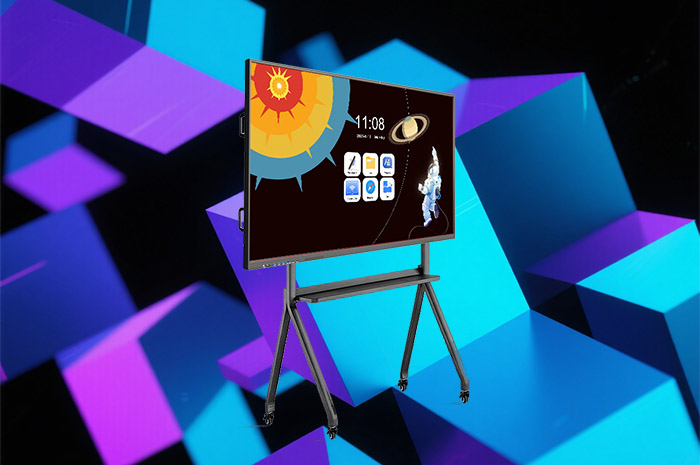
Many veteran teachers still recall the daily struggles of traditional classroom projectors. Morning sunlight streams through classroom windows. Text and charts fade behind a hazy overlay. You adjust blinds constantly to dim natural light. Lessons stall again and again. Hardware troubles pile up alongside visibility issues. Connection cables come loose mid-lesson. The system freezes when you pull up courseware. You unplug cords, reboot devices and waste precious teaching minutes fixing technical faults while students wait quietly. These repeated small frustrations drain energy before class even gets underway. Interactive panels erase all these recurring headaches completely, turning stressful lesson preparation and delivery into straightforward daily work.
Projector imaging relies entirely on dim ambient light to maintain definition. Sunlight hits the projection surface. All content washes out into a faint foggy blur. Students sitting in the back rows squint hard to decipher words and diagrams. Eyestrain builds up over weeks and months of daily classes. Teachers struggle to find a comfortable balance between natural daylight and readable screen content. Drawing blinds fully closed makes rooms stuffy and dull, yet partial coverage never solves the fading display problem entirely.
Interactive panels adopt built-in high-brightness liquid crystal displays paired with matte anti-reflection coating. Outdoor daylight and indoor classroom lighting cannot wash out text, images or playback video. Letters stay sharp. Color contrasts remain distinct. No matter which seat students occupy across the classroom, they view consistent vivid content without straining their eyes. You leave classroom windows uncovered for fresh air and natural lighting all day long. Students stay alert and comfortable through long morning and afternoon sessions. No more constant adjustments to lighting fixtures or window coverings take time away from lesson plans.
Traditional projector setups only broadcast static content one way. Teachers deliver knowledge. Students listen passively. Few chances exist for quick checks on comprehension during lessons. You wait until homework or formal exams to gauge understanding, which leaves knowledge gaps unaddressed for days or weeks. Young learners lose focus easily during lengthy lecture segments when no active participation is required.
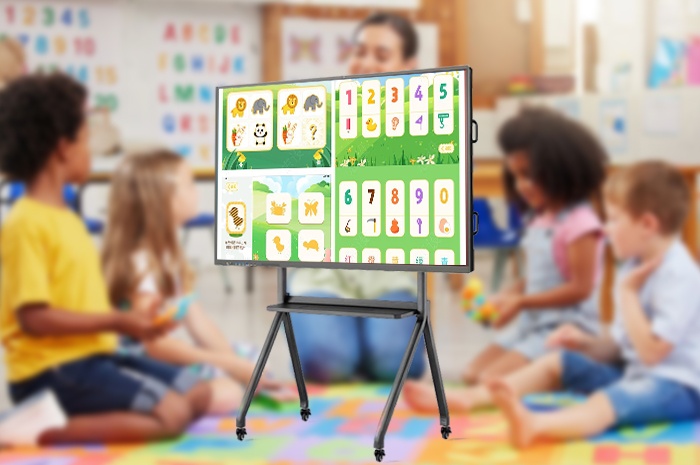
Interactive panels add two-way interaction straight into regular teaching routines. You launch quick comprehension quizzes with a few taps on the main screen. Students submit answers through personal smartphones or classroom tablets. All responses populate the large display instantly. Correct and incorrect submissions separate clearly for your review. You pinpoint common misunderstandings right away and walk the whole class through tricky concepts before moving onward.
You also integrate light educational games into study sessions. Word chain activities build vocabulary retention. Mental math races sharpen calculation speed. These short competitive segments break up monotonous lecturing. Classrooms shift from quiet listening spaces into lively zones of active learning. Students volunteer answers more freely, and overall classroom engagement rises noticeably after daily use.
Projectors serve just one narrow purpose. They project pre-made slide files and nothing more. Teachers still rely on physical chalkboards for annotations, separate speakers for audio playback and standalone devices for educational software. Chalk dust floats through the air each lesson, irritating respiratory tracts and covering desks and textbooks. Erasing writing takes physical effort, and boards fill up quickly during complex subject explanations.
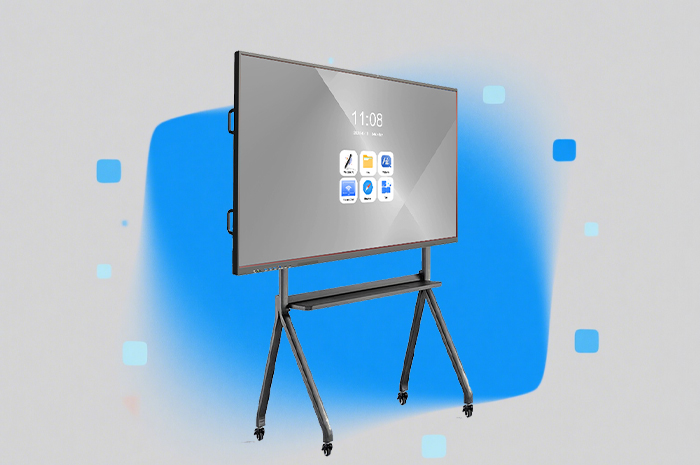
The interactive panel combines dozens of classroom tools within a single unit. It acts as a dust-free digital blackboard first and foremost. You write, underline key phrases and draw diagrams using a stylus or fingertip. One tap clears entire sections instantly, no wiping cloths or chalk needed. Built-in audio hardware delivers crisp sound for video lessons and language listening exercises. Subject-specific embedded tools simplify abstract coursework. Geometry drawing aids render mathematical shapes accurately. Physics simulation modules turn invisible motion principles into visible on-screen demonstrations. Complex theories become simple for students to grasp.
Multi-user collaborative operation stands as another practical advantage. Multiple students step up to the screen to work through problems side by side. Learners cast content from personal phones and tablets onto the large display with wireless transmission. Small group discussion results appear for the whole class to examine and debate together. Silent classrooms transform into dynamic collaborative environments where students take ownership of their learning process.
| Comparison Dimension | Traditional Classroom Projector | Modern Interactive Teaching Panel |
|---|---|---|
| Display Performance Under Sunlight | Content fades heavily, hazy and hard to read | Bright clear display, anti-glare matte surface |
| Viewing Comfort & Eye Strain | Squinting required for back seats, frequent eye fatigue | Uniform viewing experience for all seating positions |
| Core Available Functions | Only PPT and video projection playback | Digital whiteboard, quizzes, audio playback, subject teaching tools |
| Classroom Interaction Mode | One-way broadcast, no real-time student feedback | Mobile submission, instant answer statistics, group collaborative writing |
| Daily Hardware Stability | Cable faults, system crashes, frequent rebooting needed | Integrated stable hardware, minimal breakdown incidents |
| Classroom Environment Impact | Chalk dust pollution, stuffy rooms with blinds closed | Zero dust, windows openable for ventilation all day |
| Content Sharing Method | Fixed computer connection only | Wireless screen casting from phones, tablets and laptops |
| Long Term Maintenance Workload | Lamp replacement, cable inspection, regular troubleshooting | Simple surface wiping, occasional system updates |
Q1: Can interactive panels fully adapt to existing courseware originally designed for projectors?
All mainstream file formats including PPT, PDF, image files and teaching videos run without conversion. You open pre-existing lesson resources directly on the panel. No extra time gets spent remaking teaching materials during the transition period.
Q2: Will strong classroom sunlight still cause screen glare and discomfort for students?
The screen surface carries professional anti-glare matte treatment paired with adjustable brightness levels. Direct sunlight cannot create mirror-like reflections. Students sitting at any angle maintain comfortable viewing conditions throughout the school day.
Q3: Do students need to download special applications to join classroom quizzes?
Learners access activities through standard mobile browsers without dedicated app installation. You share a simple QR code or webpage address. Students scan and submit answers within seconds, lowering barriers for daily quick knowledge checks.
Q4: How many people can write and operate on the screen simultaneously during group lessons?
The panel supports multi-point simultaneous touch input. Up to six students can annotate, draw and solve problems together on the display surface. This capacity suits small group teamwork and class presentation activities perfectly.
Q5: Is the digital writing experience close enough to traditional chalkboard writing for long-term use?
Custom stylus tools deliver smooth pressure-sensitive handwriting. Lines thicken and thin naturally just like chalk on boards. One-click clearing and partial erasing functions add flexibility unavailable with physical chalkboards.
Q6: What is the average service lifespan compared with traditional projector equipment?
Projector bulbs require replacement every 3000 to 5000 hours. Interactive panels use stable LCD backlight modules that run reliably for 50,000 hours of classroom use. Total long-term maintenance costs drop significantly for schools.
Q7: Can recorded lessons and quiz results be saved for later review and archiving?
All handwritten annotations, quiz statistics and classroom recordings save locally or to cloud storage. Teachers review teaching effects after class, and schools archive lesson materials for shared teaching resource libraries.
Q8: Does the built-in audio system deliver clear sound for large classrooms?
High-power stereo speakers sit integrated inside the panel frame. Sound spreads evenly across standard classroom sizes. No extra external speaker equipment needs purchasing or wiring separately.
Classroom teaching quality hinges on steady hardware and smooth interaction. Old projectors tie teachers down to constant troubleshooting and compromised visibility. Interactive panels eliminate unstable signals, washed-out displays and chalk dust issues in one complete upgrade. You deliver lessons with far less physical strain. Students participate actively through quizzes and group collaboration. Knowledge transfers more efficiently inside bright, comfortable classroom spaces. When you aim to build relaxed, joyful and effective learning environments, interactive teaching panels stand as the practical, worthwhile upgrade for every school classroom.


 Floor 6, Building A, No. 3, North District, Shangxue Science and Technology City, Xinxue Community, Bantian Street, Longgang District, Shenzhen City
 info@szqunmao.com
 +86 15920011166
 +86 15920011166