English
 Español
 Português
 Français
 Русский язык
 Italiano
 Deutsch
 Nederlands
 لعربية
 한국어
한국어 Japanese
 ภาษาไทย
 Türkçe
 Tiếng Việt
 Bahasa Indonesia
 Hindi
Hindi kazakh
 Uzbek
Uzbek Thai
Thai Farsi
Farsi
Qtenboard Palm Rejection Technology | Smooth Stylus Writing for Classrooms & Meeting Rooms
 2026-08-10
 1417
1417




2026-08-10
1417
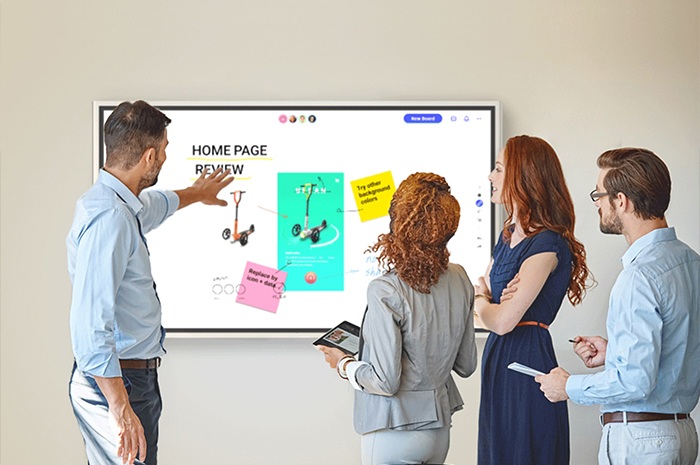
Interactive panels now fill classrooms and corporate meeting spaces across global markets. You rely on these screens to jot down lesson notes, draft meeting outlines, sketch project frameworks and share ideas with teams every single day. One persistent annoyance follows nearly every user during daily use. You grip the stylus firmly and start writing. Your palm, wrist or forearm rests lightly against the display surface. Unwanted stray lines pop up across your notes. Diagrams get scribbled over. Clear text turns messy. You pause repeatedly to erase errors. Your train of thought breaks again and again.
This small inconvenience accumulates over hours of daily use. Teachers lose precious teaching minutes clearing random marks during class sessions. Office workers spend extra time tidying up meeting records after discussions end. Designers cannot focus fully on draft sketches. Many users adjust their body posture to avoid skin contact with the screen, yet this awkward fix brings new physical strain. Qunmao designed its Qtenboard interactive tablet lineup with dedicated palm rejection algorithms to resolve this widespread pain point once and for all. Every detail of this feature targets real usage habits. It reshapes how you write, draw and collaborate on large touch displays.
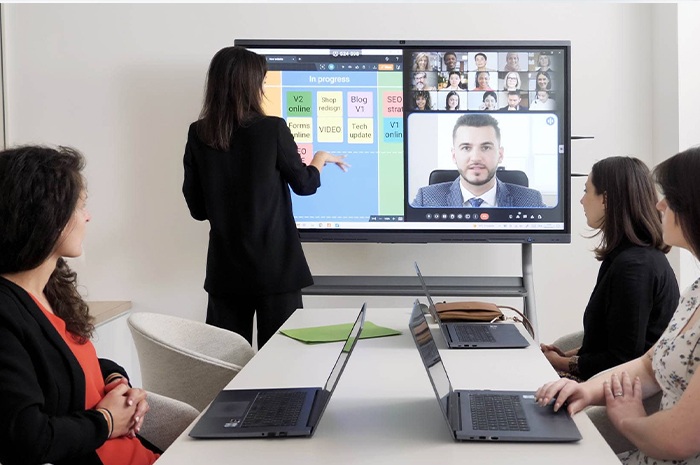
Most ordinary touch screens treat all surface contact as valid input. The system cannot tell the difference between a precise stylus tip and the broad surface of your palm. Qtenboard runs refined multi-layer touch identification algorithms built for large-format interactive screens. The hardware sensor array captures tiny electrical signals emitted exclusively by the active stylus. It marks these signals as intentional writing commands. All wider contact areas from palms, wrists, elbows and forearms get filtered out instantly without manual switching.
You do not need to toggle special modes before writing. No extra setup steps delay your workflow. You pick up the pen and begin your work directly. If you shift your arm position midway through drafting complex charts or long paragraphs, the system keeps consistent judgment. Thick sketch shading and fine text annotation both stay clean. No jagged stray strokes interrupt your content. This stable recognition performance works steadily under bright classroom lighting, dim meeting room environments and varied indoor temperatures.
Users without reliable palm rejection face a tough choice. They either endure messy screen content or hold their entire hand suspended above the panel while writing. This hovering stance forces constant tension in shoulders, wrists and upper arms. A 45-minute lecture or strategy meeting leaves users with noticeable soreness in arm muscles. Long-term daily use triggers persistent wrist discomfort for educators and corporate staff alike.
Qtenboard lets you lay your whole hand flat on the screen surface exactly as you place your hand on a sheet of paper. Your wrist gains stable support. Writing movements become smoother and more controlled. Small text annotations, delicate graphic lines and mathematical formula drafting all achieve higher accuracy. Your body stays relaxed throughout lengthy work sessions. Fatigue levels drop sharply after continuous writing tasks. Your focus remains locked on information delivery and idea recording rather than physical posture adjustment.
Group scenarios expose the flaws of basic touch screens most clearly. Multiple participants gather around one large interactive panel during brainstorming workshops, group tutoring sessions and project planning meetings. Two or more people hold styluses and add content side by side. Arms cross frequently. Palms overlap on the display area. Conventional devices generate massive scattered touch errors. Everyone’s notes blend together into an unreadable mess. Facilitators have to pause frequently to clear the screen and restart discussions. Team efficiency suffers heavily.
Qtenboard supports simultaneous multi-stylus input paired with its universal palm rejection system. Each pen carries an independent signal identifier. The algorithm tracks every user’s writing path separately. Even when arms cross and hands press against overlapping screen zones, the system blocks accidental touches reliably. Every participant’s text, sketches and markings remain distinct and neat. Teachers assign group drawing tasks and let students create together on one unified screen. Business teams list ideas, mark priorities and revise plans in real time without messy overlaps. Collaborative sessions move forward smoothly from start to finish.
This anti-accidental touch function never limits itself to a single usage scene. It delivers consistent stable performance across all common indoor environments. Classroom teachers write textbook key points, draw geometric figures and annotate courseware for dozens of students each day. Learners take class notes and finish hand-drawn assignments directly on the screen. Corporate teams map project timelines, draw flowcharts and debate scheme details during internal conferences. Young children use educational drawing applications and story creation software with comfortable hand placement.
As the original equipment manufacturer behind Qtenboard, Qunmao designs every hardware module and software algorithm around real user pain points. The palm rejection feature is not an optional extra add-on. It sits as a core built-in function for every interactive panel model. The brand avoids superficial hardware stacking. It prioritizes small experience details that directly affect daily working comfort. Users gain tangible convenience from thoughtful engineering adjustments.
| Comparison Item | Common Generic Interactive Display | Qtenboard Qunmao Interactive Tablet |
|---|---|---|
| Accidental Touch Handling | No targeted filtering; palm contact creates messy stray lines | Algorithm distinguishes stylus and skin contact, auto rejects palm touches |
| Writing Posture | Must hover hand above screen, easy arm fatigue | Hand rests naturally on screen surface, same as paper writing |
| Long Duration Comfort | Shoulder and wrist ache after 30+ minutes continuous use | Minimal muscle strain even after two hours of nonstop writing |
| Multi-Person Collaboration Effect | Overlapping touches cause chaotic content, frequent screen clearing needed | Separate pen signals tracked clearly, neat shared creation without interruption |
| Pre-Writing Preparation | Occasional mode switching required before handwriting | Instant activation, no manual setup needed |
| Adaptable Environments | Recognition accuracy drops under strong light or low temperature | Stable performance across varied classroom and office lighting conditions |
| Daily Work Efficiency | Time wasted erasing unintended marks repeatedly | Focus stays fully on content recording and idea exchange |
Q1: Do I need to buy special stylus pens to use the palm rejection feature on Qtenboard?
The function works perfectly with the original active stylus included with each device. Standard passive pens do not support precise signal differentiation. Original pens match the sensor hardware completely to maintain steady recognition accuracy throughout long-term use.
Q2: Will the system mistakenly block stylus input when I lean my arm heavily on the screen while writing?
The algorithm identifies pressure intensity and contact area simultaneously. Narrow, concentrated pressure points from the stylus tip get registered normally. Broad, flat contact areas from arms and palms get filtered out consistently. Heavy arm pressure will not interfere with normal handwriting operations.
Q3: How many users can write on the same screen at once without touch interference?
Qtenboard supports up to 10 simultaneous stylus inputs. Each user’s handwriting stays independent even with frequent arm crossing. This capacity fits large class group activities and company cross-departmental planning meetings easily.
Q4: Does palm rejection work when exporting handwritten notes to PDF or image files?
All filtered accidental touches never get saved into final documents. Exported files only retain your intentional text, drawings and annotations. The exported content remains clean and ready for sharing, archiving or printing directly after meetings and classes end.
Q5: Can teachers temporarily turn off palm rejection for specific art painting lessons?
A simple switch sits inside the system settings panel. You disable the feature temporarily for large-area color filling and hand painting creation. Switch it back with one tap once annotation and note-taking tasks resume.
Q6: Does long-term screen wear affect the accuracy of palm and pen identification?
The display surface uses scratch-resistant industrial tempered glass. The underlying capacitive sensor layer stays sealed and protected. Daily wiping and regular classroom use will not reduce recognition precision over years of operation.
Q7: Is the palm rejection function upgradable through system firmware updates?
Qunmao pushes regular firmware upgrades to optimize touch algorithms. Users install updates over Wi-Fi to gain improved recognition effects for new usage scenarios without hardware replacement.
Q8: Does this function perform well for left-handed users?
The system has no bias toward writing directions. Left-handed users place their left palm on the screen surface normally. Unintended touches get filtered just as effectively as right-handed writing. No custom adjustments are required for left-hand operation.
Accidental palm touch is far more than a trivial technical glitch. It disrupts concentration, slows down progress and creates unnecessary physical tiredness for everyone who uses interactive displays daily. Qtenboard’s built-in palm rejection technology resolves this common hassle from the hardware and algorithm foundation. You write with relaxed natural hand placement. Individual notes stay tidy. Group collaboration proceeds without messy interruptions. Every teaching session and corporate meeting becomes smoother and more productive. When you plan interactive screens for modern classrooms and conference spaces, steady, comfortable handwriting experience makes Qtenboard a reliable practical choice.


 Floor 6, Building A, No. 3, North District, Shangxue Science and Technology City, Xinxue Community, Bantian Street, Longgang District, Shenzhen City
 info@szqunmao.com
 +86 15920011166
 +86 15920011166