English
 Español
 Português
 Français
 Русский язык
 Italiano
 Deutsch
 Nederlands
 لعربية
 한국어
한국어 Japanese
 ภาษาไทย
 Türkçe
 Tiếng Việt
 Bahasa Indonesia
 Hindi
Hindi kazakh
 Uzbek
Uzbek Thai
Thai Farsi
Farsi
Digital Canvas | Redefine Modern Art Classrooms for Students & Teachers
 2026-08-10
 1292
1292




2026-08-10
1292
AI and digital tools keep reshaping every segment of school education, and art teaching has seen clear shifts in daily classroom routines. For decades, art lessons relied entirely on physical supplies. Pencils, paint tubes, paper sheets, water cups and erasers filled each desk. Teachers spent hours preparing materials before class, and cleanup took just as long once lessons wrapped up. Mistakes meant wasted paper and discarded paintings. Limited supplies kept many students from testing bold ideas. Digital canvas steps in as a practical, eco-friendly interactive tool built for modern smart classrooms. It tears down old limits on artistic creation, and sparks genuine creative passion and imagination in students of all ages.
Traditional art classrooms face three steady hurdles. Material limits hold back attempts. Fixed classroom time cuts short creative flows. Small desk spaces restrict large-scale artwork drafting. The digital high-definition touch canvas erases all these limits completely. You never need correction fluid to cover wrong strokes. You never toss a full sheet of paper after picking mismatched hues. A simple tap on the screen lets you undo lines, swap color palettes, zoom into fine details or restructure the whole layout whenever you want.
This loose, forgiving creative atmosphere changes student mindsets entirely. Young learners stop fearing errors. They test bold color combinations. They try unusual composition layouts. They redo sections freely without worry about wasted art supplies. Even quiet, hesitant students start putting their ideas down on screen. Every trial turns into useful practice, and creative confidence builds steadily with each class session. Schools also cut long-term spending on paper, paint and disposable art tools, which lowers operational costs while cutting paper waste each semester.
Paper painting locks artwork inside static two-dimensional frames. Students draw landscapes, characters or still life scenes, yet they cannot add extra sensory layers to enrich their pieces. Digital canvas breaks this single-mode creation barrier. Basic brush painting sits at its core, yet the system supports seamless integration of animation clips, background video segments, background audio and dynamic visual effects.
You attach soft background music to a hand-drawn illustration, matching melody tone to the artwork’s mood.
You set gentle movement cycles for illustrated characters, turning static portraits into short loop animations.
You build simple interactive picture stories, where tapping screen areas triggers scene shifts or sound effects.
Creation no longer relies solely on visual judgment. Sight, sound and motion work together to engage students’ senses fully. A simple landscape drawing can evolve into a complete audio-visual short story. Art lessons grow far more vivid, and students learn to plan multi-dimensional artistic works instead of flat static pictures only. This wider expression range also helps teachers design richer lesson plans covering illustration, basic animation and digital story creation within regular art periods.
Traditional art classes finish with stacks of finished drawings handed to teachers. Teachers check each work alone after class, write brief notes and return papers days later. Students barely view classmates’ creations during lessons. Feedback arrives too late for learners to adjust their thinking right away. Digital canvas links to classroom local networks and cloud servers to fix this delay entirely.
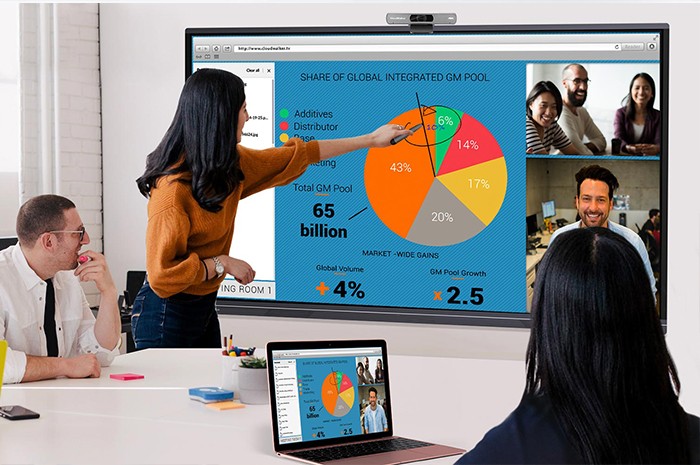
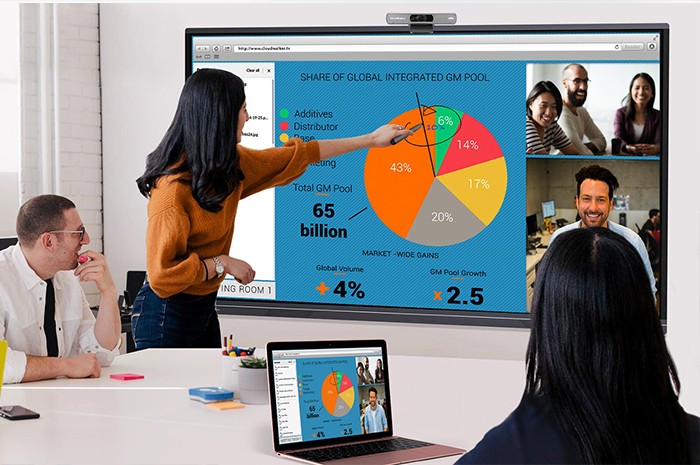
As soon as students finish a draft or complete a full artwork, they send the file to the central classroom large screen with one tap. Every student views peer creations clearly. Class discussions unfold naturally. Learners share thoughts on color matching, layout logic and creative concepts. Positive feedback from peers lifts each child’s sense of achievement and personal confidence.
Teachers gain clearer oversight of whole-class progress. They pull individual student works on screen directly, mark areas for improvement with digital pens, add text notes or short voice explanations instantly. All comments sync to students’ devices right away. Teachers address common mistakes with the whole class, and deliver personalized tips for learners with distinct weaknesses. Teaching efficiency rises noticeably, and no student waits days to receive useful revision guidance. Completed works can also be saved permanently to personal cloud portfolios for long-term progress review.
Today’s children grow up surrounded by digital screens and online content. Standard painting skills remain essential, yet digital creation proficiency has become a necessary skill set for upcoming generations. Digital canvas lessons let students pick up practical digital tools step by step within regular school hours.
They master basic graphic editing operations. They learn visual composition rules for digital screens. They practice adjusting color parameters and layered drawing logic. They explore simple animation frame production and multimedia content combination. All these hands-on lessons translate directly to professional creative fields later in life. Many graduates enter digital illustration, 2D animation, game art design, visual advertising and new media design industries. The skills honed on classroom digital canvas serve as a solid early foundation for their professional development paths.
Schools no longer split traditional fine art and digital art into separate courses. The digital canvas merges both systems smoothly. Students inherit classic painting aesthetics while adapting to modern digital creation habits. Their artistic taste and technical ability advance side by side, which fits the evolving demands of modern creative industries perfectly.
| Comparison Dimension | Traditional Paper & Paint Art Classroom | Digital Canvas Smart Art Classroom |
|---|---|---|
| Creation Modification | Hard to revise; errors waste paper and paint | Unlimited undo, color adjustment, layout restructuring anytime |
| Art Form Range | Static painting only, no audio or motion support | Drawing, animation, audio-visual works, interactive picture creation |
| Work Sharing & Display | Physical paper handover, limited whole-class viewing chances | One-click screen projection, instant class-wide display |
| Teacher Feedback Speed | Delayed feedback, returned after class ends | Real-time annotation, voice notes, immediate revision guidance |
| Material Cost & Waste | Continuous paper and paint purchases, large paper waste | One-time hardware investment, nearly zero daily consumable waste |
| Long-Term Skill Value | Classic fine art foundation only | Traditional art plus digital design, animation career basic skills |
| Work Storage | Paper easy to fold, stain or lose over time | Cloud permanent storage, view progress records anytime |
Q1: Can digital canvas fully replace traditional painting learning for primary and middle school students?
It works best as a complementary tool, not a total replacement. Schools arrange mixed lessons. Students practice hand painting with brushes and paper to master basic hand control and color perception first. Digital canvas takes over for creation expansion, multimedia production and long-term skill training afterward. This mix balances traditional art basics and modern digital abilities well.
Q2: Do art teachers need professional digital design experience to operate the digital canvas system?
The interface follows simple touch logic similar to common drawing software. Basic drawing, color adjustment and screen sharing functions take less than one hour to master. We supply standardized lesson plans, operation video tutorials and after-sales online support. Teachers with regular art teaching backgrounds adapt smoothly within one or two weeks.
Q3: Can teachers upload custom painting templates, reference images and teaching materials to the system?
Yes. Teachers import picture packs, line draft templates, famous painting appreciation materials and video resources via USB flash drive or wireless upload. All uploaded files can be edited, annotated and shared with the whole class directly on the digital canvas.
Q4: Will long-term screen viewing strain students’ eyesight during art lessons?
The screen adopts low blue light, anti-glare matte display panels with adjustable brightness modes for classroom environments. Schools set reasonable lesson durations, and alternate digital creation and hand painting sessions to lower eye fatigue effectively.
Q5: Can multiple students collaborate on one artwork through connected digital canvas devices?
Group collaboration mode is built into the system. Students split tasks such as line drawing, coloring and background design on separate tablets, and all contents sync to the main classroom screen in real time. This group creation mode helps students learn teamwork and collaborative artistic planning skills.
Q6: How long is the service life of the digital canvas touch screen, and does daily classroom use cause fast wear?
The touch layer uses wear-resistant industrial-grade glass with anti-scratch treatment, designed for daily frequent tapping and stylus writing. Normal classroom use lasts 6 to 8 years steadily. Regular maintenance only requires simple surface wiping, with low daily maintenance costs.
Q7: Can student artwork portfolios be exported and printed into physical picture albums later?
All saved digital works support high-resolution image export. Schools print selected pieces into art albums or exhibition posters for semester art exhibitions, combining digital creation convenience with physical display warmth.
Art education’s core goal lies in nurturing imagination, aesthetic judgment and creative expression. Digital canvas does not discard the value of traditional painting. It expands artistic boundaries with digital technology. It removes material and time limits, adds audio and animation dimensions, speeds up classroom interaction and feedback, and equips students with practical digital creation skills for future careers. As more schools adopt this interactive teaching tool, art classrooms turn into lively, open creative spaces, where every student feels willing to create, brave to experiment and proud to showcase their unique artistic ideas.


 Floor 6, Building A, No. 3, North District, Shangxue Science and Technology City, Xinxue Community, Bantian Street, Longgang District, Shenzhen City
 info@szqunmao.com
 +86 15920011166
 +86 15920011166