English
 Español
 Português
 Français
 Русский язык
 Italiano
 Deutsch
 Nederlands
 لعربية
 한국어
한국어 Japanese
 ภาษาไทย
 Türkçe
 Tiếng Việt
 Bahasa Indonesia
 Hindi
Hindi kazakh
 Uzbek
Uzbek Thai
Thai Farsi
Farsi
Qenboard at ISTELive 2025 2026 Exhibition Preview
 2026-08-18
 1238
1238




2026-08-18
1238
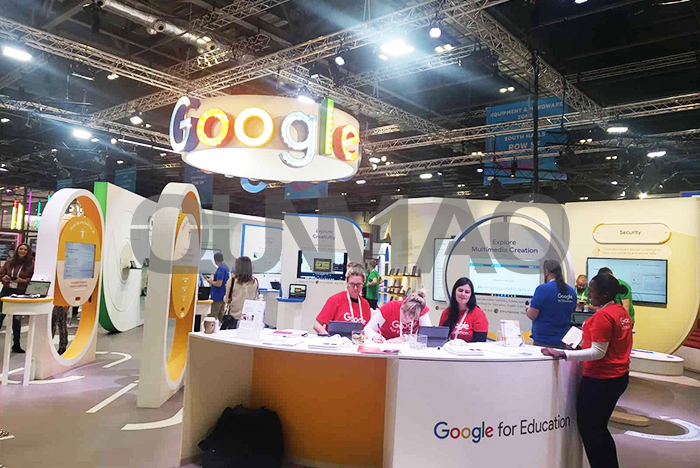
Qenboard displays under Qunmao showcased a range of new products at the just‑concluded ISTELive 2025 event in Denver, Colorado, USA. Thousands of educators, system integrators, school procurement officers and commercial project buyers visited our booth during the show. You could touch real‑world units, test writing response, join sample video calls, and compare different hardware configurations side by side. Products on display include 90‑inch, 105‑inch and embedded infrared interactive smart boards.
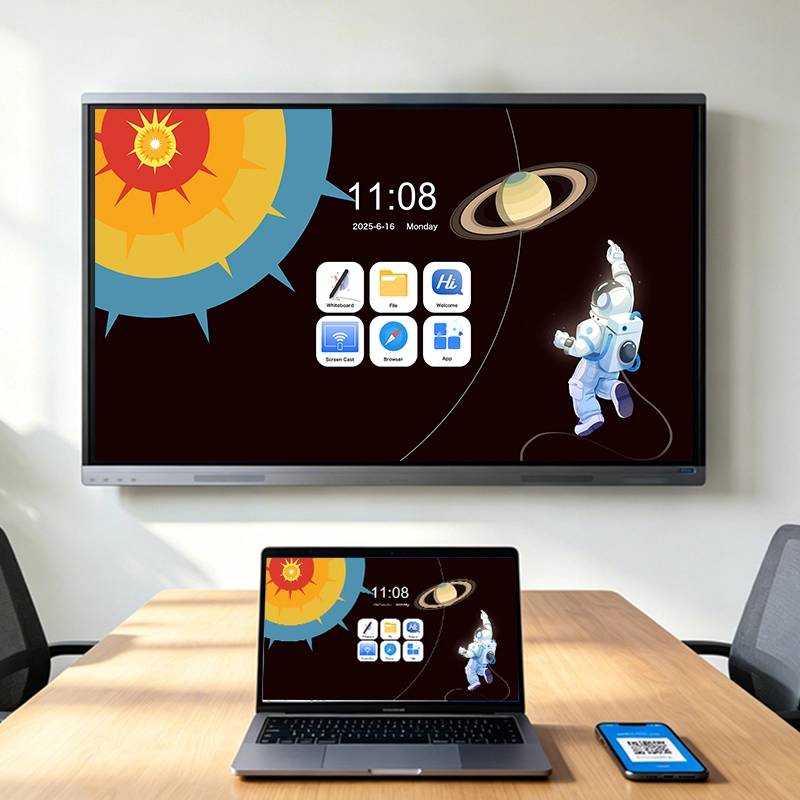
The 90‑inch is an all‑in‑one interactive display with a minimalist design. It offers high‑resolution display and powerful interactive features. Equipped with a 13 MP camera and an 8‑element microphone array, it is designed to provide solid remote collaboration through an improved audio‑visual system.
Thin front frame cuts down visual distraction for classroom and meeting room setups
13MP wide‑angle camera captures full‑room view without extra mounting brackets
8‑element microphone array picks up voices from 8‑meter distance, background noise gets filtered out automatically
Built‑in speakers deliver clear voice output for long‑distance class or hybrid meetings
Plug‑and‑play USB ports let you hook up laptops, storage drives or external peripherals in seconds
Designed with embedded infrared technology developed by Qunmao. Available in sizes from 65 to 86 inches, equipped with up to 8 GB of RAM and 128 GB of ROM, it is expected to meet the needs of interactive classroom applications. Many public school buyers stopped by our booth to test multi‑touch writing, app loading speed and long‑run stability.
Embedded infrared touch sensor sits behind glass surface, no loose outer touch frame to wear or break
Supports up to 20‑point simultaneous touch for group student writing on screen
8GB RAM keeps multiple teaching apps open without lag; 128GB local storage stores course files directly on device
Hardware structure fits standard wall‑mount brackets widely used in North American education projects
The educational solutions provided also focus on flexibility, with sizes ranging from 65 to 110 inches and equipped with zero bonding technology to reduce air refraction and parallax, ensuring better visual clarity. Zero‑bond construction removes air gaps between touch glass and LCD panel. Students sitting at side angles can read text and follow on‑screen drawing without obvious offset.
Built‑in teaching software provides teachers with a user‑friendly interface that can switch between Android 14 and Windows, allowing them to teach using their preferred tools and software. You launch annotation tools, media players and browser tabs within one tap. Teachers do not need complex training before daily operation.
| Product Model Type | Available Sizes | Memory & Storage | Camera & Audio | Key Technology | Main Target Scenario |
|---|---|---|---|---|---|
| 90‑inch Interactive All‑in‑one | 90 inch | 8GB RAM + 128GB ROM | 13MP Camera, 8‑element mic array | Zero bonding | Large classroom, enterprise hybrid meeting |
| Embedded Infrared Smart Board | 65‑86 inch | 4GB‑8GB RAM, 64GB‑128GB ROM | Optional built‑in camera module | Embedded infrared touch | K‑12 daily classroom, small training room |
| Large‑size Education Display | 65‑110 inch | 8GB RAM +128GB ROM | Camera optional | Zero bonding, dual‑system switch | Multi‑size education project bidding |
We start early preparation for ISTELive 2026. We collect real feedback from 2025 show visitors, end‑user teachers and system integrator partners. Every comment about touch latency, system boot speed, peripheral compatibility and installation difficulty goes into our new product iteration list. You will see upgraded units on our next‑year booth.
New ultra‑large size options cover 115‑inch and 120‑inch interactive panels for auditorium and big training space
Updated infrared touch module cuts touch response delay. Your pen or finger marks show on screen with shorter waiting time
New power‑saving hardware mode lowers idle power draw. It helps schools to cut long‑term electricity cost across many classroom devices
Enhanced dual‑system switch. Switch between Android and Windows finishes within 6 seconds, no long waiting screen
More standardized mounting hole positions. Integrators spend less time adjusting brackets during on‑site installation
Expanded peripheral test set. We test more third‑party cameras, speaker bars and teaching software to reduce compatibility risk for your project
If you plan to visit ISTELive 2026, you can contact our sales team ahead of time. We can reserve demo time for you at our booth. You get hands‑on test for new prototypes before formal mass production. You may also send your local project requirements, so our technical team can prepare matching hardware samples for your on‑site review.
Many buyers only check spec sheets, but field installation and daily use decide whether your project runs smoothly. Below we list practical points collected from dozens of North American education and commercial roll‑outs.
Check wall load‑bearing capacity before you order wall‑mount brackets. Large‑size interactive boards carry heavy weight. Improper wall mounting creates safety risk.
Leave enough space around device for heat dissipation. Do not seal the panel inside fully closed cabinet. Heat build‑up shortens screen service life.
Network bandwidth matters for remote class. For stable hybrid teaching, you prepare minimum 20Mbps upload speed for each interactive panel.
Update onboard system firmware before large‑scale deployment. Firmware fixes known bugs for touch recognition and audio input.
Order spare pens and glass cleaning cloth together with bulk purchase. These small consumables wear out fast in high‑frequency classroom use.
Can I run my existing Windows teaching software on Qenboard interactive panels?
Yes. When you switch to Windows system mode, you install and run most standard Windows teaching software just like on regular desktop hardware. You need to prepare Windows license for each device separately.
What is the difference between embedded infrared touch and ordinary external touch frame?
Embedded infrared touch hides sensors behind front glass. No outer plastic frame sticks out. It suffers less physical damage during daily classroom bumping. External touch frames can get loose after frequent impact.
Does zero‑bond display require special maintenance work?
Daily maintenance stays simple. You only use soft microfiber cloth for glass surface cleaning. Do not spray liquid cleaner directly onto screen surface. Liquid may seep into inner layers.
Can I add third‑party camera and microphone if built‑in audio‑visual module cannot meet project demand?
Yes. USB‑based external cameras and mic devices work with our panels. Test your target peripheral sample before bulk purchasing to avoid unexpected compatibility issues.
What lead time should I plan for large‑volume education project orders?
For order quantity above 50 units, you allow 6‑8 weeks production plus ocean shipping transit time. Reach our sales team early if you have tight semester‑based delivery deadlines.
Will the new 2026‑upgraded hardware be backward compatible with existing wall‑mount brackets?
Most sizes keep standard VESA hole positions. A small number of ultra‑large new sizes change mounting layout. Ask for mechanical drawing documents before you buy brackets for those new models.
Is on‑site technical support available for North American buyers?
We cooperate with local integration partners across North America. You get on‑site installation guidance and troubleshooting service through our partner network. Direct factory remote support is also provided for technical teams.
Whether you source hardware for public school bidding, private training institutes or enterprise meeting rooms, Qenboard provides size selection consultation, configuration adjustment and pre‑ship sample testing service. You can reference real test data from ISTELive 2025 show, and get early product information for ISTELive 2026 upcoming releases. Share your project scale, room quantity and target size range, and our team will sort out matching hardware options for you.


 Floor 6, Building A, No. 3, North District, Shangxue Science and Technology City, Xinxue Community, Bantian Street, Longgang District, Shenzhen City
 info@szqunmao.com
 +86 15920011166
 +86 15920011166