English
 Español
 Português
 Français
 Русский язык
 Italiano
 Deutsch
 Nederlands
 لعربية
 한국어
 Japanese
 ภาษาไทย
 Türkçe
 Tiếng Việt
 Bahasa Indonesia
 Hindi
 kazakh
 Uzbek
 Thai
 Farsi

Vertical Digital Signage System Functions | Remote Publishing & Fleet O&M Tutorial
 2026-11-26
 22



2026-11-26
22
This is a system-level guide for the cluster stage. It is not a flat feature list. It explains how one platform turns scattered vertical displays into a remotely published, grouped and batch-maintained terminal fleet. The audience includes overseas and domestic chain brands, advertising media operators, system integrators and distributors.
Vertical displays are rarely deployed alone. In malls, chain stores, showrooms, hotels, airports and hospitals, they usually appear across multiple sites, cities and regions. The real pain point is not whether a screen can play video, but whether content updates require on-site visits, faults are found only by physical inspection, upgrades need USB drives per unit, and new stores repeat manual configuration.
The core question is simple: can the system keep the fleet running with minimal or zero on-site intervention? The five capabilities behind that answer are publishing, scheduling, monitoring, maintenance and batch management. By the end of this article you will have a practical checklist of backend operations to verify during selection, instead of accepting a generic "we have a CMS" claim.
A vertical display backend cannot simply reuse generic wall-mount or video-wall logic. It must handle orientation, touch interaction, unstable networks and public-area tampering.
The cloud or local platform, terminal player and management client map to remote publishing entry, terminal execution layer and operator workspace. Because vertical units sit on store Wi-Fi, wired networks or cellular links, the backend must clearly state which actions are fully remote and which require the terminal to be online.
Portrait and landscape template adaptation: lock orientation when creating templates to avoid stretch or crop after delivery.
Touch-interactive content setup: build interactive pages as a distinct program type rather than ordinary video playlists.
Offline continuation settings: define cache policy so the unit keeps playing cached programs when disconnected, and resumes receipt reporting when online.
Screen lock and anti-tamper: lock the desktop via backend to prevent on-site staff from exiting the player or changing settings.
Upload media → build program → select device or group → set schedule → deliver and check receipt. At each step the operator should confirm visible interface elements: media status, group selector, schedule calendar and receipt list.
Remote-capable actions include power on/off, reboot, brightness and volume adjustment, emergency insertion and status screenshot. Hardware failure, network module replacement and physical port issues still need on-site work. Stating this boundary early improves selection accuracy.
Common layouts combine video plus image, video plus text, or carousel plus QR code. The fleet-level value is not the number of layouts supported, but whether a template built at headquarters can adapt across cities and screen sizes, with clear warnings when manual tuning is required.
Schedules run by date, weekday, time slot and holiday. Overlaps are inevitable in clusters, so emergency insertion versus regular rotation priority must be visible and auditable in the backend.
Classify assets, control versions and auto-expire validity. For overseas clusters, manage language variants under the same program group. Recommend a naming structure such as country_city_storetype_orientation_version so teams can adopt it directly.
Terminal layer: online status, heartbeat, storage left, player version. Business layer: current program, last publishing receipt, brightness or volume tampering. Vertical-specific additions: touch log return if supported, and offline duration records during network loss.
Single unit offline: try remote reboot or network check first.
Multiple units in one store offline: suspect store network or power, not individual devices.
Regional concentration offline: switch to area-level maintenance.
If the backend aggregates alarms by store or region, treat that as a selection item.
Pilot on one unit or one non-peak store, confirm playback and receipts, then expand groups. Check whether the backend keeps a snapshot of current programs and config before upgrade, and whether rollback is automatic or manual and where it is triggered.
Recommended hierarchy: country or region → city → store or project → scene or building → single unit. Add an installation-scene dimension for vertical fleets, such as entrance vertical units or elevator-hall vertical units, because scheduling and content specs differ by scene.
New store opening: copy group structure and schedule from a template store.
Promotion refresh: replace media by group and track receipt completion rate.
Fault filtering: filter by offline duration or version, then bulk reboot.
Delivery acceptance: export device list with SN, group path, install location, current version and last online time, and reconcile with the contract point list.
Standardize SN, install location and hardware config at inbound stage. Messy SN-to-group relations cancel out backend batch power.
| Scope | Check items |
|---|---|
| Backend | Remote publishing loop, group hierarchy, alarm aggregation, OTA pilot and rollback, batch export reconciliation |
| Terminal | Portrait-landscape match with backend template, touch content loading, offline playback continuity, lock-screen anti-exit |
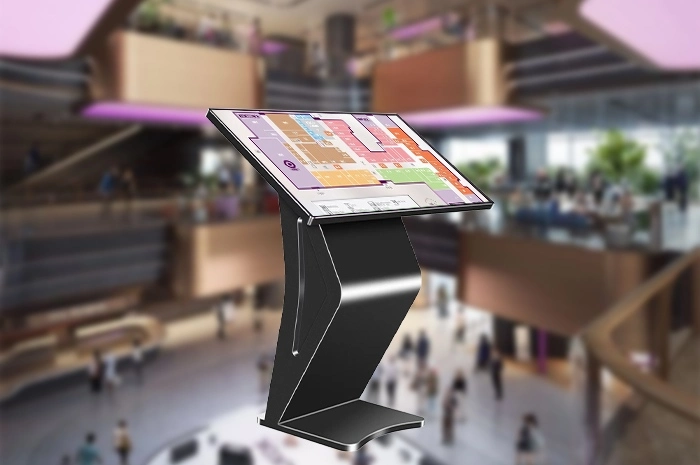
System capability must land on physical hardware. Verify orientation adaptation and offline continuation against the actual model; explore our vertical digital signage range for terminal options.
Four live demos to request from the supplier:
Create a split-screen program in the backend and deliver it to a target group.
Simulate one offline unit and show how alarms aggregate.
Start a pilot OTA and show the rollback path.
Export a device group reconciliation list.
Multilingual backend: separate admin interface language from program content language.
Multi-timezone scheduling: confirm whether schedules follow terminal local time or server time.
Network differences: domestic stores mostly use Wi-Fi or wired; overseas projects may need cellular backup. Confirm actual module availability against product spec.
Cluster efficiency of vertical displays does not come from single-screen specs. It comes from how much work operators finish in the backend and how few people need to visit sites. Use the section 6 checklist to demo publishing receipts, alarm aggregation and OTA rollback before purchase.
Send your country or city, device count, store type and network condition to get a cluster-specific system configuration proposal and sample validation plan.
Contact: Tel / WhatsApp: +86 15920011166 · Email: info@szqunmao.com
How long can a vertical display keep playing offline?
It depends on cache policy and local storage. Test offline continuity and receipt resend after recovery during acceptance.
How many terminals can one backend manage?
Capacity varies by architecture. Ask for measured data from comparable fleet deployments.
Can portrait-landscape templates work across different screen sizes?
Only if the backend supports adaptive layout or size-mismatch alerts. Test cross-size delivery during acceptance.


 Floor 6, Building A, No. 3, North District, Shangxue Science and Technology City, Xinxue Community, Bantian Street, Longgang District, Shenzhen City
 info@szqunmao.com
 +86 13148726043
 +86 13148726043