English
 Español
 Português
 Français
 Русский язык
 Italiano
 Deutsch
 Nederlands
 لعربية
 한국어
 Japanese
 ภาษาไทย
 Türkçe
 Tiếng Việt
 Bahasa Indonesia
 Hindi
 kazakh
 Uzbek
 Thai
 Farsi

Floor Standing vs Wall-Mounted Digital Signage: Indoor Commercial Selection Guide
 2026-11-26
 24



2026-11-26
24
This article is the form-factor comparison within our indoor commercial digital signage selection cluster. For the complete selection framework, see the pillar guide; for in-depth coverage of each single form factor, see the standalone floor-standing and wall-mounted deep-dive articles.
Comparing screen size only, without checking viewing distance and mounting conditions.
Mounting a large display on drywall or hollow brick without reinforcement.
Placing a floor-standing unit in a high-traffic passage without anchoring.
Managing multiple screens via USB drives, one by one, instead of a network CMS.
Sending a 220V-only configuration to a 110V market on overseas projects.
One-sentence conclusion: Neither form factor is universally better. The right choice is determined by wall/floor conditions, foot-traffic patterns, and your content-operations model.
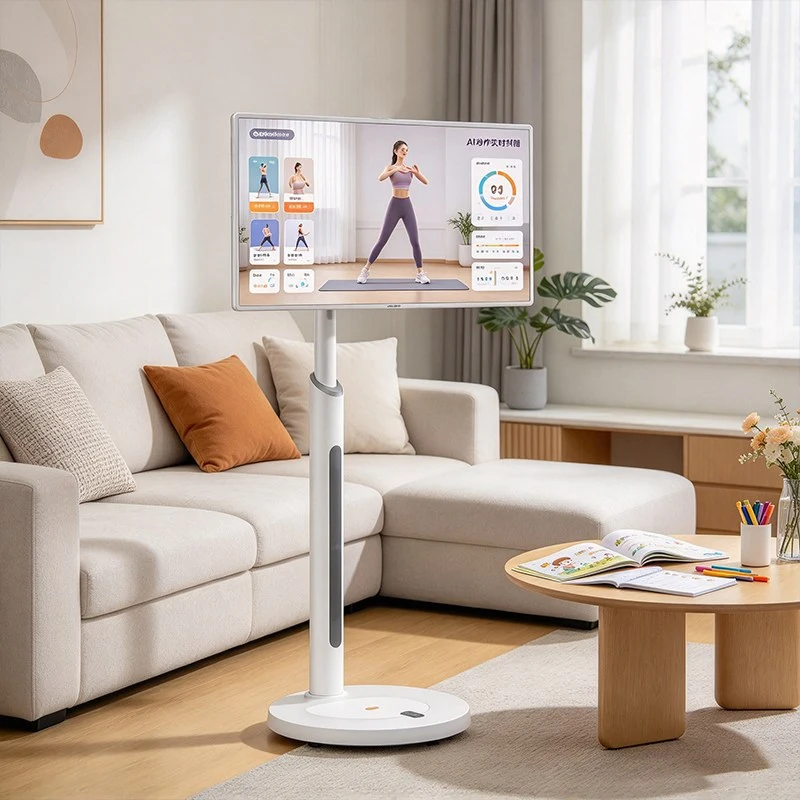
Floor standing digital signage — also called digital standee, digital totem, freestanding advertising display.
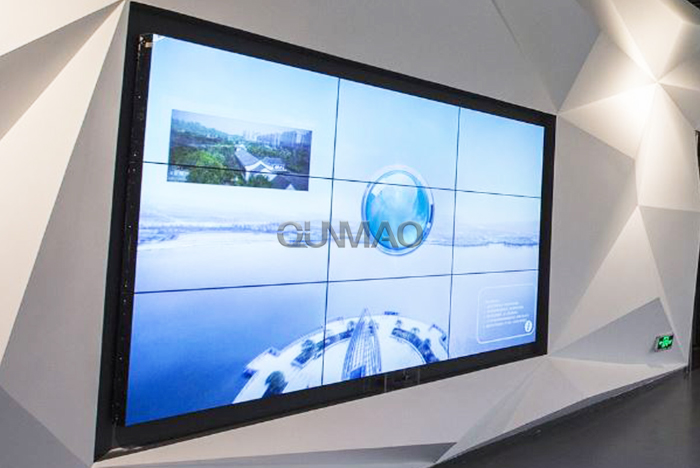
Wall-mounted digital signage — also called wall-mounted advertising display, wall-mount digital menu board.
Wall-mounted: Confirm the wall structure before ordering. Solid walls can carry a standard bracket directly. Drywall, hollow brick, and lightweight partition walls require reinforcement anchors or a custom support frame — direct screwing into hollow walls is a common site failure. Floor standing: In corridors, entrances, and any area with dense foot traffic, the unit must be anchored or fitted with a low-center-of-gravity base. Relying on self-weight alone is not sufficient in high-traffic indoor environments.
Floor standing units generally require no wall work — power routing and anchoring are the main installation tasks. Wall-mounted units require drilling, bracket fixation, and cable concealment; installation time and wall-repair cost should be included in the project budget.
Size range: Floor standing units commonly cover 43–65 inch and above; wall-mounted units cover a wider range from compact 10.1–32 inch to large 65–85 inch formats.
Orientation: Floor standing supports vertical and horizontal configurations; wall-mounted is typically landscape, with portrait available on selected models.
Viewing height: Floor standing places the screen at standing eye level, suitable for entrance and atrium audiences; wall-mounted height depends on the mounting point and is better suited to information viewing at close range.
Brightness and panel: For indoor environments with controlled lighting, 350–400 cd/m² is typically sufficient; high-brightness and anti-glare tempered glass options are available where reflections are a concern.
Touch: Optional on both form factors. Touch is justified where wayfinding, self-service, or interactive content is part of the deployment plan — not as a default upgrade.
Entrance, lobby, atrium, exhibition area, brand showcase → floor standing.
Elevator lobby, corridor, clinic room entrance, menu wall, meeting-room door → wall-mounted.
At the same screen size and system specification, the device price difference between the two form factors is usually smaller than the installation and infrastructure cost difference. Wall-mounted projects may incur wall reinforcement, cable routing, and wall-repair costs; floor-standing projects may incur anchoring or counterweight costs. These should be compared at the project level, not at the unit-price level alone.
Wall-mounted units are less exposed to collision but harder to access for service — bracket removal is often required for rear-panel maintenance. Floor standing units provide easier front access but must be included in a routine anti-tip and collision inspection schedule in high-traffic areas.
Floor standing units can be relocated between points without wall work. Wall-mounted units are effectively fixed once installed; changing position or orientation requires new drilling and cable work.
Standalone USB updates create hidden labor costs as the number of screens grows. A network or cloud CMS allows scheduled publishing, remote monitoring, and group-level control — and it applies equally to both form factors. Qunmao floor standing digital signage and wall-mounted digital signage both support network CMS deployment across indoor projects.
Fill in your actual project data before publishing. Keep the same screen size, system version, and point count across both columns; otherwise the comparison is not decision-grade.
| Cost Category | Floor Standing | Wall-Mounted |
|---|---|---|
| Device procurement | [Your quotation] | [Your quotation] |
| Installation / wall work | Power routing + anchoring | Bracket + drilling + cable concealment |
| Content update labor (3 years) | [Estimated hours × rate] | [Estimated hours × rate] |
| Network / CMS | [Annual cost × 3] | [Annual cost × 3] |
| Maintenance and spare parts | [Estimated] | [Estimated] |
Industry reference: Hardware typically accounts for only part of three-year total cost; content operations and maintenance are the larger hidden components. A device-price-only comparison systematically underestimates the wall-mounted or floor-standing total by 20–40% depending on project scale.
| Industry / Scenario | Recommended Form Factor | Decision Signal (When the Alternative Also Makes Sense) | Note |
|---|---|---|---|
| Chain retail — storefront traffic capture | Floor standing | If the storefront is narrow and cannot spare floor space, wall-mounted at the entrance is the fallback. | Anchor the base; schedule collision inspection. |
| Chain retail — in-store menu / price display | Wall-mounted | If the store frequently rearranges zones, floor standing offers relocation flexibility. | Confirm wall structure before ordering. |
| Hospital — main lobby wayfinding | Floor standing | If the lobby is small and circulation must remain unobstructed, wall-mounted is the alternative. | Touch optional for wayfinding. |
| Hospital — clinic-room queue display | Wall-mounted | If the corridor has no suitable wall segment, a compact floor-standing unit with a slim base can work. | Close viewing distance; 2K is sufficient. |
| Corporate — lobby brand showcase | Floor standing | If the lobby design forbids freestanding objects, a large wall-mounted display is the alternative. | High-brightness panel for glass-wall lobbies. |
| Corporate — elevator lobby / internal notices | Wall-mounted | If multiple floors require frequent relocation, portable floor standing units may be preferred. | CMS group scheduling reduces manual updates. |
Wall close, space tight, information-first → wall-mounted. Entrance-facing, brand-first, relocatable → floor standing. Long-term fixed, budget-sensitive → wall-mounted. Narrow corridor, dense traffic → wall-mounted preferred. Lobby first impression, brand showcase → floor standing preferred.
Comparing size without calculating viewing distance.
Hanging a large display directly on drywall or hollow brick.
Placing a floor-standing unit in a main passage without anchoring.
Using USB-per-screen updates across multiple locations.
Sending a single-voltage configuration to an overseas market with a different plug standard.
Confirm wall/floor conditions — solid wall, drywall, hollow brick, or freestanding placement.
Confirm foot-traffic pattern and viewing distance — entrance/atrium vs corridor/close-range information point.
Confirm content-update frequency and point count — standalone USB vs network/cloud CMS.
Compare project-level cost, including installation and three-year operations — not device price alone.
In many indoor projects, a mixed configuration outperforms an all-one-form deployment: floor standing at entrances and atriums for brand capture and wayfinding, wall-mounted along corridors and at room entrances for close-range information. This matches actual circulation patterns and often reduces total hardware count while improving coverage.
Panel grade and brightness match the lighting environment.
System version and CMS compatibility confirmed for current and future content needs.
Warranty scope, spare-parts supply, and response process documented.
Ageing test / burn-in report available for the specific model.
Wall-mount bracket load rating or floor-standing anchoring kit included in the quotation.
Certification: CE / FCC / RoHS as baseline; UL / ETL / UKCA / RCM may be required by destination market. Request scanned certificates before order confirmation.
Voltage and plug: 100–240V wide input preferred; plug type configured to destination country (EU / US / UK / AU standard).
CMS: Multi-language and multi-time-zone support for overseas chains.
Shipping packaging: Moisture-proof and condensation-resistant packaging for sea freight.
MOQ and lead time: Confirm per-model MOQ and production lead time before committing project dates.
Warranty method: Clarify spare-parts-kit dispatch vs whole-unit return — the former is usually more practical for overseas installations.
English documentation: User manual, installation guide, and specification sheet in English.
For project-specific configuration — screen size, system version, CMS, mounting kit, and branding — Qunmao provides OEM/ODM support across indoor floor standing and wall-mounted digital signage lines. Share your point layout, wall condition, and content requirements; our team will recommend the appropriate form factor and configuration for the project.
In low-traffic areas, a standard unit with a stable base may be acceptable. In corridors, entrances, and any area with dense foot traffic, anchoring or a low-center-of-gravity base is required. Do not rely on self-weight alone in public indoor environments.
Yes, but not with direct screwing. Drywall and hollow brick require reinforcement anchors or a dedicated support frame. The bracket load rating must exceed the display weight with a safety margin. Confirm the wall structure before ordering.
Touch is justified when the deployment includes wayfinding, self-service, or interactive content. For pure advertising or information display, non-touch units reduce cost and maintenance points. Do not add touch as a default upgrade without a use case.
Commercial-grade panels and power supplies are designed for continuous operation. Confirm the model’s rated duty cycle and thermal design before committing to 24/7 deployment. Ageing test reports should be requested for projects with continuous-operation requirements.
Yes, with a network/cloud CMS. Both indoor floor standing and wall-mounted units can be grouped for scheduled publishing, remote monitoring, and content updates without on-site USB access. This is the main operational difference between a small pilot and a multi-point rollout.
Confirm this with the supplier before order. For overseas chains, multi-language interface and multi-time-zone scheduling are baseline requirements — not optional features.
At the same size and system specification, the device-price gap is usually smaller than the total project-cost gap created by installation, wall work, and maintenance access. Request a project-level quotation that includes mounting and CMS rather than a unit price alone.
Match the pilot to the actual project’s primary scenario. If the project’s main goal is entrance capture, pilot a floor-standing unit; if it is corridor information coverage, pilot a wall-mounted unit. A pilot that does not reflect the final deployment scenario produces misleading data.
Send us your floor plan, wall-condition photos, and foot-traffic notes. Our team will help you determine whether floor standing, wall-mounted, or a mixed deployment fits the project — and arrange a sample unit in the corresponding form factor for evaluation.
Contact Qunmao Display Technology
Email: info@szqunmao.com
Phone / WhatsApp / WeChat: +86 159 2001 1166
Address: Floor 6, Building A, No. 3, North District, Shangxue Science and Technology City, Xinxue Community, Bantian Street, Longgang District, Shenzhen, China


 Floor 6, Building A, No. 3, North District, Shangxue Science and Technology City, Xinxue Community, Bantian Street, Longgang District, Shenzhen City
 info@szqunmao.com
 +86 13148726043
 +86 13148726043