English
 Español
 Português
 Français
 Русский язык
 Italiano
 Deutsch
 Nederlands
 لعربية
 한국어
 Japanese
 ภาษาไทย
 Türkçe
 Tiếng Việt
 Bahasa Indonesia
 Hindi
 kazakh
 Uzbek
 Thai
 Farsi





Choosing between a nano blackboard and an interactive flat panel is not simply a question of traditional teaching versus modern technology. For schools in Kazakhstan, the right solution depends on classroom activities, available budgets, infrastructure, teacher readiness and long-term maintenance requirements.
A composite nano blackboard can support classroom writing with chalk and dedicated markers without requiring a projector. An interactive flat panel, by contrast, provides a digital display and touch-based teaching environment. This guide compares both options to help school administrators, education buyers and system integrators make practical procurement decisions.
Nano Blackboard vs Interactive Flat Panel: What Is the Difference?
Although both products can support classroom teaching, they serve different purposes. A nano blackboard is primarily a writing surface, while an interactive flat panel combines a display with digital interaction functions.
Composite nano blackboard
A composite nano blackboard is designed for classroom writing and can support both chalk and dedicated markers. The confirmed configuration discussed in this comparison does not require a projector, and its surface can be cleaned with a cloth.
For teachers who mainly explain concepts through handwriting, diagrams and classroom notes, this type of board can provide a straightforward writing environment. Its suitability depends on the actual board specification, writing materials and classroom usage requirements.
Interactive flat panel
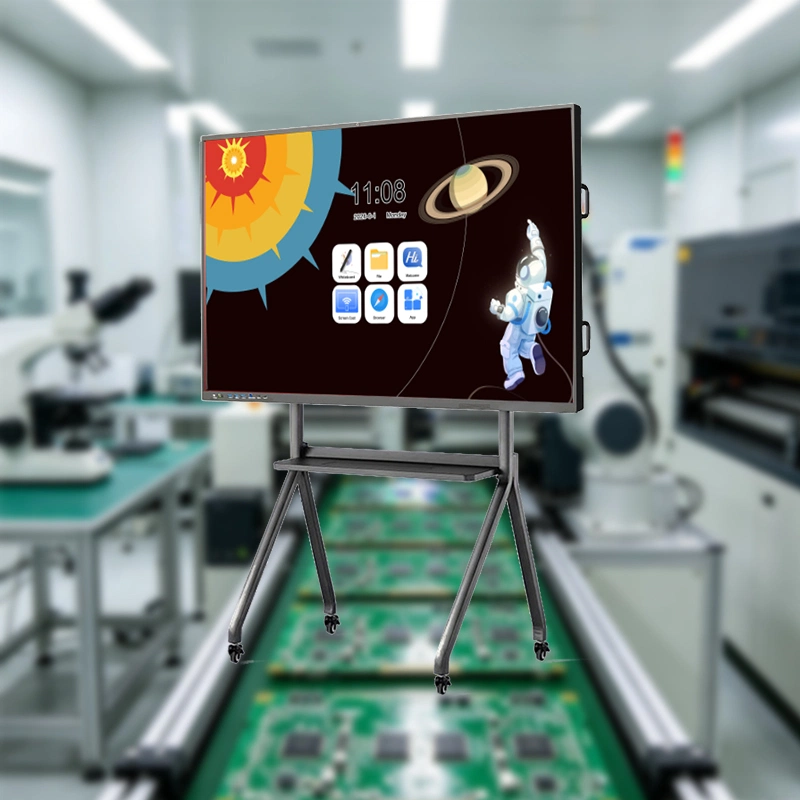
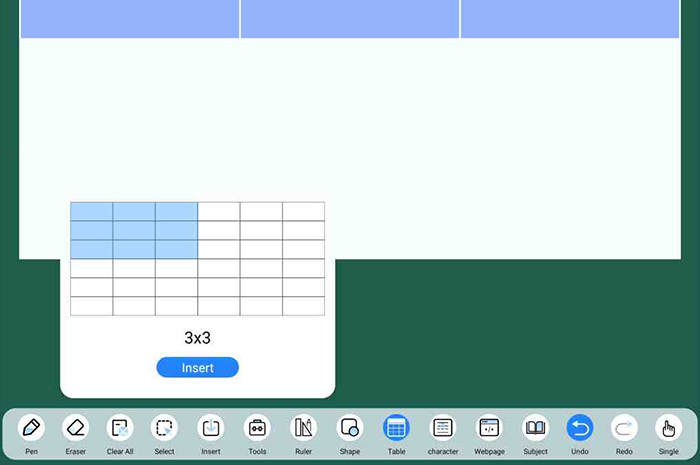
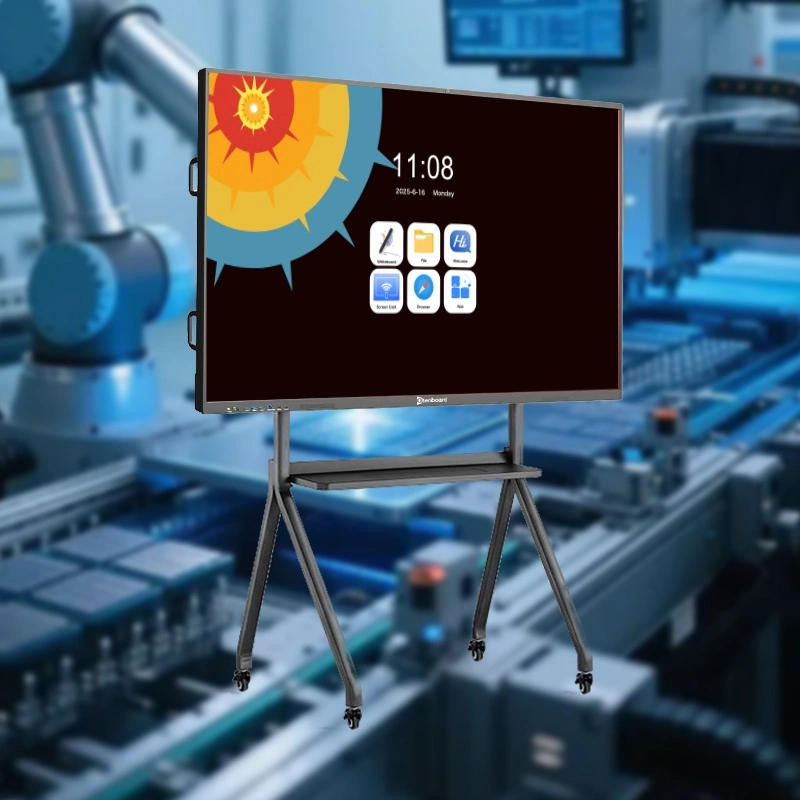
An interactive flat panel is an integrated LCD display with touch interaction. Depending on the model and configuration, it can support digital handwriting, annotation, multimedia content, screen sharing and compatible teaching applications.
Unlike a writing-only surface, an interactive flat panel can bring digital teaching materials directly into the classroom. Schools should still check the available operating system, software compatibility, connectivity and touch specifications before purchasing.
| Comparison factor | Composite Nano Blackboard | Interactive Flat Panel |
|---|---|---|
| Main purpose | Classroom writing and explanation | Digital teaching and interaction |
| Writing methods | Chalk and dedicated markers | Touch-based digital writing |
| Projection equipment | Not required | Built-in display; external projection is not required for normal display use |
| Erasing and cleaning | Can be cleaned with a cloth | Digital erasing and appropriate screen cleaning |
| Digital applications | Not established by the confirmed product facts | Supported applications depend on model and configuration |
| Internet requirements | Not required for basic writing | Depends on the digital applications and online functions being used |
| Typical teaching approach | Board writing and classroom explanation | Writing, multimedia presentation and digital interaction |
The main distinction is therefore the teaching workflow. Schools that mainly need a writing surface may not require all the functions of an interactive flat panel. Schools that use digital materials, interactive lessons and supported applications may benefit from a more integrated digital teaching solution.
For buyers evaluating digital classroom equipment, the QUNMAO Interactive Flat Panel range provides a starting point for reviewing available display solutions and configurations.
What Is the Five-Year Cost of Each Classroom Solution?
The initial purchase price is important, but it does not represent the full cost of operating classroom equipment. Schools should compare the expected five-year ownership cost, including installation, daily use, maintenance and possible replacement.
Costs associated with a nano blackboard
The initial budget may include the board, transportation and installation. Schools should also consider recurring expenses for chalk, dedicated markers and cleaning materials, depending on how frequently each writing method is used.
Over time, the board may require surface maintenance or repair. The actual cost depends on product construction, usage intensity, cleaning practices and the availability of replacement components.
Costs associated with an interactive flat panel
An interactive flat panel requires a larger equipment investment than a basic writing surface in many procurement scenarios. The project budget may include the panel, mounting structure, installation, electricity, software licensing where applicable and maintenance arrangements.
Schools should also consider the cost of technical support, spare parts and eventual equipment replacement. Software and operating system requirements can affect the total cost, especially when a project uses additional computing hardware or licensed applications.
Use a total cost of ownership model
A practical way to compare both solutions is to calculate their expected total cost over the same period. A five-year model can help procurement teams identify costs that may not be visible in the original quotation.
Five-year total cost of ownership:
TCO = Purchase + Installation + Consumables + Energy + Maintenance + Replacement
For a fair comparison, schools should use the same ownership period and realistic assumptions about classroom usage. A board used for several lessons every day has a different cost profile from equipment used occasionally in a specialist classroom.
Procurement teams should also consider the consequences of equipment downtime. If a device is essential to daily lessons, the availability of spare parts, repair arrangements and alternative teaching equipment may affect the overall project cost.
For distributors and system integrators, offering more than one classroom equipment option can help address different customer budgets. The objective should be to match the solution to the school's actual teaching requirements rather than compete only on initial unit price.
How Do Dust, Cleaning and Classroom Conditions Affect Each Option?
Classroom cleaning and environmental conditions are practical considerations for schools in Kazakhstan. Dust exposure, ventilation, heating arrangements and cleaning routines can vary significantly between buildings and locations.
Dust and cleaning for nano blackboards
The confirmed composite nano blackboard supports both chalk and dedicated markers. When teachers use chalk, writing can generate chalk dust, so the school should consider cleaning frequency and classroom maintenance routines.
Using dedicated markers creates a different cleaning requirement and should not be treated as identical to chalk use. The confirmed board surface can be cleaned with a cloth, which gives schools a straightforward routine for general surface cleaning.
Before bulk procurement, buyers should test both writing methods and check how easily marks can be removed under normal classroom conditions.
Dust and cleaning for interactive flat panels
Digital writing does not require chalk, which can reduce dust generated by chalk-based classroom activities. However, an interactive flat panel is not a dust-free device, and ordinary classroom dust can still collect around its frame, ventilation openings and surrounding surfaces.
Schools should follow the manufacturer's cleaning instructions and avoid unsuitable cleaning materials on the display surface. Ventilation openings should also remain clear so that the equipment can operate under its specified conditions.
Consider the actual classroom environment
Schools should assess their own building conditions instead of assuming that all urban or rural classrooms have the same dust exposure. Road construction, nearby industrial activity, building condition, ventilation and cleaning frequency can all influence maintenance needs.
In classrooms with limited ventilation during colder periods, cleaning routines and indoor environmental management deserve particular attention. These considerations apply to the classroom as a whole, not only to the teaching board.
Which Offers Better Classroom Viewing Conditions?
Viewing comfort depends on more than the product category. Board surface characteristics, screen brightness, classroom lighting, text size and student seating positions all influence how clearly teaching content can be seen.
Visibility with a nano blackboard
For a nano blackboard, visibility depends on the contrast between the writing material and the board surface. Teachers should check whether chalk and dedicated markers remain clearly visible from the back of the classroom under normal lighting conditions.
Window positions, direct sunlight and classroom lighting may affect how students see written content. Schools should evaluate the board in the actual room rather than relying only on product photographs or showroom demonstrations.
Visibility with an interactive flat panel
An interactive flat panel can display digital text, images, presentations and other supported teaching content. Its viewing performance depends on display brightness, screen surface treatment, resolution and the surrounding lighting environment.
Schools should consider screen size in relation to classroom dimensions and seating distance. Text and interface elements should remain readable for students sitting in different parts of the room.
It is not accurate to claim that one solution is automatically better for eyesight. Buyers should compare actual visibility, reflection, readability and viewing arrangements. For additional planning, schools can review the relevant guidance on interactive flat panel options and confirm the appropriate screen specifications for their classrooms.
What Do Urban, Rural and Remote Schools in Kazakhstan Need?
Urban and rural schools may face different procurement conditions, but location alone should not determine which classroom equipment they purchase. School size, teaching activities, electricity, internet access, teacher readiness and maintenance resources are equally important.
Urban schools and large education institutions
Urban schools may have more opportunities to use digital learning materials, multimedia lessons and connected classroom applications. Larger education institutions may also need consistent equipment configurations across multiple classrooms.
For these projects, interactive flat panels can be evaluated for classrooms where teachers need digital content, touch interaction and supported teaching applications. Schools should test the software and workflows they actually use before standardizing a configuration across the institution.
Rural and remote schools
Rural and remote schools may need to place greater emphasis on equipment practicality, installation arrangements, teacher training and long-term maintenance. In classrooms where traditional writing remains the main teaching method, a nano blackboard may meet the immediate requirement without introducing additional digital equipment.
However, rural schools should not automatically be excluded from interactive flat panel projects. Where there is a clear need for digital teaching, schools can assess whether power supply, training, connectivity and technical support arrangements are sufficient for deployment.
Schools planning gradual digital upgrades
Some schools may prefer to introduce interactive flat panels gradually rather than replace all classroom equipment at once. A pilot deployment in selected classrooms can help administrators evaluate teacher adoption, software compatibility, installation requirements and maintenance procedures.
After reviewing the pilot results, schools can decide whether to expand the deployment, retain different equipment types for different classrooms or adjust the technical specifications.
| School type | Main procurement considerations | Potential approach |
|---|---|---|
| Urban schools | Digital lessons, multimedia content, software and multi-classroom deployment | Evaluate interactive flat panels for classrooms requiring digital interaction |
| Rural schools | Budget, power supply, teacher readiness and maintenance | Compare both options according to actual teaching needs and available resources |
| Remote schools | Installation, cleaning, spare parts and technical support arrangements | Prioritize practical operation and a clear maintenance plan |
| Schools upgrading gradually | Pilot results, training and future expansion | Introduce interactive flat panels in selected classrooms before wider deployment |
Local education platforms such as Kundelik and Bilimland may also influence the decision. Schools should test the required platform functions on the actual device configuration before treating software compatibility as a confirmed procurement requirement.
How Can Schools Plan a Phased Upgrade?
A phased upgrade can help schools balance current teaching needs with future digital learning plans. Instead of replacing every board at the same time, administrators can identify classrooms where digital teaching would provide the greatest practical value.
Start with selected classrooms
Schools can first deploy interactive flat panels in classrooms used for multimedia lessons, teacher demonstrations or activities that require digital interaction. Feedback from teachers and students can help administrators assess whether the selected configuration meets the intended requirements.
Prepare infrastructure before expansion
When planning future installations, schools should consider electrical outlets, network connections, wall structure, mounting positions and student viewing distance. Preparing these requirements in advance can reduce additional installation work when the school expands its digital equipment.
Existing nano blackboards can remain in classrooms where their writing functions are sufficient. A mixed deployment may be more practical than requiring every classroom to use the same equipment type.
What Should Schools Check Before Bulk Procurement?
For education departments, school groups, distributors and system integrators, bulk procurement requires more than selecting a product from a catalogue. Buyers should establish clear technical requirements and test representative samples before approving a large order.
Nano blackboard procurement checks
Confirm the exact composite board construction and dimensions.
Test both chalk and dedicated marker writing methods.
Check whether writing can be removed using the specified cloth-cleaning method.
Evaluate surface durability under normal classroom use.
Confirm packaging, transportation and installation requirements.
Interactive flat panel procurement checks
Confirm screen size, resolution and display specifications.
Check touch performance and supported writing functions.
Confirm Android or Windows configuration where applicable.
Test required teaching applications and local platform workflows.
Check network, USB, HDMI and other required interfaces.
Confirm installation, warranty, spare parts and technical support arrangements.
Batch consistency and delivery acceptance
For larger projects, buyers should document the approved model, hardware configuration and acceptance criteria before production. Delivered units should be checked against the agreed specification, including model identification, serial numbers, accessories and relevant functional tests.
Schools should also clarify who is responsible for installation, user training, first-line maintenance and escalation of technical issues. Clear responsibilities help reduce confusion after the equipment has been delivered and deployed.
For interactive flat panel projects, working with a manufacturer that can discuss product specifications, configuration requirements and bulk supply arrangements can help buyers organize procurement more effectively.
Frequently Asked Questions
1. Is a nano blackboard cheaper than an interactive flat panel?
A nano blackboard may require a lower initial equipment investment, depending on its specification and installation requirements. An interactive flat panel involves additional display and computing hardware. Schools should compare total ownership costs, including consumables, energy, maintenance and replacement, before deciding.
2. Does an interactive flat panel eliminate chalk dust?
Digital writing does not require chalk, so it can reduce dust generated by chalk-based writing activities. However, ordinary classroom dust still exists and can collect around the display frame and ventilation openings.
3. Do rural schools in Kazakhstan need interactive flat panels?
Not every rural school needs the same equipment. The decision should depend on teaching requirements, electricity, connectivity, teacher training, budget and maintenance arrangements. Interactive flat panels can still be suitable where the necessary project conditions are available.
4. Can a nano blackboard be used without a projector?
Yes. The composite nano blackboard configuration discussed in this guide does not require a projector. It supports chalk and dedicated marker writing, and its surface can be cleaned with a cloth.
5. Which is easier to maintain in remote school locations?
The answer depends on local cleaning practices, spare parts availability, repair resources and equipment usage. A nano blackboard may involve simpler writing-surface maintenance, while an interactive flat panel requires an appropriate cleaning and technical support plan. Schools should assess the actual support available before ordering.
How Can QUNMAO Help Schools Select Interactive Flat Panels?
QUNMAO is an interactive display manufacturer serving education, business and professional display projects. For schools, distributors and system integrators in Kazakhstan, selecting the right interactive flat panel starts with understanding classroom activities, required software, screen specifications and deployment conditions.
Buyers can review the QUNMAO Interactive Flat Panel product range and Interactive Whiteboard solutions to explore available options. For project enquiries, provide the number of classrooms, intended teaching applications and technical requirements so that the product configuration can be evaluated against the actual project needs.