English
 Español
 Português
 Français
 Русский язык
 Italiano
 Deutsch
 Nederlands
 لعربية
 한국어
 Japanese
 ภาษาไทย
 Türkçe
 Tiếng Việt
 Bahasa Indonesia
 Hindi
 kazakh
 Uzbek
 Thai
 Farsi


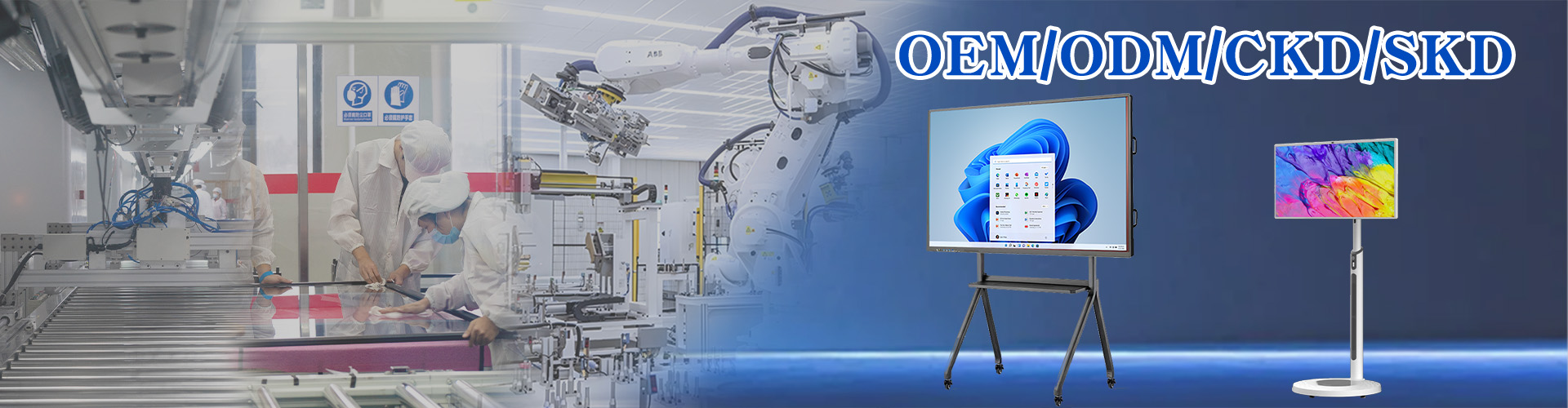



Choosing between Android and Windows OPS for an interactive flat panel depends on the software, management and deployment requirements of each project. Android may be sufficient for schools and meeting rooms that mainly use whiteboarding, screen sharing and supported applications, while Windows OPS is worth considering when a project requires Windows desktop software or integration with an existing IT environment.
For schools, businesses and system integrators in Kazakhstan, the decision should start with the applications users need to run, not simply with the operating system name. Understanding the difference between built-in Android, Windows and an OPS module helps buyers select a configuration that fits both current requirements and future expansion plans.
Android, Windows or OPS: What Does an Interactive Flat Panel Actually Need?
Android, Windows and OPS are often mentioned together when buyers compare an interactive flat panel. However, they describe different things and should not be treated as three equivalent operating systems.
Android: An operating system commonly installed on the interactive panel's internal hardware.
Windows: An operating system that can run on a compatible OPS module or an external computer.
OPS: An Open Pluggable Specification computing module designed for compatible display systems. It provides computing hardware and can run a supported operating system such as Windows.
An Android-only interactive flat panel uses its built-in computing platform. An Android panel with Windows OPS provides two computing environments, allowing users to switch between the built-in Android system and the OPS environment when needed.
This distinction matters in education and business procurement. A school buying a smart board for digital lessons may not need a Windows desktop environment, while an organization using specific Windows applications may require an OPS module or an external computer.
Before comparing product models, buyers should review the available QUNMAO Interactive Flat Panel range and identify which system configuration matches their intended use.
What Is the Difference Between Built-in Android and a Windows OPS Module?
Built-in Android for everyday interaction
Android is integrated into the interactive flat panel's internal computing hardware. Users can access supported applications and built-in functions without connecting a separate computer or installing an OPS module.
Depending on the model and software configuration, Android-based panels can support whiteboarding, annotation, screen sharing, browser access and compatible teaching or meeting applications. The available functions and application compatibility should be checked against the actual product specification.
For schools, this configuration can be suitable when teachers mainly use interactive lessons, digital writing, supported educational applications and wireless presentation. It can also meet the needs of meeting rooms where users primarily annotate documents and share content from their own devices.
Windows through an OPS module
An OPS module is a compact computing unit installed in a compatible interactive flat panel. It can provide a Windows environment for applications that require desktop operating system functions, subject to the module's hardware configuration and software requirements.
One practical advantage of a compatible OPS design is that the computing module can be removed or replaced separately from the display. This may simplify certain hardware upgrades or repairs, although the replacement module must match the panel's supported OPS specifications, power requirements and interfaces.
Buyers should compare the processor, memory, storage, graphics capability and connectivity of the proposed OPS configuration with the requirements of their intended software. A Windows label alone does not guarantee that every desktop application will run smoothly.
Using Android and Windows on one interactive flat panel
An Android + Windows OPS configuration combines the panel's built-in Android environment with a Windows computing module. Users can select the appropriate environment according to the task, such as using Android whiteboarding for a lesson and switching to Windows for a desktop application.
In a typical dual-system arrangement, Android and Windows are alternative operating environments selected by the user. Buyers should not assume that both systems operate independently on the same display at the same time.
It is also important to confirm whether an OPS module can be installed later. The panel must have the appropriate OPS expansion design and support the specific module. If future Windows use is possible, this requirement should be included in the original purchase specification.
Which Teaching and Office Software Works on Each System?
Software compatibility is one of the most important considerations when selecting an interactive flat panel for a school or business. A platform may be accessible through a browser or application, but that does not mean every feature will work as expected on the display.
For projects in Kazakhstan, buyers may need to evaluate local education platforms, office applications, video-conferencing tools, accounting software and Kazakh or Russian language input. The exact result depends on the software version, operating system, browser, hardware and network environment.
Educational platforms and classroom applications
Schools may use platforms such as Kundelik and Bilimland as part of their teaching and administration workflows. Before choosing Android or Windows OPS, the school should identify how teachers access each platform and which functions they need during lessons.
For example, browser access may be sufficient for viewing learning materials, while other workflows may require specific browser features, file handling or application support. Buyers should test the actual teaching tasks rather than rely only on whether a website opens successfully.
Office software and video conferencing
Microsoft Office, Microsoft Teams and Zoom should be evaluated according to the required version and usage scenario. Android applications, browser-based services and Windows desktop software may offer different functions and device integration options.
For a meeting room, the important checks may include account login, document presentation, file editing, camera and microphone access, screen sharing and audio output. If the organization requires a particular Windows desktop application or workflow, a compatible Windows OPS module or external PC may be necessary.
Google services and application availability
Google-related services should be checked against the exact panel model and its software configuration. Buyers should not assume that every Android interactive flat panel includes Google Play or has the same Google service certification.
Where Google applications or managed accounts are required, confirm the relevant certification, application availability, account access and device compatibility before procurement. Browser access to a service should not be treated as proof that every related application or function is supported.
Business software and accounting systems
Some companies may need to access business applications such as 1C or other internal systems. Compatibility depends on the specific product, version, deployment method, licensing and whether the organization uses a desktop client, browser interface or remote access environment.
If a business requires a Windows desktop client, buyers should evaluate the proposed OPS hardware against the software vendor's system requirements. If the application is accessed through a supported browser or remote desktop arrangement, the required configuration may be different.
Kazakh and Russian language requirements
Language support should be checked at the operating system, keyboard, application and input-method levels. Buyers should separately test Kazakh and Russian keyboard layouts, text entry, document display and any required handwriting recognition.
Handwriting recognition is not determined by Android or Windows alone. It also depends on the input software, language model, application and device configuration.
Software testing principle: A successful login is not a complete compatibility test. Before a bulk order, verify the functions teachers or employees actually use, including file handling, audio and video, screen sharing, external devices and language input.
| Software or requirement | Android environment | Windows OPS environment | What buyers should verify |
|---|---|---|---|
| Kundelik | Test the required browser or application workflow | Test browser access and required functions | Login, lesson tasks and file handling |
| Bilimland | Test the actual learning materials and functions | Test the actual learning materials and functions | Content playback and classroom interaction |
| Microsoft Office | Depends on the available app or web version | Evaluate the required Windows desktop version | Editing, formatting and file compatibility |
| Microsoft Teams / Zoom | Test supported app or browser functions | Evaluate the required Windows version | Camera, microphone, meetings and screen sharing |
| Google services | Depends on application availability and device configuration | Evaluate browser or supported software access | Account access and required service functions |
| 1C and business software | Depends on the product and access method | Evaluate desktop client and hardware requirements | Version, licensing and deployment method |
| Kazakh and Russian input | Check keyboard and application support | Check keyboard and application support | Layouts, text entry and handwriting tools |
How Do Schools and Businesses Manage and Secure Interactive Flat Panels?
Operating system selection also affects how an organization manages its interactive displays after installation. Schools and businesses should consider user access, application control, updates, network policies and the IT resources available to support the equipment.
Management requirements for schools
Schools deploying interactive panels across multiple classrooms may need consistent software versions, controlled application installation and a clear process for system updates. They should also decide who can change device settings and how equipment is prepared for different teachers or classes.
For a large education deployment, it is useful to maintain a device inventory containing model numbers, serial numbers, operating system versions, installation locations and relevant configuration details. This information helps IT teams coordinate troubleshooting and replacement planning.
Management requirements for businesses
Businesses may need interactive flat panels to work within existing IT policies. Relevant considerations include user accounts, network access, file handling, meeting-room applications, software installation permissions and the organization's approach to system updates.
Where a Windows OPS module is used, IT teams should determine whether it can be managed under their existing Windows device policies. This depends on the Windows edition, configuration, network environment and the organization's management tools.
Updates, security and data handling
Android and Windows require different update and administration procedures. Buyers should clarify who is responsible for operating system updates, application updates, security settings and troubleshooting after deployment.
Schools and businesses should also review their internal data-protection policies, user access requirements and data storage arrangements. Where student or employee information is involved, the organization should assess the applicable Kazakhstan requirements with its responsible compliance or legal team.
Remote device management should be treated as a separate capability from the operating system itself. Before procurement, confirm whether the selected panel, management platform and network environment support the remote functions required by the project.
How Much Does Each Interactive Panel Configuration Cost to Own and Maintain?
The initial equipment price is only one part of the procurement decision. Schools and businesses should compare the additional hardware, software licensing, deployment work, updates and support requirements associated with each configuration.
| Cost factor | Android-only | Android + Windows OPS | Android + external Windows PC |
|---|---|---|---|
| Computing hardware | Uses built-in hardware | Requires a compatible OPS module | Requires an external computer |
| Operating system | Built-in Android | Android plus supported OPS operating system | Android plus the external PC operating system |
| Software licensing | Depends on required applications | May include Windows and application licensing costs | Depends on the external PC and software licenses |
| Installation and setup | Panel configuration and application setup | Panel and OPS configuration | Panel, PC and connection configuration |
| Updates and maintenance | Android and application updates | Android, OPS operating system and application updates | Android, PC operating system and application updates |
| Upgrade planning | Depends on panel hardware and software support | OPS replacement may be possible if compatible | External PC can be upgraded separately |
| Typical evaluation focus | Application needs and built-in functions | Dual-system requirements and module compatibility | Existing computer assets and connection needs |
An Android-only configuration may avoid the cost of an additional computing module when its supported applications meet the project requirements. A Windows OPS configuration adds a hardware component and may involve operating system and application licensing, while an external PC may be practical for organizations that already have suitable computers.
There is no universal cost ranking that applies to every project. The final cost depends on the selected panel, OPS specifications, software licenses, IT setup, maintenance arrangements and whether the organization already owns compatible computing equipment.
What Should Buyers Check Before Ordering Android or Windows OPS Panels?
For a school district, enterprise deployment or distributor order, configuration details should be confirmed before production and delivery. A clear technical specification helps prevent differences between the approved sample, purchase agreement and delivered equipment.
Confirm the required operating environment
Start by listing the applications that must run on the panel and identifying their operating system requirements. Separate essential applications from optional tools so that the hardware is not specified beyond the project's actual needs.
Check OPS compatibility before planning an upgrade
If Windows OPS may be required, confirm that the selected interactive flat panel supports the relevant OPS module. Check the module format, slot compatibility, power requirements, interfaces and supported hardware specifications.
Do not assume that an OPS module can be added to every Android interactive panel after delivery. If future expansion matters, record OPS compatibility in the original quotation and technical agreement.
Confirm hardware and software specifications
Android version and relevant application support.
OPS processor, memory, storage and graphics requirements.
Supported Windows edition and activation arrangements, where applicable.
Required USB, HDMI, network and audio interfaces.
Camera, microphone and external device compatibility, if required.
Application licensing and responsibility for software installation.
Update, maintenance and technical support arrangements.
Test the configuration before bulk deployment
A sample evaluation should use the same operating environment and, where possible, the same software versions and peripherals planned for the project. Test application access, file operations, touch interaction, screen sharing, audio and video functions, network access and language input.
For multi-location projects, keep a record of the approved configuration for each model and order batch. This makes it easier to verify deliveries and manage future software updates or hardware replacements.
Android vs Windows OPS: Which Configuration Fits Your Project?
Schools and education projects
Schools that mainly use digital whiteboarding, annotation, supported educational applications and screen sharing can begin by evaluating an Android-only configuration. If the school depends on Windows desktop teaching software or existing Windows-based workflows, a compatible OPS module may be more appropriate.
For education departments purchasing equipment across multiple schools, standardizing the approved configuration can simplify training, software testing and maintenance. The selected model should be evaluated using the actual applications and classroom network conditions.
Corporate meeting rooms and training spaces
Businesses that mainly need wireless presentation, annotation and supported meeting applications may find that built-in Android meets their requirements. Companies using desktop office software, specialist applications or existing Windows IT processes should assess a Windows OPS or external PC configuration.
The decision should also account for meeting-room peripherals, user access policies and the organization's responsibility for software licensing and updates.
Distributors and system integrators
Distributors should plan product configurations around the software needs of their target customers instead of stocking every panel with the same computing option. A small initial mix of Android-only and Android + OPS configurations may help validate local demand before expanding inventory.
System integrators should document the approved panel model, OPS specifications, operating system, software requirements and peripheral connections for each project. This reduces configuration ambiguity during quotation, installation and handover.
For product selection, buyers can also review the QUNMAO Interactive Whiteboard range alongside the interactive flat panel options to identify the product category and configuration suitable for their application.
Frequently Asked Questions
1. Is Android enough for a school interactive flat panel?
Android may be sufficient when teachers mainly use supported whiteboarding, annotation, screen sharing and educational applications. Schools should test their required platforms and teaching workflows before deciding whether a Windows environment is also necessary.
2. What is an OPS module, and can it be installed later?
OPS is a pluggable computing module used in compatible display systems. It may be installed or replaced separately when the interactive flat panel supports the required OPS design, but compatibility should be confirmed before purchase.
3. Can an interactive flat panel run Windows software without an OPS module?
Not through its built-in Android environment as native Windows desktop software. However, a compatible external Windows computer may be connected to the panel, depending on the required interfaces and workflow.
4. Can users switch between Android and Windows on one interactive flat panel?
Yes, on a compatible Android + Windows OPS configuration. Users can select the built-in Android environment or the Windows environment provided by the OPS module. These are generally alternative operating environments rather than two independent systems running simultaneously on the display.
5. Which configuration is easier to manage across multiple classrooms?
It depends on the school's IT resources, device management tools, application requirements and update policies. A consistent configuration and documented maintenance process are often more important than choosing Android or Windows based on general assumptions.
How Can You Select the Right Interactive Flat Panel Configuration?
The best interactive flat panel configuration is the one that supports the applications, teaching or meeting workflows and management requirements of the project. Android, Windows OPS and external Windows computers each serve different needs, so buyers should confirm software compatibility and hardware requirements before placing a bulk order.
QUNMAO provides interactive display products for education, business and other professional applications. By defining the required operating environment, software, hardware specifications and deployment plan in advance, schools, companies and system integrators can make a more informed purchasing decision.
Explore the QUNMAO Interactive Flat Panel products and Interactive Whiteboard range, or contact the QUNMAO team to discuss the requirements of your project in Kazakhstan.