English
 Español
 Português
 Français
 Русский язык
 Italiano
 Deutsch
 Nederlands
 لعربية
 한국어
 Japanese
 ภาษาไทย
 Türkçe
 Tiếng Việt
 Bahasa Indonesia
 Hindi
 kazakh
 Uzbek
 Thai
 Farsi





Electronic School Board vs Traditional Whiteboard: TCO & Classroom Upgrade Guide for Schools
When school business officials compare an electronic school board against the traditional chalkboard-and-projector setup they already own, the purchase price is only the opening line of the conversation. This guide walks procurement teams through the real total cost of ownership (TCO), the learning outcomes that justify the upgrade, and the specification choices that keep a five-year rollout on budget.
The Real Cost of the Setup You Already Have
A "cheap" chalkboard and projector carries costs that rarely appear on a single purchase order: projector lamps that dim and fail, replacement bulbs, dry-erase markers and erasers,粉笔 dust mitigation, recalibration labour, and the productivity lost to a dim image the back row cannot read. Add the separate audio system, the laptop cart, and the cabling, and the classic setup is neither simple nor inexpensive over time.
| Cost Factor (5-yr view) | Projector + Whiteboard | Electronic School Board |
|---|---|---|
| Consumables (lamps, markers) | Recurring, significant | None |
| Maintenance labour | Frequent recalibration | Minimal, no lamps |
| Image visibility | Degrades as lamp ages | Stable 350–500 cd/m² |
| Panel / lamp life | Lamp ~2,000–5,000 hrs | LCD 60,000 hrs |
| Devices in one unit | Projector + board + PC + audio | Single integrated panel |
| Software/lesson tools | Separate, often extra | Bundled whiteboard app |
The pattern is consistent: the integrated interactive smart board wins on TCO not because the first invoice is smaller, but because the years that follow are cheaper. A single 65-inch education-grade interactive smart board replaces four separate devices and eliminates the consumables line entirely.
Learning Outcomes: Why Educators Push for the Upgrade
B2B buyers in education answer to two masters — the budget office and the teaching staff. Fortunately the case aligns. Ten advantages schools consistently report after switching to electronic school boards:
Enhanced engagement — students answer and change what they see on screen.
Visual learning — video, images, and diagrams make abstract concepts concrete.
Collaboration — groups solve problems and present work at the board.
Differentiated teaching — one board, many activity styles for different learners.
Multi-sensory learning — combine text, sound, and motion in a single lesson.
Immediate feedback — quiz and annotation tools assess understanding live.
Technology integration — students build the digital literacy they will need later.
Enriched content — instant access to online educational resources.
Motivation — interactive lessons raise interest and participation.
Future readiness — a classroom that mirrors modern digital workspaces.
Dust-Free, Eye-Friendly, Built for All-Day Use
Two non-financial factors often decide a rollout. First, dust-free classrooms: removing chalk and dry-erase dust is a genuine air-quality and maintenance win that facilities managers appreciate. Second, eye comfort: an anti-glare glass surface, a light sensor that trims brightness to ambient conditions, and a flicker-controlled 4K panel mean students and teachers can work in front of the board for a full day without the fatigue a dim projector or harsh tablet causes.
Spec warning: Two boards can both claim "4K" and feel completely different in a bright room. Ask specifically for anti-glare glass with zero-gap bonding and a light sensor — the three features that separate a classroom-usable board from one that washes out under ceiling lights.
Sizing the Upgrade: Match the Board to the Room
A common mistake is buying one size for every room. Match the panel to the space and you spend less while getting better visibility:
55": small labs and tutoring rooms; a cost-effective way to equip many small spaces.
65": the standard classroom workhorse — the reference size for most district rollouts.
75"/86": large classrooms and lecture halls where the back row sits beyond 8–10 metres.
98"/110": auditoriums and university spaces where presence matters as much as legibility.
Because the 65-inch class covers the majority of classrooms, it is where bulk pricing is steepest. Our 65-inch 4K interactive smart board for schools is typically the anchor SKU in a mixed-size district order, with larger panels reserved for lecture halls.
Deployment Models for Schools
Android-Only Classrooms
For most K-12 rooms, the built-in Android OS with the bundled whiteboard app is enough — no PC, no licensing overhead, faster boot, simpler support. This is the lowest-TCO path and the recommended default.
Android + OPS PC
For computer labs, CTE programmes, or sites standardized on Windows software, add an OPS PC (Intel i3/i5/i7). The PC slots into the board, keeping a clean single-device install while preserving a full desktop environment.
Managed Campus Rollout
For multi-building deployments, central control (RS232/LAN) lets IT push updates, manage content, and monitor status across every board from one console — a decisive advantage when a district manages hundreds of rooms.
Certifications and Compliance for School Procurement
CE FCC RoHS ISO9001 3C Energy-Saving Certificate
Public-school procurement frequently requires documented compliance. CE (EU), FCC (North America), RoHS (EU environmental), and ISO9001 (quality system), together with 3C and an energy-saving certificate, cover the standards most tender documents reference — and a factory that already exports to 50+ countries has the paperwork ready to submit.
B2B FAQ: Upgrading to Electronic School Boards
How quickly does the TCO break even versus projectors?
In most deployments the elimination of lamp and marker consumables, plus a 60,000-hour panel life, brings the electronic school board to parity within the first projector replacement cycle.
Is one board size enough for a whole school?
Rarely. Use 65-inch as the standard classroom anchor and reserve 75"/86" for larger halls; a mixed order usually lowers average unit cost.
Do we need a PC in every classroom?
No. Android-only rooms run lesson software natively; add an OPS PC only where a Windows environment is genuinely required.
How do you handle a multi-building rollout?
Central-control support (RS232/LAN) allows IT to manage content and updates across all boards, and factory stock of 3,000–5,000 units/month supports fast scheduling.
Can the boards carry our school branding?
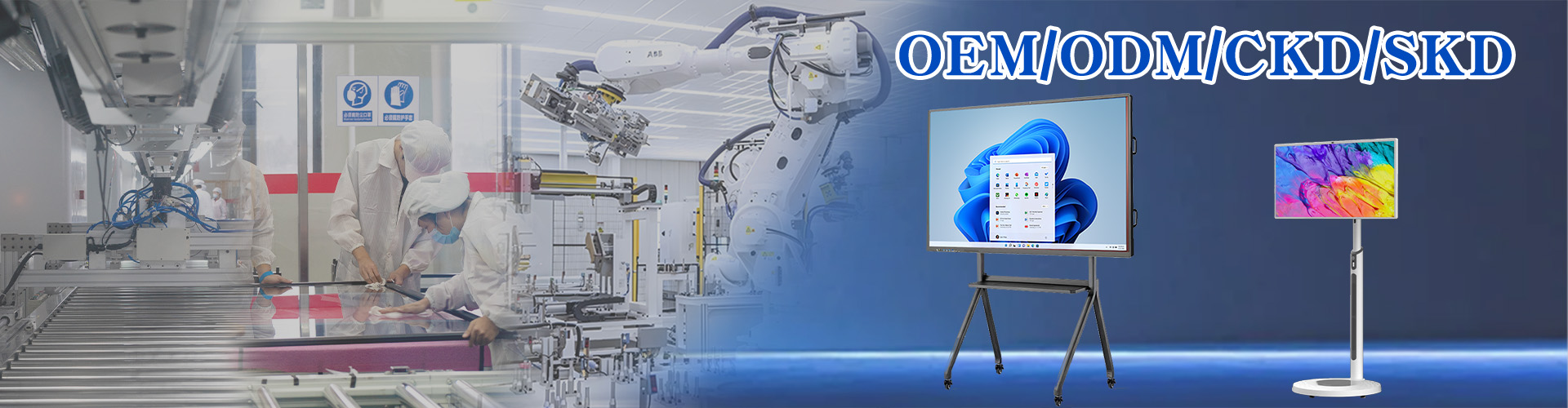
Yes. OEM/ODM covers branded software, logo, and boot screen from a 10-unit production run.
What lead time should we plan for?
Allow 15–25 days standard, or 7–10 days express; sea, air, and DDP shipping are all available.
Get a TCO comparison for your district
Send your room count and sizes — receive a factory quote and sample within 12 hours.