English
 Español
 Português
 Français
 Русский язык
 Italiano
 Deutsch
 Nederlands
 لعربية
 한국어
한국어 Japanese
 ภาษาไทย
 Türkçe
 Tiếng Việt
 Bahasa Indonesia
 Hindi
Hindi kazakh
 Uzbek
Uzbek Thai
Thai Farsi
Farsi
Qtenboard Interactive Whiteboard | Free Teachers From Busy Admin Work & Streamline Classroom Teaching
 2026-08-14
 1249
1249




2026-08-14
1249
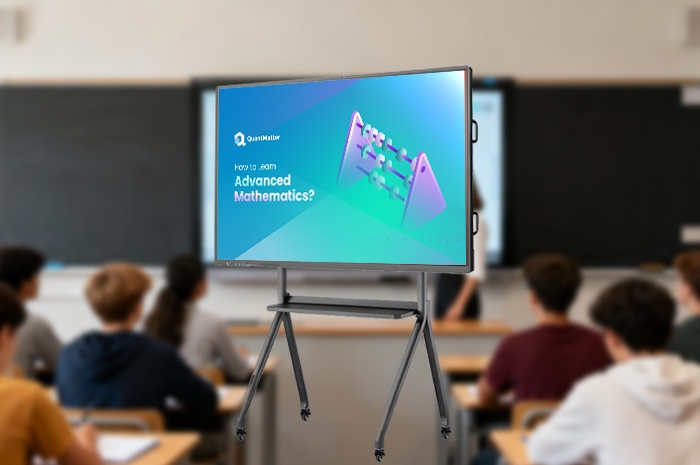
You became a teacher to guide students, unpack tough topics, and spark curiosity inside the classroom. Most days turn out nothing like that ideal vision. You sit late each evening drafting lesson plans from scratch. You spend weekends adjusting slide decks to fit daily class rhythms. You line up at campus print shops before dawn to print stacks of worksheets and exam papers for every group you teach. Hours vanish on repetitive prep tasks that add no real value to student learning. Your voice wears thin from repeating explanations, and you rarely get time to check where individual students fall behind after each lesson.
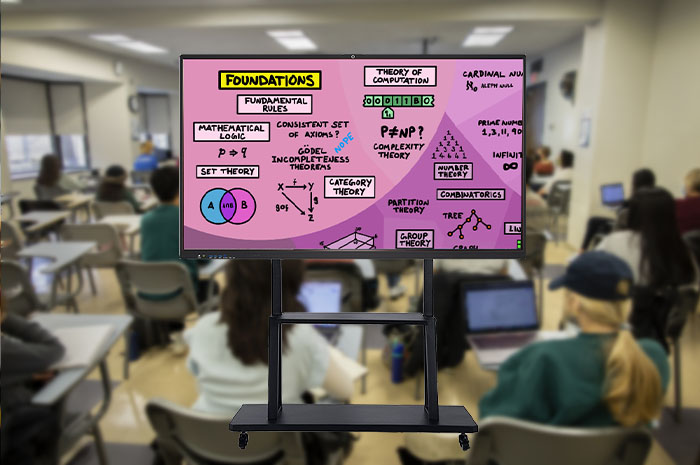
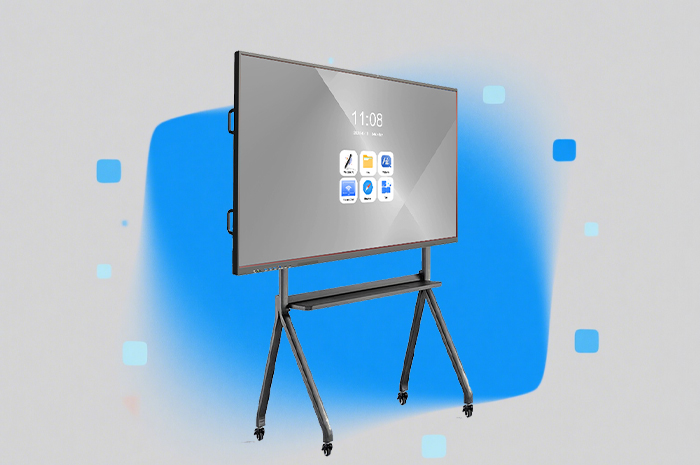
Qtenboard Interactive Whiteboard rewrites this draining daily routine entirely. This all-in-one classroom display tool has earned its reputation as a practical classroom multitool trusted by thousands of educators. It strips away redundant manual labor from your schedule, and hands back hours you can dedicate to direct student interaction. You upload all your prepared teaching materials to the onboard system ahead of class. One gentle tap on the screen pulls slides, textbook passages, video clips and practice problems into clear view for the whole room. The hours you once poured into blackboard writing, repeated printing and tedious material preparation shrink drastically, and classroom time shifts fully toward active learning and discussion.
Traditional printed textbooks stay fixed on the page. Static text and simple pictures leave abstract ideas hard for young minds to grasp. Qtenboard stores complete digital textbook libraries covering every core subject taught in primary and secondary schools. Mathematics, English, general science, world history, geography, fine arts and physical education all sit ready to open with a single tap. Each subject comes paired with supplementary audio, motion graphics and interactive tools tailored to chapter content.
Language & Literature: Poetry Comes Alive With Audio And Ink AnimationClassic ancient Chinese poetry often feels flat when read aloud from printed pages alone. You pull up the poem text on screen, then launch professional recitation audio recorded by veteran voice performers. Clear tone, pause and emotional rhythm help students feel the mood hidden within verses. Gentle flowing ink-wash artwork unfolds alongside the lines as the audio plays. Scenery described in the poem unfolds right in front of the class. Students connect words to imagery far faster than they would with printed pages only. You circle key phrases with the digital pen to mark rhythm points and literary devices without messy chalk residue.
Mathematics: Dynamic Graph Tools Replace Hours Of Manual DrawingPlotting functions and curved graphs used to eat up large chunks of class time. You would grab colored chalk, measure axes by hand, and redraw curves repeatedly until the shape looked correct. Students waited through lengthy setup before you even began explaining rules. The Qtenboard dynamic graph tool changes this workflow completely. You input function formulas, drag anchor points to shift curves, zoom in on intersection areas, and adjust variables to show how each tweak alters the overall shape. Complex parabolas, trigonometric curves and linear equations become easy to follow. Visual changes happen in real time, so students watch the link between numbers and shapes unfold step by step.
Universal Annotation Tools For Quick Key Point MarkingNo more chalk smudges or faded underlines that need redrawing every class session. The onboard digital pen lets you circle critical definitions, underline formulas, shade paragraphs and add brief side notes directly on any displayed content. All marks stay saved with the lesson file. You open the same course material the next day, and your annotations remain intact. You erase or edit marks instantly if you need to adjust emphasis for different learning groups. Key knowledge points stand out clearly for every student seated across the classroom.
You finish explaining a chapter, ask the class if anyone feels confused, and nearly every student nods and says they understand. Days later, quiz results reveal wide gaps in basic concepts you thought you covered thoroughly. You spend extra class time re-teaching material, strain your voice through repeated explanations, and still cannot pinpoint exactly which students struggled with which specific topics. This guesswork cycle wastes classroom hours and leaves unsure learners falling further behind.
Qtenboard’s interactive quiz function eliminates this uncertainty entirely. You build short practice sets covering the day’s core knowledge points within minutes before class. The system generates a unique QR code that appears on the large screen once the lesson wraps up. Students open the camera on their personal phones, scan the code, and answer multiple-choice, fill-in and short-response questions right on their mobile devices. They submit responses with one tap when finished.
Data streams back to the interactive panel instantly after submissions roll in. A simple visual report loads on screen within seconds. You see overall class accuracy rates, which questions triggered the most mistakes, and a breakdown of individual student performance at a glance. You adjust the next day’s opening review to focus solely on the misunderstood sections. You no longer rehash entire chapters out of caution. Class time goes toward targeted reinforcement, and students clear up confusion before misunderstandings build up over weeks. Lessons become sharper, more focused, and far easier for young learners to absorb fully.
Traditional classroom operation relies heavily on printed paper materials. Schools order massive volumes of paper each semester for worksheets, unit tests, review handouts and homework assignments. Stacks of printed exams pile high on teacher desks and student tabletops through each term. Printing costs add up steadily for school budgets, and discarded worksheets create unnecessary waste once units conclude. Beyond paper waste, chalk dust lingers in the air all day long. Fine particles drift across the room as you write and erase on blackboards. Many teachers develop persistent throat irritation and mild respiratory discomfort after years of daily exposure. Students with sensitive noses or mild allergies also feel uncomfortable through long school days.
Full Paperless Resource Storage Cuts Printing Waste And CostsAll practice exercises, test papers, review materials and supplementary readings get stored digitally inside the Qtenboard system. You send files to student devices via QR scan or classroom network whenever practice work is needed. No repeated trips to the print shop, no large stacks of physical paper taking up storage space in offices and classrooms. Schools slash monthly printing expenses noticeably over a single semester, and less paper consumption lowers overall campus resource waste. Archived resources stay preserved digitally for reuse across semesters and grade levels.
Dust-Free Surface Protects Respiratory Health For Teachers And StudentsThe panel surface requires no chalk whatsoever for writing, drawing or annotation. No dust floats through classroom air during lessons. Your throat stays clear through long teaching sessions. Students prone to allergies or mild asthma learn without constant irritation from airborne particles. Classroom air stays cleaner each day, and daily cleanup work for campus staff also grows simpler without chalk residue to wipe from desks, windowsills and floors.
Resources Available Anytime, Beyond Classroom HoursAll lesson content, recorded classroom notes and quiz materials stay saved within the device system. You pull up past lesson files to adjust plans for new student groups whenever you need. Students scan lesson QR codes after school to review annotated notes, replay instructional animations and redo practice questions at their own pace. Learning does not end when the school bell rings each afternoon.
| Comparison Category | Traditional Chalk Blackboard | Qtenboard Interactive Whiteboard |
|---|---|---|
| Daily Lesson Preparation Time | 3–4 hours daily for drafting plans, PPT adjustment and printing | 40–60 minutes total; materials stored digitally for repeated use |
| Graph & Complex Content Display | Hand drawn manually, time-consuming, hard to adjust dynamically | Drag, zoom and adjust curves instantly; audio and animation supported |
| In-Class Knowledge Check Method | Oral questioning only; no accurate overall learning data | QR code mobile quizzes, instant class accuracy reports generated automatically |
| Paper Consumption & Printing Cost | High continuous printing expenditure, large paper waste | Nearly zero paper use; digital distribution cuts campus printing budgets |
| Classroom Air Environment | Chalk dust suspended indoors, easy to trigger throat and allergy discomfort | Totally dust-free, cleaner indoor air for all occupants |
| Lesson Content Preservation | All notes erased after class, no permanent lesson record saved | Full lessons, annotations and quizzes stored permanently for review and reuse |
| After-School Review Support | Students rely solely on handwritten notebooks with incomplete records | QR code access to full lessons, animations and practice exercises after school hours |
Q1: Do I need advanced computer skills to operate the Qtenboard interactive whiteboard each day?
The operating logic matches smartphones and tablets you already use daily. Tap to open files, drag to move content, and write with the digital pen just like regular handwriting on paper. We deliver a two-hour onsite orientation session covering material uploading, quiz creation and annotation functions. Most teachers handle all daily classroom operations proficiently after one or two practice classes. Simplified operation guides stay saved inside the device for quick reference whenever needed.
Q2: Can the device work normally if the campus internet connection becomes unstable or cuts off?
All core classroom functions run fully offline without network access. Digital textbooks, whiteboard writing tools, pre-stored animations and saved quizzes load directly from local storage inside the panel. Internet access is only needed when you upload new teaching materials or download supplementary course resources. Schools with weak network coverage complete daily teaching plans without disruption.
Q3: Is the touch screen durable enough for daily heavy use by dozens of students?
The front layer uses thickened tempered anti-scratch glass. Frequent taps, pen touches and accidental bumps leave no lasting scratches or marks. Infrared touch sensors maintain steady sensitivity through years of daily classroom use. You wipe the screen gently with a soft cloth for routine cleaning to keep display clarity intact throughout the school year.
Q4: Are the built-in digital textbooks aligned with official local curriculum standards?
All textbook content follows official regional teaching frameworks, including chapter divisions, knowledge point sequences and assessment requirements. You can upload school-customized courseware, supplementary worksheets and local teaching materials to adapt content fully to your campus teaching demands.
Q5: Will long screen viewing cause eye strain for young students during daily lessons?
The screen surface has anti-glare coating to block harsh reflections from ceiling lamps and outdoor sunlight. Brightness adjusts automatically to match indoor ambient light levels. You set built-in timers to trigger short rest breaks every forty minutes, following official student eye protection guidelines to ease visual fatigue effectively.
Q6: How long does technical support and system update service last after purchase?
The interactive panel carries a two-year hardware warranty covering screens, mainboards and touch modules under normal classroom usage. Teaching system software receives free functional upgrades for three years post purchase. Our technical team provides remote troubleshooting and periodic maintenance guidance throughout the service period.
You chose teaching to connect with students, unpack complex ideas, and nurture young minds. Endless prep work, repeated printing, chalk dust and vague learning assessments steal that joy day after day. Qtenboard Interactive Whiteboard clears these obstacles from your daily schedule. It cuts lesson preparation hours, turns static textbook content into vivid interactive sessions, pinpoints learning gaps instantly after each lesson, and builds a cleaner, healthier classroom space free from paper waste and chalk dust.
You regain time to craft thoughtful lessons, hold brief one-on-one talks with students who need extra support, and deliver engaging instruction without vocal strain and endless repetitive labor. Classroom time shifts from tedious knowledge recitation to active exploration and discussion. Teaching returns to the meaningful core you originally signed up to pursue.
Learn detailed hardware specifications, full functional breakdown and bulk campus procurement plans from our official product page:Qtenboard Interactive Whiteboard Official Product DetailsUpgrade your classroom today, and embrace efficient, relaxed, student-centered teaching with Qtenboard.


 Floor 6, Building A, No. 3, North District, Shangxue Science and Technology City, Xinxue Community, Bantian Street, Longgang District, Shenzhen City
 info@szqunmao.com
 +86 15920011166
 +86 15920011166