English
 Español
 Português
 Français
 Русский язык
 Italiano
 Deutsch
 Nederlands
 لعربية
 한국어
한국어 Japanese
 ภาษาไทย
 Türkçe
 Tiếng Việt
 Bahasa Indonesia
 Hindi
Hindi kazakh
 Uzbek
Uzbek Thai
Thai Farsi
Farsi
Qunmao Smartboard: Breaking Device Barriers for Modern Education
 2026-07-29
 1235
1235




2026-07-29
1235
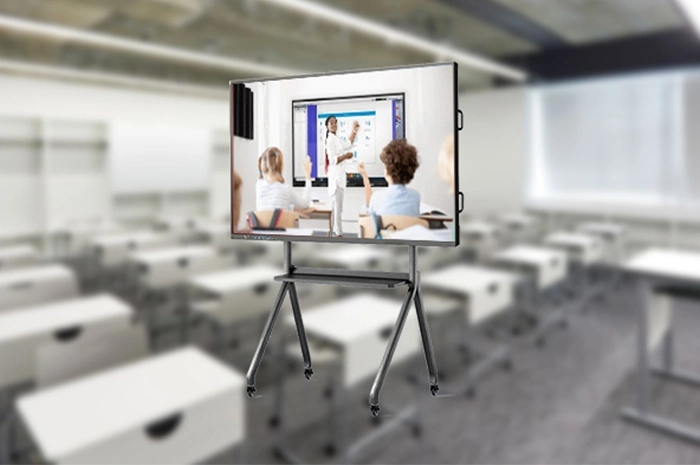
In the ongoing era of educational digitalization, traditional isolated classroom equipment can no longer satisfy diversified teaching demands. The seamless collaboration between all teaching hardware devices has gradually become the core driving force to optimize and transform classroom experience. Many schools and educational institutions have deployed interactive flat panels in classrooms. However, many teachers still face multiple common obstacles in daily teaching activities: limited operation range fixed at the podium, complicated wired connection for resource transmission, slow file import, delayed switching of courseware, and inconvenient real-time display of on-site classroom materials. These trivial technical problems constantly interrupt teaching rhythm and reduce classroom interaction efficiency.
The newly upgraded intelligent device interaction system built for interactive flat panels takes “intuitive interaction and boundary-breaking integration” as the core design philosophy. This system abandons cumbersome wired transmission and complex software login modes. It realizes flexible linkage between interactive teaching all-in-one machines, teachers’ mobile phones, laptops and tablet computers mainly through two core functional modules: mobile QR code control technology and instant cross-device transfer. The whole set of functions brings unprecedented intelligent efficiency to offline classroom teaching, remote hybrid teaching, after-school tutoring and campus training scenarios.
Unlike independent single functions developed by many competitors, this interaction system forms an organic closed loop. Teachers can control the large screen remotely through mobile terminals and transmit teaching resources synchronously. The two functions coordinate with each other instead of operating independently. This integrated design fully considers the real usage habits of frontline teachers, reduces learning costs, and helps educational hardware buyers gain stronger product differentiation advantages in smart education bidding projects and equipment procurement.
Traditional teaching operation modes bind teachers firmly to the podium. Whether operating the interactive flat panel through touch directly or using a traditional limited-range infrared remote control, educators cannot move freely among student groups. Once teachers walk to the back of the classroom or communicate with students nearby, they cannot control courseware and playback content on the large screen, which greatly restricts the development of interactive classroom activities. The mobile QR code control function completely breaks these geographical constraints.
Gone are the constraints of the podium. With a simple scan of the QR code displayed on the interactive all-in-one device, a teacher’s smartphone metamorphoses into a multifunctional smart remote without downloading additional complex applications. This feature empowers wireless control from any classroom vantage point. Educators can circulate freely among students while completing a full set of screen operations: switching between multimedia courseware, annotating critical concepts with fingertip precision, modulating video playback in real time, zooming pictures, activating whiteboard tools and controlling screen brightness.
This function brings tangible convenience to all disciplines. For mathematics and physics courses, teachers can highlight key formulas or add real-time notes when explaining complex theories, making abstract concepts visualized on the large screen. During video teaching materials playback, one tap can pause, rewind or fast-forward content. Teachers can revisit difficult knowledge points or skip repeated fragments flexibly to adjust teaching progress according to students’ on-site learning feedback. Language teachers can control audio playback freely during listening training; art teachers can mark and analyze student works displayed on the screen remotely.
Compared with traditional infrared remote controllers and Bluetooth remotes, QR code mobile control has obvious competitive advantages. Infrared remote control requires facing the screen directly, and obstacles will cause signal failure. Bluetooth remote equipment needs pairing operation and is easy to lose. The QR code connection mode only requires access to the same local area network. Multiple teachers can scan codes temporarily according to teaching needs, which is very suitable for group teaching, class observation and multi-teacher joint teaching modes. Breaking free from traditional remote range limits, this technology lets teachers move freely, creating a dynamic, interactive classroom for smooth knowledge sharing.
Resource transmission has long been a prominent pain point in daily teaching. Many teachers need to prepare courseware on laptops, record classroom experimental videos with mobile phones, and collect student assignments via mobile terminals. In the past, teachers relied on U disk copying or wired HDMI connection to import these materials to the interactive flat panel. U disks are easy to lose and may carry computer viruses; wired cables limit activity space, and repeated plugging will cause interface aging. Every resource conversion will waste precious classroom time and break the continuity of teaching.
The quick transfer function marks a paradigm shift in classroom efficiency, enabling frictionless resource sharing across different terminal devices. Within a unified local network environment, teachers can effortlessly migrate all types of teaching materials. Materials cover meticulously designed PowerPoint slides from a laptop, live-recorded lab demonstration videos from a smartphone, photos of student artwork captured during class, PDF documents, audio files and animation courseware. All these files can be quickly sent onto the interactive all-in-one display.
The whole transmission process eschews tangled cables and convoluted system settings. After simple connection matching, a few taps initiate near-instantaneous transmission. High-resolution pictures, long videos and large-size courseware files can appear flawlessly on the big screen without obvious compression distortion. This real-time synchronization eliminates a large amount of downtime usually spent on technical equipment setup, allowing lessons to transition smoothly from pre-class preparation to formal classroom execution.
The application scenarios of cross-device transmission are extremely rich. Imagine a science teacher capturing a student’s experimental operation on their phone and projecting the video to the large screen within seconds for whole-class observation and group analysis. An art instructor can wirelessly display multiple students’ digital works during critique sessions. History teachers can synchronize on-site photographed cultural relic pictures collected during field trips to the classroom screen. By eliminating various technical bottlenecks, the instant transfer feature maintains continuous teaching rhythm, transforming the classroom into a fluid, idea-driven space that champions teaching efficiency and creative exploration.
Real-time screen casting: Support mobile phone and laptop one-way screen projection to the interactive flat panel for content sharing
Multi-terminal annotation linkage: After screen casting, teachers can add annotations from mobile phones, and all marks are synchronously displayed on the large screen
Temporary two-way file transmission: The interactive whiteboard can send pictures and documents to teachers’ mobile phones for preservation after class
Connection records management: The all-in-one machine can record historical access terminals to ensure the information security of teaching resources
Network adaptive transmission: Automatically adjust transmission speed according to Wi-Fi signal strength to avoid file transmission interruption
Permission management function: Administrators can turn on or off QR code access authority to prevent irrelevant personnel from controlling classroom equipment
| Function Item | QR Code Control & Cross-Device Transfer System | Traditional USB Disk / Wired Connection | Ordinary Bluetooth Remote Control |
|---|---|---|---|
| Movement Range for Teachers | Full classroom free movement within LAN coverage | Limited near the podium | Limited effective Bluetooth signal distance |
| Hardware Accessories Required | No extra accessories, use existing mobile phone | USB flash drive, HDMI data cable | Special matched remote controller, easy to lose |
| File Transmission Speed | Fast wireless transmission under stable Wi-Fi | Depends on USB version; frequent plugging trouble | Not support large file transmission |
| Multi-teacher Joint Teaching Adaptability | Excellent; multiple terminals can scan codes temporarily | Poor; inconvenient for equipment handover | Only one remote can work at one time |
| Equipment Maintenance Cost | Low, no consumable accessories | High, cables and USB drives are frequently damaged | Medium; battery replacement and remote replacement cost |
| Information Security Risk | Support access permission control | Virus infection risk via USB storage | Lack of effective access restriction |
Daily Offline Classroom Teaching: Primary school, middle school and high school regular classroom interactive teaching, improve classroom mobility and student participation
Hybird Online & Offline Teaching: Adapt to mixed teaching mode, facilitate teachers to synchronize on-site classroom content for remote students
Campus Open Classes & Teaching Observation: Multiple teachers participate in classroom activities flexibly through multi-terminal connection
Vocational Education Practical Training: Display real-time operation pictures of students’ practical exercises on the large screen quickly
University Lecture Hall & Academic Exchange: Convenient for different speakers to switch teaching resources without complicated wiring adjustment
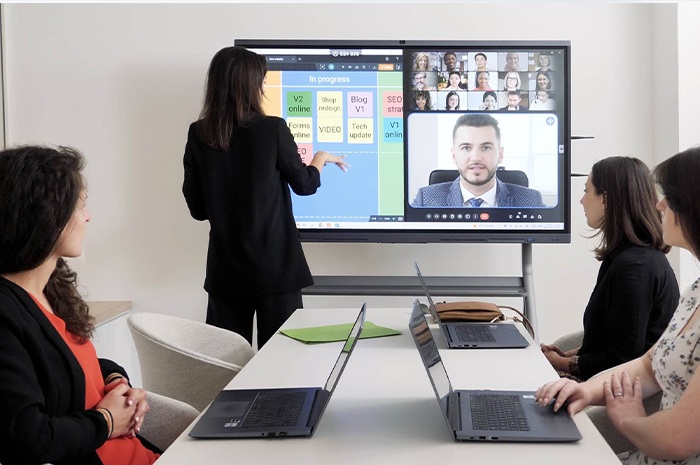
Enterprise Internal Training & Conference Scenarios: Expand usage beyond education to corporate training interactive flat panel equipment
Q1: Do teachers need to download special mobile APP to use QR code control function?
A1: No extra application installation is required. The mobile phone’s built-in browser or WeChat scanning function can directly connect to the interactive flat panel, lowering the operation threshold for older teachers who are not familiar with smart software.
Q2: Can cross-device instant transfer transmit large files such as long teaching videos?
A2: Yes. The system supports transmission of pictures, documents, audio and video files of multiple formats. The transmission speed depends on the stability of the local Wi-Fi network. For ultra-large video files, it is recommended to complete pre-transmission before class to avoid network pressure during teaching hours.
Q3: Do mobile phones and interactive flat panels have to connect to the same Wi-Fi network?
A3: Under the standard mode, terminals need to access the same local area network to realize QR code control and file transmission. Our technical team can provide extended network scheme support for special campus network architecture upon project demand.
Q4: Is there a risk of other people scanning the QR code to control the classroom screen without authorization?
A4: The administrator can set valid time limits for QR codes. The QR code will automatically fail after class. In addition, the system supports password verification before connection, effectively preventing unauthorized access and protecting teaching data security.
Q5: Does this set of interaction function support Windows system and Android system interactive flat panels simultaneously?
A5: The newly upgraded device interaction system is compatible with Android mainstream interactive flat panel systems. If your project adopts Windows dual-system equipment, you can consult our sales team to confirm the matching software version and deployment plan.
Q6: Can the annotated content operated by mobile phone remote control be saved to the whiteboard software of the interactive flat panel?
A6: All real-time annotations, courseware switching records and marked content can be stored locally on the machine. Teachers can export these notes as picture or PDF files after class for homework arrangement and teaching review.
Q7: Can we realize this set of functions through software customization for bulk school procurement projects?
A7: We support OEM software customization for system integrators and large educational bidding projects, including customized startup interface, function name adjustment and exclusive brand UI display. Contact our business team to get detailed customization solutions.
When purchasing interactive flat panels equipped with device interconnection systems, schools and education procurement departments should comprehensively test the stability of wireless connection in advance. Many old campus teaching buildings have weak Wi-Fi signal coverage. It is recommended to optimize the wireless access point layout in the classroom to ensure smooth transmission between terminals.
Organize simple operation training for teachers after equipment installation. Although the QR code control and cross-device transfer functions are easy to learn, systematic brief training can help teachers master more hidden skills such as mobile annotation and two-way file receiving, maximizing the value of intelligent equipment. For school information security management personnel, reasonably set QR code validity period and access authority according to classroom usage rules to balance convenience and data safety.
Education digital transformation is not simply replacing traditional blackboards with large touch screens. The core goal is to remove technical obstacles between teachers, students and teaching resources. This integrated device interaction solution centered on QR code mobile control and instant cross-device transfer fundamentally breaks the limitation of fixed-position operation. It builds smooth data links among mobile phones, laptops and classroom interactive flat panels.
This integrated solution not only bridges device divides but reimagines modern pedagogy. In this intelligent classroom environment, technology serves as an enabler rather than a barrier, helping teachers give full play to teaching creativity and unlock education’s full potential. For interactive flat panel suppliers, system integrators and school purchasers, the complete device interconnection capability has become an important differentiated competitive configuration in smart classroom project bidding, bringing richer possibilities for future innovative teaching.


 Floor 6, Building A, No. 3, North District, Shangxue Science and Technology City, Xinxue Community, Bantian Street, Longgang District, Shenzhen City
 info@szqunmao.com
 +86 15920011166
 +86 15920011166