English
 Español
 Português
 Français
 Русский язык
 Italiano
 Deutsch
 Nederlands
 لعربية
 한국어
 Japanese
 ภาษาไทย
 Türkçe
 Tiếng Việt
 Bahasa Indonesia
 Hindi
 kazakh
 Uzbek
 Thai
 Farsi

Indoor Vertical Advertising Display FAQ: 10 Questions for B2B Buyers & Operators
 2026-11-26
 29



2026-11-26
29
This guide applies to malls, hotel lobbies, retail chains, showrooms, office buildings and hospitals. It is written for procurement managers, distributors, system integrators and operation teams. It covers indoor vertical advertising display common issues, including hardware installation, display and heat dissipation, content management, fault self-check, procurement and after-sales, so readers can jump directly to the section they need. For floor-standing ad screen usage problems, each answer follows a quick conclusion, key reasons and a verification method.
Quick conclusion: Check the base weight ratio, center-of-gravity height, and whether ground fixing is supported. All three matter.
Key reasons: In high-traffic corridors, entrances and elevator halls, collision risk is far higher than against a wall. Self-weight alone is not enough; base size and fixing holes must work together.
Verification method: Ask the supplier for base size to machine weight ratio; confirm reserved expansion bolt holes; request anti-tip test reports or reinforcement plans for crowded areas. You may also review our indoor advertising machine product line for reference specifications.
Quick conclusion: Rule out calibration and environment interference before suspecting hardware.
Key reasons: IR touch is affected by strong light, dust and obstruction; capacitive touch by gloves, moisture and film bubbles. Environment factors are the most common “false fault” in floor-standing screens.
Verification method: Run system calibration; clean the touch frame or surface; test with dry hands or compatible gloves. If drift continues, record the scenario and contact the manufacturer. For indoor use, capacitive touch is preferred for phone-like feel, but glove-heavy scenarios require IR or glove-compatible capacitive confirmation.
Quick conclusion: Indoor cooling is not just about fans; it is about unblocked vents, controlled ambient temperature and a clear dust-cleaning cycle.
Key reasons: Enclosed corners or embedded booths accumulate heat; decoration blocking vents is a common human error; long-term dust buildup drops cooling efficiency sharply. Note this is indoor heat accumulation, not outdoor waterproof or dustproof thermal design.
Verification method: Confirm air inlet and outlet positions; reserve at least 10 cm clearance on installation; ask for recommended cleaning interval (usually 3–6 months depending on dust); in hot regions confirm indoor ambient temperature stays under the product limit.
Quick conclusion: Do not rely only on a “low blue light” label. Confirm minimum adjustable brightness, flicker level and anti-glare treatment.
Key reasons: Indoor brightness is not the higher the better; excessive brightness near range increases glare and fatigue. “Higher brightness is always better” is a common procurement misconception.
Verification method: Ask minimum brightness level (indoor comfort usually needs support for ≤200 cd/m²); TÜV low blue light certification; flicker meeting IEEE 1789 risk-free level; surface anti-glare coating.
Quick conclusion: Separate standby, typical playback and full-load power, and require test conditions.
Key reasons: “Standby consumes no power” is a myth; network wake-up vs remote standby varies greatly, and bulk deployment standby cost is not negligible.
Verification method: Request three-tier power data with test conditions (brightness, volume, content type); confirm scheduled power on/off and auto brightness; estimate annual electricity cost for batch projects.
Quick conclusion: Check if the CMS supports grouping, time slots, scheduled power on/off and offline playback.
Key reasons: In chain stores and multi-site networks, update frequency and network stability rarely match; without offline cache the screen goes black on disconnection.
Verification method: Confirm CMS group and time-slot publishing; pre-download and resume-playback support; multi-screen sync; OTA upgrade impact on playback; overseas projects need multi-timezone and multi-language management.
Quick conclusion: Black screen, snow/flashing, touch failure, no power, no sound, content not updating: first rule out external factors, then decide whether to contact the factory.
| Symptom | Possible Cause | Self-check Step | When to Contact Manufacturer |
|---|---|---|---|
| Black screen | Power, signal source, brightness, screensaver | Check power indicator, wake by remote, switch input | Indicator off but socket normal |
| Snow / flashing | Loose cable, resolution mismatch, panel fault | Reseat HDMI/network cable, reset factory resolution | Snow persists after cable replacement |
| Touch failure | Calibration, strong light, dust, film | Recalibrate, clean, change test environment | Drift remains after environment ruled out |
| No power | Power, timer, wake-on-LAN conflict | Check socket, timer task, manual power on | No response at all |
| No sound | Mute, volume, audio output channel, track | Check system volume, switch output, test video | Hardware silent after all checks |
| Content not updating | Network, CMS task, storage full, offline policy | Check online status, republish, clear storage | Platform shows online but no update |
Daily inspection list (weekly, about 3 minutes): base screws, cable joints, vent openings, brightness/volume, online status.
Quick conclusion: Use microfiber cloth plus approved cleaner; never use alcohol or ammonia-based liquids; rotate static frames regularly.
Key reasons: Ghost images often come from fixed logos or menu bars shown too long; wrong cleaners corrode coatings.
Verification method: Clean after power off; confirm cleaner ingredients; set static content rotation or pixel shift; for always-static content confirm anti-burn-in panel mechanism at purchase.
Quick conclusion: Whole-unit warranty and panel warranty are separate; overseas after-sales depends on spare part mode and response time.
Key reasons: “Longer warranty is always better” is a misconception; long coverage without scope may exclude panel, backlight or human damage.
Verification method: Ask whole-unit years plus separate panel years; confirm exclusions (human, water, voltage abnormal); overseas projects confirm spare shipment or swap mode and SLA response; batch projects can negotiate extended warranty.
Quick conclusion: Lock size/resolution, OS, networking and certification first, then customization and shipping.
Verification method:
Hardware: size, resolution, portrait/landscape, single/double side.
OS & networking: Android/Windows, ports, WiFi/Ethernet/4G.
Compliance & adaptation: destination certification (CE/FCC/RoHS), voltage, plug.
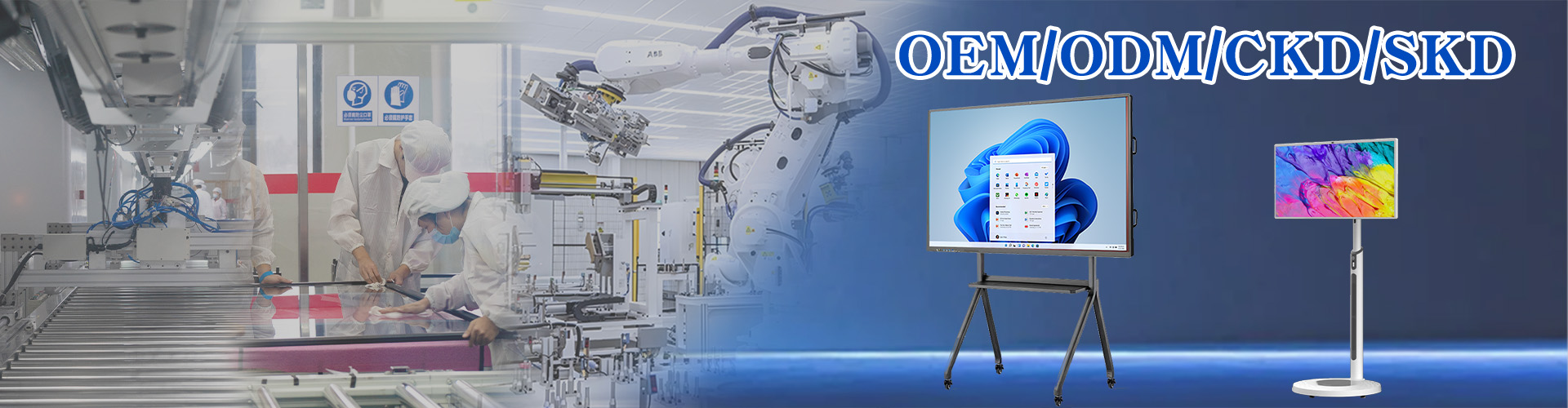
Business: OEM/ODM ability, packaging, MOQ.
For more technical background on digital signage systems, you can read our company introduction. When requesting a quote, provide quantity, size, orientation, single/double side and destination market.
Prioritize stability, cooling and after-sales, then compare price. We can provide parameter sheets, certification files, sample testing and quotation plans. Tell us your target market, quantity and scenario.
Tel / WhatsApp: +86 15920011166
Email: info@szqunmao.com


 Floor 6, Building A, No. 3, North District, Shangxue Science and Technology City, Xinxue Community, Bantian Street, Longgang District, Shenzhen City
 info@szqunmao.com
 +86 13148726043
 +86 13148726043