English
 Español
 Português
 Français
 Русский язык
 Italiano
 Deutsch
 Nederlands
 لعربية
 한국어
 Japanese
 ภาษาไทย
 Türkçe
 Tiếng Việt
 Bahasa Indonesia
 Hindi
 kazakh
 Uzbek
 Thai
 Farsi

Smart Blackboard for Classroom Teaching: B2B Buyer's Guide
 2026-11-05
 37



2026-11-05
37
Choosing a smart blackboard for classroom teaching is not the same as buying a standard interactive flat panel. A teacher still needs to write by hand, students still need to work at the board together, and the school still needs a display that fits an existing classroom wall. This guide walks B2B buyers through what a digital blackboard for classroom use actually involves, how the push-pull structure works, which specs matter, and what to confirm before ordering OEM or wholesale quantities.
A standard interactive flat panel is a single touch screen. It works well for presentations, but it does not solve the everyday reality of a classroom where the teacher still writes with chalk, switches between a diagram and a video, and lets students come up to the board. That is the gap a smart blackboard for classroom teaching is designed to fill: it keeps the familiar blackboard surface while adding a touch display in the middle.
For school projects and education distributors, this distinction matters at the procurement stage. A pure display is specified by screen size and resolution. A teaching blackboard is specified by writing compatibility, touch points, sliding clearance, and whether the software matches the lesson workflow.
An interactive smart blackboard in this form factor is not a single flat panel. The device consists of two writing boards on the left and right and a touch panel display in the middle. It is compatible with traditional chalk, dust-free chalk, and various water pens, so it keeps the conventional blackboard workflow while adding a high-definition display and touch interface.
In practice, that means the same surface can play educational videos, show images and animations, and accept digital annotations — combining a digital display with the established use of a blackboard in the classroom. Compared with a plain blackboard, it adds 4K content playback and touch interaction. Compared with a pure IFP, it keeps the writing boards and the chalk workflow.
The 65-inch model is a push-pull design. The left and right writing boards slide, while the central touch panel stays fixed. When the boards are closed, the unit reads as a conventional blackboard; when they are opened, the touch display is exposed for digital content and interaction. This is what lets a sliding blackboard serve both traditional writing and digital teaching in the same wall space.
Before ordering a sliding blackboard with TV or display combination, confirm three things:
Sliding range. How far the side boards travel, and whether the chosen classroom wall leaves enough room for them to open fully.
Wall clearance. The unit ships with a wall mount bracket (VESA 400×500mm, 4×M8 screw). Check the wall structure and the clearance behind the board.
Installation position. The boards need space to move; a movable stand is available as an optional accessory if wall mounting is not suitable.
| Specification | Value | Why it matters in a classroom |
|---|---|---|
| Display | 65", 3840×2160 4K, 350cd/m², 4000:1 contrast | Readable text and video at classroom viewing distance |
| Panel | BOE A+ grade panel, anti-glare glass, zero-gap bonding | Reduces reflection and improves touch feel |
| Touch | Infrared touch, 40 point, 1mm touch height | Multiple students can write at the same time |
| System | Android 14.0, Goke V100 octa-core A55, 4+32G / 8+64G / 8+128G optional | Runs teaching apps and wireless projection |
| Writing compatibility | Traditional chalk, dust-free chalk, water pens | Keeps the familiar blackboard workflow |
| Connectivity | HDMI in/out, VGA, DP, USB 2.0/3.0, Type-C, RJ45, RS232 | Connects to existing classroom equipment |
| Camera / mic | Built-in camera and 8-array mic (optional) | Supports remote and recorded lessons |
| Installation | Wall mount bracket included, VESA 400×500mm; movable stand optional | Fits standard classroom wall layouts |
Specifications above are taken from the 65-inch smart blackboard at the time of writing. Confirm current parameters and options with the supplier before finalizing an order.
A common workflow with a touch screen blackboard: the teacher opens a subject app on the display, writes and draws on the virtual whiteboard, pauses a video to explain a step, then splits the class into groups and lets students work on the board together using touch tools. Notes and annotations can be saved and shared afterwards.
The 40-point infrared touch and 1mm touch height support multiple students working at the board at the same time. The anti-glare glass and zero-gap bonding process keep the surface readable under classroom lighting, and the built-in light sensor adjusts screen brightness to the environment.
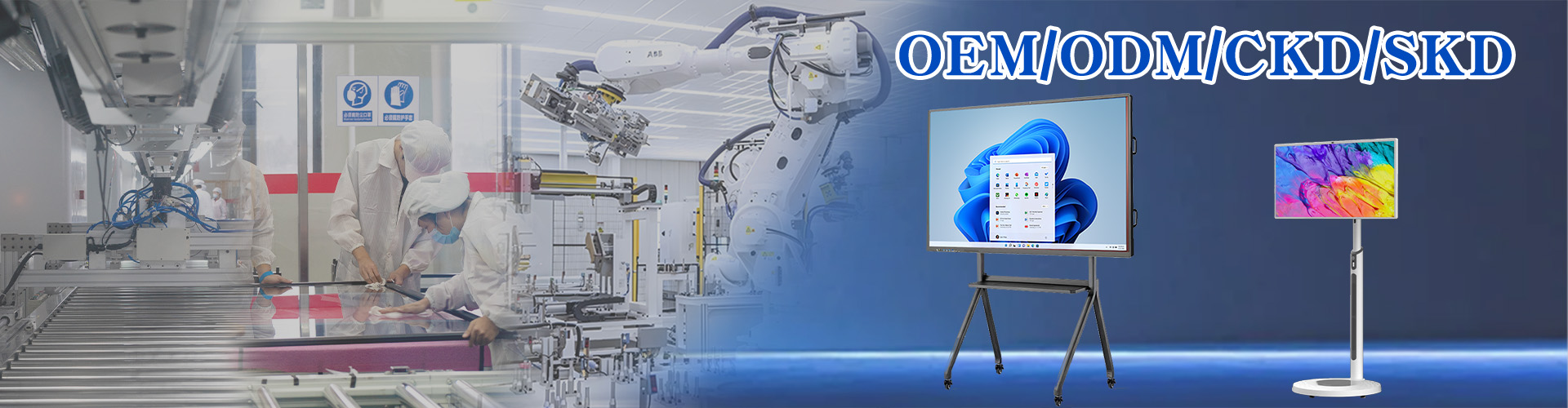
For distributors, integrators, and school-project suppliers, the relevant route is an OEM smart blackboard order. Qunmao Display was established in 2009 with a 230,000m² production base in Shenzhen and exports more than 85% of its output to over 50 countries. The product page lists customization, OEM and ODM services, boot animation customization, and optional teaching whiteboard software (1.0 Smartboard / 2.0 Qboard).
Panel and touch configuration. Confirm the RAM+ROM option (4+32G / 8+64G / 8+128G) and whether the built-in camera and 8-array mic are required for your project.
Software. Teaching whiteboard software and DMS are optional — specify these before quoting if the school or integrator needs them.
Accessories. Movable stand, smart pen, wireless projector, teacher's pointer, and HDMI/USB cables are optional items that affect landed cost.
Certifications and QC. The product page lists CE, FCC, ROHS, ISO9001, and 3C; request current certificates rather than relying on page text.
Supply and after-sales. The FAQ cites 3,000–5,000 units in stock per month and a 24-hour response time; for wholesale orders, confirm spare-parts policy and warranty terms in writing.
If you are comparing this model with a standard Qtenboard touch screen blackboard, the main difference is the push-pull writing-board structure and the 65-inch classroom configuration. Specify the 65-inch push-pull model when the classroom needs to keep chalk writing and the wall allows the side boards to slide. Specify a standard touch screen blackboard when a single flat panel is enough and the installation position has no room for sliding boards.
Classroom wall space and clearance for the sliding boards.
Whether chalk, dust-free chalk, or water pens will be used — the unit supports all three.
Touch requirement: 40-point infrared touch for group work.
System and storage option that matches the teaching software.
Camera/mic, teaching software, DMS, and movable stand as optional add-ons.
OEM branding, boot animation, and packaging requirements for wholesale orders.
Certifications and spare-parts policy confirmed in writing.
Specifying a smart blackboard for a school or distribution project?
Send your classroom layout, quantity, and software requirements — we will confirm the 65-inch configuration, optional accessories, and OEM/wholesale pricing.


 Floor 6, Building A, No. 3, North District, Shangxue Science and Technology City, Xinxue Community, Bantian Street, Longgang District, Shenzhen City
 info@szqunmao.com
 +86 13148726043
 +86 13148726043