English
 Español
 Português
 Français
 Русский язык
 Italiano
 Deutsch
 Nederlands
 لعربية
 한국어
한국어 Japanese
 ภาษาไทย
 Türkçe
 Tiếng Việt
 Bahasa Indonesia
 Hindi
Hindi kazakh
 Uzbek
Uzbek Thai
Thai Farsi
Farsi
Get Started with Qtenboard: Core Functions User Guide
 2025-12-01
 830
830



2025-12-01
830
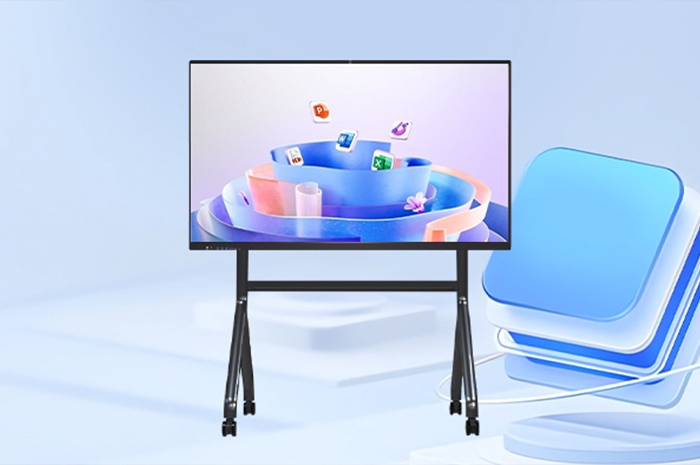
With its user-friendly design and powerful feature set, Qtenboard Interactive Whiteboard has become a core tool for teaching, meetings, creative presentations, and other scenarios. Whether explaining knowledge in classrooms, discussing plans in corporate meetings, or showcasing highlights at product launches, Qtenboard lets you easily control the interactive rhythm and unlock immersive communication experiences. Below is a detailed breakdown of its core operations to help you get started quickly and use it flexibly.
Qtenboard’s whiteboard software supports inserting multimedia files in all formats, freeing your presentations from tedious text. With one click, you can import HD images, dynamic videos, clear audio, and other materials, seamlessly integrating them into your presentation to convey core information intuitively. In teaching, inserting educational animations or experiment photos visualizes abstract concepts and stimulates students’ interest. In business meetings, embedding project progress videos or data visualization charts makes reports more persuasive. Especially at product launches, Qtenboard allows you to insert product detail images, function demos, and brand videos to comprehensively showcase features, design highlights, and core advantages, helping the audience perceive product value and enhancing brand communication. All multimedia files support plug-and-play without additional format conversion, ensuring smooth operation.
Equipped with an intelligent page management system, Qtenboard offers great flexibility in content organization. You can freely add new pages, delete redundant ones, and achieve seamless page switching through drag-and-drop sorting or quick navigation. When creating presentations, split content into chapters with themed pages, each focusing on one core point for structured information delivery. During teaching, add blank pages to supplement temporary knowledge or calculation steps, or delete irrelevant pages to streamline content. In meetings, add note pages in real time to record inspirations and key conclusions, ensuring no information is lost and improving efficiency.
Qtenboard provides convenient zoom operations to meet visual needs in different scenarios. You can adjust the whiteboard scale freely via two-finger pinch gestures or click the zoom buttons at the top of the interface to switch between "Full Screen," "1:1 Ratio," and "Detail Zoom" modes. When displaying HD product designs or complex data charts, zooming in makes details clearly visible for in-depth explanation. To overview the entire content framework, zooming out presents all pages in thumbnail form, helping the audience grasp the logical context quickly.
Qtenboard’s annotation feature is the "highlight" of interactive communication, supporting markup on documents, webpages, images, videos, and other content. Use brushes of different colors and thicknesses to circle key points, highlighters to emphasize critical information, or text annotations to add explanations, making core content clear at a glance. In teaching, annotate exam points and logical relationships to help students grasp key knowledge. In meetings, mark key data and pending issues to guide the team toward focused and efficient decision-making. In product demos, highlight innovative design details to strengthen audience memory and highlight brand advantages. Annotations can be saved in real time or cleared with one click, adapting to diverse needs.
Centered on user needs, Qtenboard simplifies complex functions into easy operations, enabling everyone to master it effortlessly. Whether you’re a professional, educator, or creative practitioner, its rich features help create personalized, highly interactive presentation experiences. Choosing Qtenboard means choosing an efficient, smooth, and professional interactive solution to make every communication more impactful.


 Floor 6, Building A, No. 3, North District, Shangxue Science and Technology City, Xinxue Community, Bantian Street, Longgang District, Shenzhen City
 info@szqunmao.com
 +86 15920011166
 +86 15920011166