English
 Español
 Português
 Français
 Русский язык
 Italiano
 Deutsch
 Nederlands
 لعربية
 한국어
한국어 Japanese
 ภาษาไทย
 Türkçe
 Tiếng Việt
 Bahasa Indonesia
 Hindi
Hindi kazakh
 Uzbek
Uzbek Thai
Thai Farsi
Farsi
Interactive Whiteboard | Multi‑Touch Smart Board For Modern Smart Classroom
 2026-08-08
 1250
1250




2026-08-08
1250
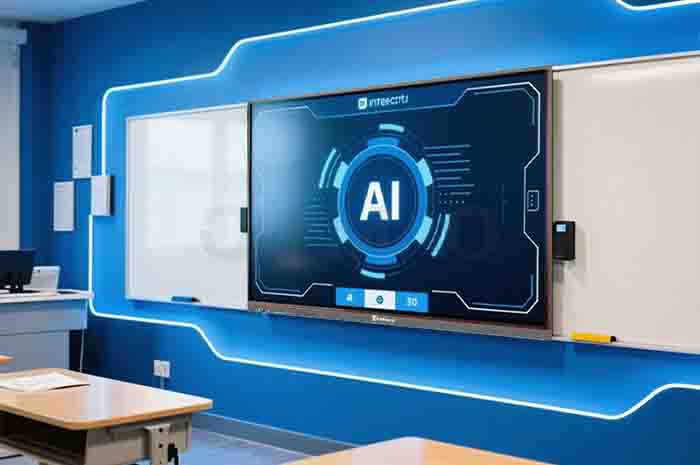
Many schools are moving away from outdated classroom setups. The old‑style teaching built around blackboard, chalk and printed textbooks can no longer match what today’s students actually need. Learners expect more back‑and‑forth communication, richer visual materials and easier access to learning content. As a core piece of smart classroom hardware, interactive whiteboards bring real changes to daily class activities.
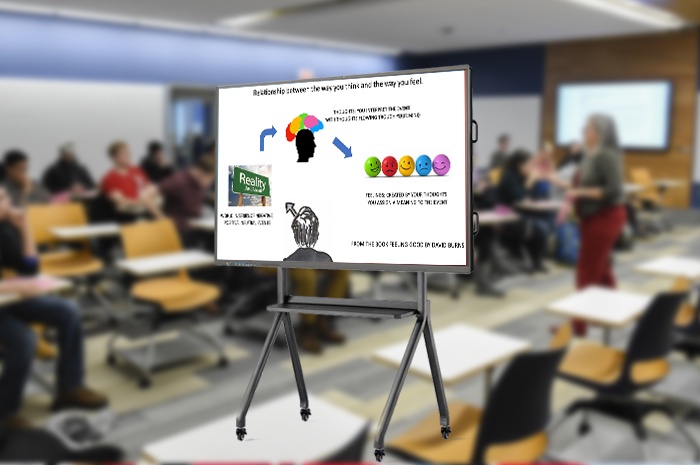
You have seen traditional classrooms many times. Teachers write heavily on chalkboards. Students copy notes from the board. Lessons rely mostly on spoken explanation and printed textbook pages. When teachers want to show pictures or short videos, they need extra projectors, cables and separate laptop devices. Those auxiliary tools often take time to set up before each period. Some equipment fails halfway through teaching and interrupts class flow entirely.
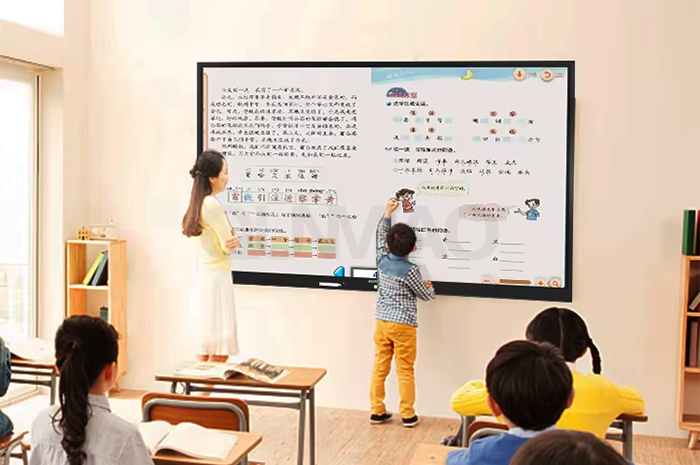
Inside classic lecture‑style classes, teachers pass knowledge while students sit and receive information. Student participation stays low for long stretches. Quiet learners rarely get chances to express their thoughts in front of the whole group. Many kids only take notes without hands‑on practice during class hours.
The interactive whiteboard changes this static pattern. Touch control, on‑screen annotation and multi‑person input let more students join class activities directly. Students can walk up to the large display surface. They write answers, mark key sections or drag visual elements for the rest of the class to watch. Learners stop only listening. They start taking part.
Multi‑user touch response. Multiple students can write or draw on screen at the same time. Group exercises become simple to run during regular lesson time. You do not need extra small‑size tablets for basic group work.
Instant on‑screen marking. Teachers and students add notes right over courseware pages, images or textbook content. All marks stay on file for later review. You will not lose written content once class finishes.
Student presentation support. Pupils show homework or project output on the big screen. They explain their thinking face‑to‑face with classmates. This simple practice builds confidence for young learners.
Quick class feedback. Teachers launch simple in‑class activities. You watch student input appear in real time, so you spot weak knowledge points without waiting for homework grading.
Field records from pilot school projects show student active‑participation time can grow by close to 27 percent after schools start using interactive whiteboards regularly. More kids raise hands or step forward to finish tasks on the big screen. Even shy learners feel more willing to contribute when working with touch‑based screen tools.
Paper textbooks and printed handouts carry text and static pictures only. Some knowledge points stay hard for students to grasp. Subjects such as biology, geography, physics and geometry contain many changing visual processes. You cannot show movement or layer changes well on printed pages. Teachers spend extra time drawing complex figures on chalkboards, and those hand‑drawn results often lack precision.
Interactive whiteboards deliver sharp high‑definition visuals and stable network access inside the classroom. You open pictures, short video clips, animated sequences and 3D model files directly on the panel. Complex topics turn easy to follow. Abstract knowledge becomes visible for every student sitting in the room.
Image and video playback. Play documentary clips, experiment footage or scene‑related videos without switching between separate projector players.
Animation for hard‑to‑grasp concepts. Show chemical reaction steps, planetary movement or human‑body structure changes. Learners observe processes instead of only reading word descriptions.
3D model rotation and zoom. Rotate geometry shapes or organ models on screen. Students view objects from multiple angles. This helps science and math teaching a great deal.
Local file offline playback. Store media files on device local storage. Videos and images still run even when classroom internet connection drops unexpectedly.
A middle‑school science team reported cutting drawing‑related preparation time by 31 percent each week. Teachers no longer sketch complicated experiment diagrams manually before lessons. Ready‑to‑open multimedia resources sit right inside the interactive whiteboard system. More lesson minutes go toward explaining ideas and guiding student thinking.
Traditional classrooms operate in isolation. Courseware stays inside individual teacher laptops. Notes written on blackboards get wiped clean once each class ends. Teachers from different campuses seldom share high‑quality lesson materials conveniently. Cross‑school lesson observation and joint research used to need long‑distance travel for all participating educators. Students can not easily take screen notes home for review.
Cloud platform features built into interactive whiteboards fix many of those limits. Teachers fetch stored course resources, send finished courseware copies and hold remote teaching‑research meetings across different schools and cities. Students scan simple codes or log into their personal accounts to sync class notes captured from the big screen. This setup supports learning that continues after the school bell rings.
Course resource cloud library. Upload and store lesson files. Authorized teachers from the same school access shared content without copying files via USB flash drives.
Cross‑school remote lesson connection. Run live shared classes. Educators from separate locations observe and join discussions without physical travel.
Student note sync. Students scan QR codes. Screen annotations and key‑page snapshots go to student personal devices for after‑class revision.
Teaching‑research collaboration. Groups of teachers comment on shared courseware online. Lesson improvement moves forward outside fixed meeting hours.
This connected setup works well for city‑wide education projects. Rural schools can receive high‑quality shared lessons from experienced teachers based in urban campuses. Resource gaps between different teaching sites get narrowed through simple stable digital links.
| Comparison Item | Traditional Blackboard + Projector | Interactive Whiteboard Classroom |
|---|---|---|
| Student class participation | Mostly passive listening, limited hands‑on chances | Multi‑person touch input, students write and operate on screen |
| Multimedia resource support | Need extra projector and laptop, complex wiring setup | Direct local or network playback for image, video and 3D files |
| Saved class notes & marks | Content erased after class, no digital record kept | Save annotations as image or PDF, export for reuse |
| Cross‑classroom resource share | Depend on USB drive or paper copy, low efficiency | Cloud library supports courseware share among teachers |
| Remote teaching possibility | Extra separate conference hardware required | Built‑in network module supports cross‑school remote lessons |
| Chalk dust problem | Dust exists, may cause throat discomfort | Zero chalk dust, cleaner classroom air |
| Offline lesson running | Only hand‑writing on blackboard works without power | Local stored media and annotation functions work offline |
Interactive whiteboards fit different grade levels and subject types. Primary‑school teachers use colorful pictures and short animated clips to hold young children’s focus. Touch‑based drawing tasks keep small pupils engaged during language and art lessons.
Middle‑school teachers rely on precise graph display and model rotation for math, physics and geography. Complex figure drawing finishes in seconds instead of many minutes. High‑school groups take advantage of cloud sharing and remote joint classes. Teachers exchange high‑quality courseware with educators from other campuses.
The device also works for teacher training events. Training organizers show sample lesson cases on screen. Trainee educators add comments and adjust courseware content together during group workshops. You get more practical value from one hardware device beyond regular student classes.
Shenzhen Qumao Display Technology co., ltd keeps improving interactive whiteboard hardware and matching software. We focus on real‑world classroom pain points. Our product team collects feedback from front‑line teachers all over the world. New firmware updates fix actual usage troubles seen in daily teaching. We keep supplying complete smart‑classroom solutions for education clients in multiple regions. Our goal lies in steady progress toward better‑equipped modern education.
Q1: How many people can write on this interactive whiteboard at one time?
Our mainstream education‑model supports up to 20‑point simultaneous touch. Multiple students can draw or write on screen together for group‑class activities.
Q2: Can I save annotated pages and export them out of the device?
Yes. You save screen content with hand‑written marks as PDF or image files. Export files to USB storage device, or upload them to the built‑in cloud library.
Q3: Will multimedia playback lag during daily class use?
The education‑oriented hardware handles regular‑definition video, pictures and 3D teaching resources smoothly. Do not run many heavy third‑party apps in background for stable performance.
Q4: Can interactive whiteboard keep core teaching functions running without internet access?
Local annotation, local media playback and multi‑touch writing work offline. Cloud resource access and remote cross‑school lessons require stable network connection.
Q5: Does the whiteboard support my existing PPT, PDF courseware files?
PPT, PDF and common image formats can be imported directly. Some special‑format courseware made by third‑party education software may need simple format conversion before opening.
Q6: Is special training required for teachers to start using this interactive whiteboard?
Basic touch operations follow tablet‑style logic. Most teachers master daily core functions within two to four class periods. We provide operation manuals and short demo videos for on‑site reference.
Q7: Can students use mobile phones to scan code and get class notes from the whiteboard?
After teachers generate QR code for current screen page, students scan with ordinary phone cameras. No dedicated app download is needed. Notes open inside mobile browser for viewing or saving.
Interactive whiteboard is far more than a simple large‑size display. It brings real changes to how lessons run inside classrooms. It helps shift teaching from one‑way lecture mode toward student‑participated sessions, brings abundant multimedia materials into daily instruction, and builds connected channels for resource sharing across different teaching locations. As hardware and software keep developing, more schools around the world will benefit from these smart classroom tools.


 Floor 6, Building A, No. 3, North District, Shangxue Science and Technology City, Xinxue Community, Bantian Street, Longgang District, Shenzhen City
 info@szqunmao.com
 +86 15920011166
 +86 15920011166