English
 Español
 Português
 Français
 Русский язык
 Italiano
 Deutsch
 Nederlands
 لعربية
 한국어
한국어 Japanese
 ภาษาไทย
 Türkçe
 Tiếng Việt
 Bahasa Indonesia
 Hindi
Hindi kazakh
 Uzbek
Uzbek Thai
Thai Farsi
Farsi
Next-Gen Teaching: Qunmao Launches AI Mainboard and Subject-Aware Handwriting Tablet for Interactive Flat Panels
 2026-08-04
 1745
1745




2026-08-04
1745
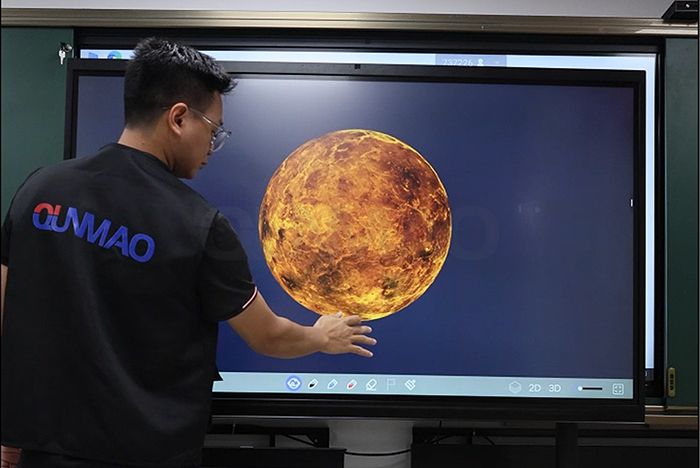
Shenzhen, China – June 2025. Qunmao Display Technology Co., Ltd. rolls out its updated interactive flat panel for school and training room use. This hardware update centers on a new AI‑tuned mainboard plus rebuilt handwriting software. You get built‑in subject support for chemistry, physics, mathematics, biology and other science courses. Many classroom touch screens only offer basic writing and drawing tools. They cannot tell the difference between math formulas, chemical symbols or biological sketches. Teachers spend extra time adjusting shapes and typing equations after free‑hand drawing. Qunmao’s new setup cuts this extra work for science instructors.
Every function of this upgraded panel runs from its redesigned mainboard. The team increased CPU and GPU processing capacity to handle heavy‑load classroom tasks. Science lessons push display hardware harder than general‑purpose lectures. Complex chemical structures, multi‑step calculus and high‑resolution lab photos need fast rendering. Slow hardware creates lag when teachers write formulas on screen. Lag breaks class rhythm and pulls student focus away from lesson content.
The on‑board AI chip handles user input locally on the device. Data stays processed on‑site instead of sending every stroke to remote cloud servers. Local processing lowers response delay. It also works when your classroom internet connection drops or runs slow. You still get handwriting recognition and subject‑related suggestions without stable network access. Power circuit tuning keeps power draw under control even during long continuous class hours. Device temperature stays steady for full‑day teaching schedules.
Local‑run AI computation reduces input lag for hand‑drawn formulas and diagrams.
Strong GPU performance renders high‑resolution lab images and vector‑based science drawings.
Hardware works offline for core handwriting recognition features, no mandatory internet link.
Thermal management supports many hours of non‑stop daily operation inside busy classrooms.
Mainboard reserves hardware resources for extra applications you may install for local school curriculums.
The rebuilt handwriting software forms the core value of this product update. Standard whiteboard software captures lines you draw. It does not read what those lines represent. Qunmao’s subject‑aware engine identifies what you sketch and offers subject‑relevant adjustments. Teachers write in free‑hand mode just like they work on a traditional chalk‑board. No switch to separate typing tools is required for equations or symbols.
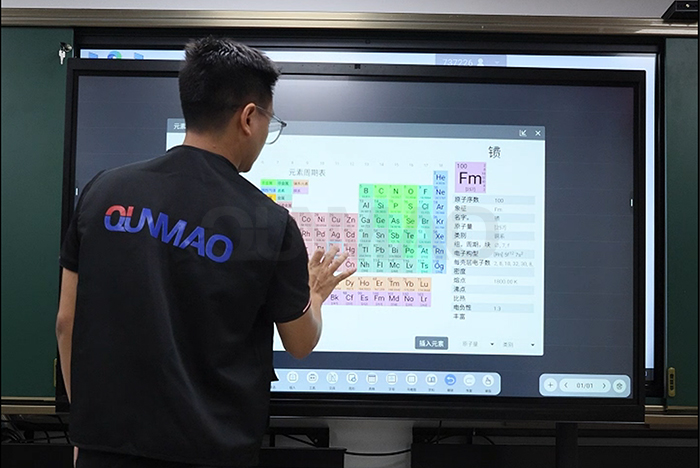
Chemistry: Draw molecular frameworks and reaction notation by hand. The software reads element symbols and bond layouts. It can point out unbalanced reaction entries you write on canvas. You keep your natural writing flow without switching to formula‑building pop‑up windows.
Physics: Sketch force arrows, coordinate axes and circuit elements. The system picks up vector directions and basic physical notation. You can adjust drawn diagrams directly on screen during lecture explanation.
Mathematics: Write algebra, calculus or geometry content with stylus or finger touch. The system expands multi‑step solving hints. It plots function graphs based on hand‑written expressions right on your current whiteboard page.
Biology: Rough‑draw cell layouts, tissue structures or organ sketches. The tool matches drawn shapes against standard biological models and adds text labels you can edit afterwards.
You are not locked into auto‑corrected output. Teachers retain full control. Accept suggested adjustments or ignore them completely. Your original hand‑drawn strokes stay visible unless you choose to replace them with standardized rendered graphics. This keeps your natural lecture style intact.
Stylus input delivers paper‑like feel for long writing sessions. Hard‑tip active stylus and regular infrared passive stylus both work on this panel. You do not need special expensive pens to unlock subject handwriting functions. Voice commands connect to the built‑in AI assistant. Speak to change subject profile, pull up reference teaching material or trigger calculation tasks. Voice input helps if you already stand across the room from screen controls.
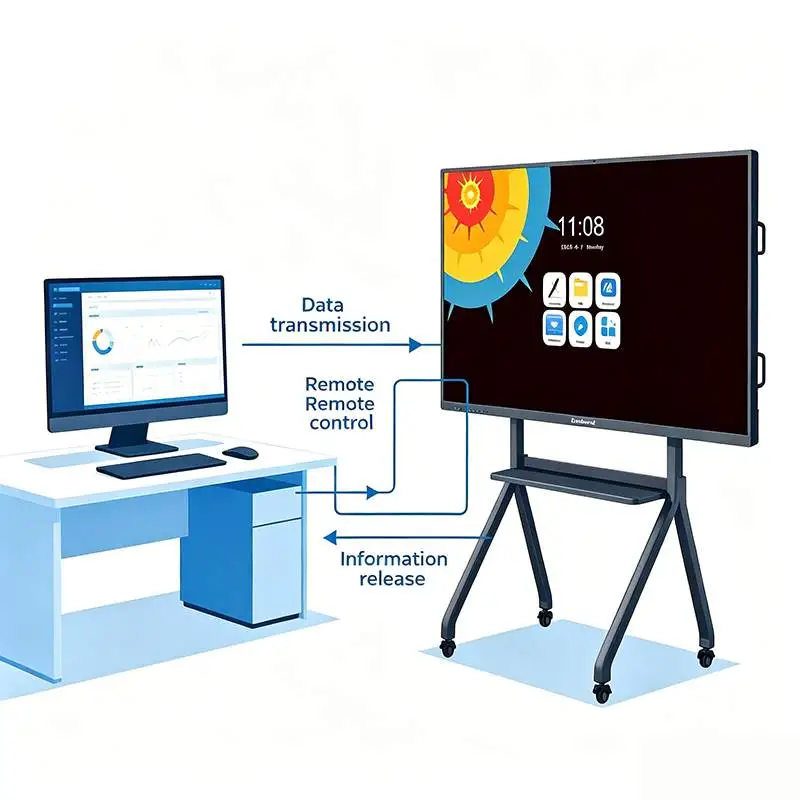
Every annotated lesson page can be saved locally. Export formats include PDF and common image files. You send these files to student devices for after‑class review. When cloud sync gets enabled, lesson records reach remote student machines over network. This setup fits hybrid class arrangements where part of your group joins lessons from home locations. All saved handwriting keeps subject‑processed metadata so formulas and labels remain editable for later reuse.
Many schools mix Windows and Android software ecosystems. This interactive flat panel supports dual‑system configuration through OPS slot modules. Run full Windows education suites or stay within native Android environment. Subject handwriting software works under both operating modes. Your existing teaching resources will keep running without heavy migration work.
| Feature Item | Standard Interactive Flat Panel | Qunmao Upgraded AI Science‑Focused IFP |
|---|---|---|
| AI Processing Location | Cloud‑dependent recognition | On‑board local AI chip, works offline |
| Subject Handwriting Support | Plain drawing only, no formula parsing | Chemistry, physics, math, biology handwriting analysis |
| Input Hardware Compatibility | Limited stylus options | Passive infrared touch + active stylus supported |
| Lesson File Export | Image output mostly | PDF, image, editable subject‑aware note files |
| System Environment | Android basic version | Native Android + optional OPS Windows dual‑system |
| Network Requirement For Core Functions | Requires stable internet for smart functions | Core handwriting features run without internet |
| Target Deployment Scene | General‑purpose classroom, meeting room | Science lab classroom, high‑school, university lecture hall, technical training centre |
You need to match screen size with your actual classroom dimensions. Small science labs work well with 65‑inch or 75‑inch units. Large university lecture halls should look toward 86‑inch or 98‑inch sizes. Wall‑mount brackets and mobile trolleys are both compatible with this hardware line.
System integrators will find custom configuration options available for large‑volume education bids. You can lock subject‑software feature sets, adjust default language packs and set custom boot screen graphics for your project brand. Software updates push over network. You also install update packages locally from USB storage when network access cannot be trusted.
Teacher familiarization takes some time. Even capable hardware delivers little value if instructors do not understand subject handwriting workflows. Qunmao provides operation documents and recorded training clips for on‑site staff learning during project roll‑out.
Q1: Does subject handwriting recognition keep working if internet connection fails?
Yes. Formula parsing and diagram analysis run inside the local AI chip. You lose cloud sync and voice assistant online search functions, but core handwriting tools stay available for teaching.
Q2: Must teachers use an expensive active stylus for subject handwriting functions?
No. Regular passive infrared touch input from fingers or cheap passive stylus triggers subject recognition. Active stylus gives finer drawing control for complex diagrams but it is not mandatory.
Q3: Can you turn off auto‑suggestions so original hand‑written strokes remain unchanged?
You toggle suggestion prompts on or off inside software settings. Teachers can ignore all auto‑adjust outputs and keep raw hand‑drawn content for class demonstration purposes.
Q4: Is subject handwriting software available under both Android and Windows OPS mode?
The subject handwriting package supports both operating environments. You retain full feature set no matter which system you boot into.
Q5: Can we apply this hardware for university‑level advanced science coursework?
It covers most high‑school and undergraduate‑level science notation. For highly specialized graduate‑level symbols you keep manual free‑hand drawing as normal.
Q6: Do you offer sample units for integrators to test subject handwriting performance before tender orders?
Sample evaluation is supported. Reach out to sales team to arrange sample shipment. You verify formula recognition speed, display quality and export workflow under your local site conditions.
Q7: Can system administrators restrict certain software features for student‑facing lab rooms?
Admin setting panel exists. Project managers lock export functions, disable voice commands or hide subject suggestion modules according to local school policy requirements.
If you work as school procurement staff, education system integrator or hardware distributor, collect full specification sheets, quotation information and test‑sample arrangements. Visit Qunmao official website:https://www.szqunmao.com/
Share details such as classroom quantity, subject focus and preferred screen sizes. Our international sales team sends targeted project documentation for your tender preparation and internal review.


 Floor 6, Building A, No. 3, North District, Shangxue Science and Technology City, Xinxue Community, Bantian Street, Longgang District, Shenzhen City
 info@szqunmao.com
 +86 15920011166
 +86 15920011166